Have you thought about what people said when they said you should stay away from Radeon? As you look online, more and more negative comments like “unstable drivers” or “bad game compatibility” show up. This can be unsettling.
But hold on a second. A big part of that reputation comes from old news from 2018 to 2020. The Radeon from AMD GPU of 2026 is definitely a totally different animal.
But that does not mean, “Radeon is great, so buy it right away!” The truth is that GeForce works better for some people. It is most important to pick something that fits your needs and budget.
In an easy-to-understand way, this article will go over everything about Radeon, from what it is and how it works to its reputation. This article will help you pick the right GPU for your PC, PS5, or mini PC. Read it all the way through.
What is a Radeon GPU? Getting the Basics Down
Radeon basics are very important to understand.
Overview of AMD Radeon Graphics
Radeon is a brand name for a GPU made by the American company AMD. There are three main GPUs on the market right now: GeForce from NVIDIA, Radeon from AMD, and Arc from Intel. With over 90% of the market, NVIDIA is the clear leader. AMD, on the other hand, has a share of 10% or less.
But a smaller share of the market does not mean you are not doing as well. In fact, Radeon is often 10–20% less expensive than GPUs with similar performance. One big reason why people who care about cost-performance stick with it is that it has a price advantage.
Types of Radeon GPUs
Radeon comes in two main types:
Standalone GPU installed in desktop PCs
RX 7600 – RX 7900 XTX
For 4K high settings & professional workloads
GPU built into Ryzen processors
No graphics card needed – ideal for budget-friendly builds
- Dedicated Graphics Cards (RX Series): These are GPUs that you can add to a desktop computer without connecting them to the processor. The Radeon RX 7600 to the RX 7900 XTX series covers a wide range of needs, from low-cost builds to high-end 4K gaming and work.
- Integrated GPUs (in Ryzen APUs): This is graphics processing that is part of an AMD Ryzen processor. APUs, which stand for “Accelerated Processing Units,” are another name here. Radeon integrated graphics have been highly regarded ever since they were first released. Early models, like the Ryzen 3 2200G, became popular among budget PC builders because they were known to be able to handle light gaming without a separate graphics card. Each generation has made the graphics card faster, and the newest ones, like the Radeon 890M and 780M, are now advanced enough to play many light games at 1080p without any problems.
In demanding games, Radeon graphics tend to do better than Intel’s Iris Xe graphics, but performance can vary from game to game. It is best to look for a mini PC or laptop with Radeon integrated graphics if you want good graphics without having to buy a separate card.
Click to Read More about: How the AMD Radeon 8060S Handles Modern AI Workloads
Radeon Performance: Tests in the Real World
Paper specs do not always tell the whole story. Here are some real numbers to see how well Radeon really works for games and creative work.
The Power of the RDNA 3 Architecture
The latest RX 7000 series, which is based on the RDNA 3 architecture, is a big step up from older models. Better manufacturing methods have made it possible for high performance while keeping power efficiency high.
The large amount of VRAM is a major practical benefit. That is right, the base RX 7600 XT has 16GB of memory. The RX 7700 XT has 12GB, and the RX 7800 XT has 16GB. This much memory keeps modern games with 4K resolutions and high-quality textures from slowing down because of VRAM bottlenecks.

At 1080p (Full HD), a card like the RX 7600 can run the newest AAA games at over 60 FPS on high settings. For esports games, it can go over 150 FPS. When the resolution is this high, the CPU can sometimes slow down the GPU and stop it from working at its best.
The RX 7000 series really shines at 1440p (WQHD). It is possible for the RX 7700 XT and RX 7800 XT to get the most out of high-refresh-rate monitors (144Hz and up) at this resolution. This is where the large VRAM capacity really shines, as it lets you get the best texture quality while keeping the frame rate stable.
The best RX 7900 XT or RX 7900 XTX will give you 4K (UHD) video. To get a steady 60 FPS in native 4K, you will need a flagship card, but with FSR upscaling, even a card like the RX 7800 XT can give you a good 4K experience.
Here are some reference benchmarks at 1440p high settings:
| GPU | Cyberpunk 2077 | Hogwarts Legacy | Dying Light 2 | Shadow of the Tomb Raider |
RX 7600 | 60 FPS | ~45 FPS | 52 FPS | ~58 FPS |
RX 7700 XT | 95 FPS | 67 FPS | ~85 FPS | ~95 FPS |
RX 7800 XT | 107 FPS | 111 FPS | ~105 FPS | 167 FPS |
RX 9060 XT | 77 FPS | ~70 FPS | 54 FPS | ~92 FPS |
RX 7900 XTX | 135 FPS | ~140 FPS | ~105 FPS | ~186 FPS |
RX 9070 XT | 125 FPS | ~115 FPS | ~106 FPS | ~106 FPS |
Note: The real performance will depend on the drivers, game patches, and how the system is set up.
The numbers show that the RX 7600 gives you a smooth 60 FPS experience, while the RX 7700 XT and higher give you plenty of room for high-refresh-rate gaming. In a 1440p environment, the newer RX 9070 XT can consistently keep over 100 FPS.
Strengths and Considerations for the RX Series
The best things about the RX 7000 series are its VRAM and rasterisation (standard rendering) performance. Open-world games with high-resolution textures or heavily modded game environments benefit from the large amount of VRAM.
Ray tracing, on the other hand, works better than in the last generation, but you might need to change some settings to get the best experience.
Also, applications that use CUDA to create images can be hard for beginners to set up because they need to configure ROCm.
What About the RX 9000 Series?
Since it came out in March 2026, the newest RX 9000 series (RDNA 4) has a small performance boost of about 8% over the previous generation. For the RX 9000 series only, FSR 4 AI upscaling is its most important new feature.
Prices are the main problem right now. There is not much value in retail prices because they are often much higher than the MSRP. If you are looking to save money, the RX 7000 series is the best choice as of December 2026. If you need FSR 4 and can find it close to its MSRP, the RX 9000 series is the best choice.
How well integrated the Radeon works and how useful it is
AMD’s Ryzen APUs (Accelerated Processing Units) have GPUs built in, such as the Radeon 780M and Radeon 890M. These are very different from the old integrated graphics that were “just for display output.” They offer enough speed to enjoy many light games.

With its RDNA 3.5 architecture, the newest Radeon 890M can play many games at 1080p and medium settings. Since it is an integrated GPU, it shares system memory (DDR5) instead of having its own VRAM. This lets you assign memory in different ways.
Take a look at how well integrated Radeon GPUs work, which are common in mini PCs and laptops. Here are some real-life tests done at 1080p low settings:
GPU | CS: GO2 | Dota 2 | Practical Use Cases |
Radeon 890M | 230 FPS | 109 FPS | All esports & lightweight games |
Radeon 780M | 218 FPS | 143 FPS | Great for esports & daily use |
Intel Iris Xe G7 (96 EU) | 115 FPS | 94 FPS | Suitable for lightweight titles |
For a more detailed comparison between the Radeon 890M and 780M, check out our article, “AMD Radeon 890M vs 780M: Which is the Best Integrated GPU in 2026?“.
If your graphics card is at least Radeon 780M, it is easy to overclock a 144Hz monitor. Also, most small, independent games and old games will work perfectly on it.
Real-World Use and the Ecosystem
Users do not get a full picture of their experience with benchmarks. It is time to talk about what it is like to use a Radeon GPU.
Power use varies a lot from model to model. An average 500W power supply can power the RX 7600. It only needs about 196W of power. The RX 7900 XTX, on the other hand, needs at least an 850W power supply. It uses 355W of power. When not in use, power use drops to 5–10W, but clock speeds tend to go up in setups with multiple monitors or a high refresh rate. It is important to keep these real-world power draw numbers in mind when planning your build, since they may not match the specs on the box.
The RX 7000 series can stream and encode with AV1 encoding, which sends high-quality video at low bit rates. But OBS Studio’s settings are not as complete as those in other products, which can be hard for new users to understand.
Since 2025, the drivers have been regularly updated, and most of the problems that caused instability in the past have been fixed. Excellent long-term support; the RX 5700 XT, which came out in 2019, is still getting the newest driver updates. The Linux kernel includes the open-source drivers, which is another main reason why the Steam Deck uses Radeon. This cross-platform compatibility and driver maturity are very important for stable performance in the real world.
Should You Buy Radeon or Avoid It?
Do people still think “avoid Radeon” in 2026? This is a short answer: things have changed a lot. Let us look at both the problems from the past and the way things are now.
The Reasons Behind the “Avoid” Reputation
People do not like Radeon because of driver problems from 2018 to 2020. It was a bad time for Adrenalin drivers because they had a lot of bugs. Certain Vega series cards had memory clocks that would get stuck, and when the systems woke up from sleep, they would crash. This caused a lot of stress and bugs in the graphics for gamers.
Besides that, ray tracing was not very good, and there was no good way to make things bigger. These three issues—unstable gameplay, fewer features, and slower optimisation of the game—were all really bad. The story of “avoid Radeon” came from this.
What was even worse was that there was not much in Japanese about Radeon, so people had to look for it in English forums, which was hard for new users.
What Is Different About Things Now, in 2026?
Things have gotten a lot better. The sleep-wake problem and other major bugs have been fixed in drivers released after late 2024 (version 24.9.1 and later), and stability is really good. You could say that driver dependability has now reached levels that are standard in the industry.
Compatibility with games has also gotten better. Radeon problems are not common in new games coming out in 2026, and games based on DirectX, Vulkan do not have any issues. Upscaling quality has also gotten a lot better since FSR 4 came out.
But not everything is great. Radeon is still working to improve ray tracing, even though it works better now. It can be hard to set up AI processing for CUDA-dependent tools, and it can use a lot of power, which makes it less good for small builds.
Who Should Choose Radeon and Who Should Avoid It?
If you do not want to spend a lot of money, Radeon is a great choice for playing games in 1080p or 1440p. It is a great deal to buy the RX 7000 series right now because of its low price. The RX 7600 and RX 7700 XT are a great mix of price and performance. This computer has a lot of VRAM, which is good for future games.
For creative work and Linux, Radeon is also a good choice.
But if you need to use professional tools or the most advanced ray tracing work settings, you should first make sure that they work with all of your other software. It is possible that Radeon is not the best choice for professional 4K gaming or building a small PC that does not use a lot of power.
Pre-Purchase Checklist for Radeon
If you are sure Radeon is right for you, here are some useful things to check before you buy:
Match your GPU to your display capabilities:
- RX 7600 → 1080p / 60Hz
- RX 7700 XT → 1440p / 144Hz
- RX 7900 series → 4K gaming
Don’t overspend on a GPU your monitor can’t fully utilize.
Ensure your PSU meets minimum requirements:
- RX 7600 → 500W PSU
- RX 7900 XTX → 850W+ PSU
An underpowered PSU can prevent your system from booting at all.
Dedicated GPUs require adequate case space and PSU capacity.
For a compact, power-efficient alternative, consider a mini PC with integrated Radeon graphics:
GEEKOM A8 or A9 Max
Radeon works great for:
- Gaming
- Blender & DaVinci Resolve
If you primarily use Adobe software, research compatibility carefully first.
“16GB = safe” is a common misconception.
Always verify that GPU performance matches your resolution and the games you play.
Judging a card solely by VRAM is a frequent mistake.
A discounted RX 7000 series card may outperform a new entry-level RX 9000 series.
High-end cards from 2–3 years ago often beat today’s budget options.
Recommended AMD Radeon GPUs (2026 Edition)
A dedicated graphics card is the best way to play games for long periods of time. If you want to save space, a mini PC with built-in graphics is the best option. Take a look at the best choices for each.
Recommended Dedicated Radeon Graphics Cards
- RX 7600: Affordable 1080p gaming. Currently, this is the best value Radeon card for beginners. It consistently delivers over 60 FPS in many 1080p games and can easily go over 100 FPS in e-sports games. Although only 8GB of VRAM is not a lot, this is a great option for building a gaming PC cheaply.
- The RX 7800 XT is the Ultimate 1440p Gaming Card. This might be the best option for 1440p gamers. With 16GB of VRAM, games can run smoothly at 1440p and high to ultra settings. Additionally, it can edit videos, work in 3D, and even play 4K games by upscaling. Customers who want a serious gaming setup will find this to be a great combination of price and performance.
For the best 4K performance, get the RX 7900 XTX. This card costs a lot, but it has 24GB of VRAM and an amazing amount of power, so you can play games in 4K at over 60 frames per second. This is the best Radeon model, and it can properly edit 4K videos and render 3D images. Individuals with a sizable budget who desire the best possible experience should read this.
Recommended Integrated Radeon GPUs
Radeon 780M: The Best Value All Around. This RDNA 3 generation integrated GPU can easily handle 1080p e-sports games and can even play some AAA games at medium settings. It is a good choice because it combines balanced performance with useful features for editing videos. It is in mini PCs like the GEEKOM A7 Max, and for many people, it is the best choice because it offers the best value for money.
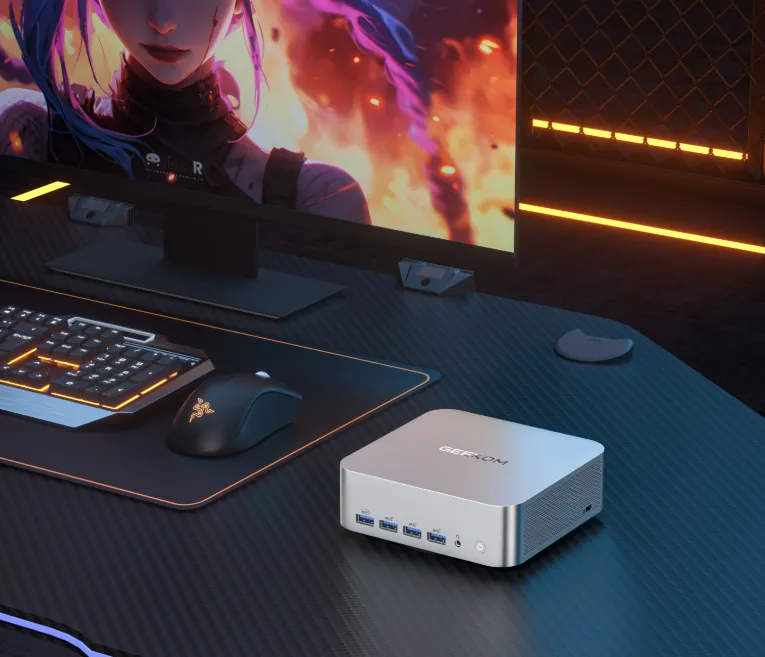
- AMD R9-7940HS | Radeon™ 780M – Extreme power for multitasking, content creation, and 1080p gaming
- DDR5 up to 64GB | PCIe 4.0 SSD up to 2TB
- 4 x 4K displays or 1 x 8K display
- Advanced connectivity – Dual 2.5G LAN + Wi-Fi 6E + Bluetooth 5.2
- Maximum expansion – 8 x USB ports (including 2 x USB 4.0) + SD card slot + Kensington lock slot
- IceBlast 2.0 cooling – Dual copper heat pipes + 52% efficiency
- Professional metal chassis – Withstands up to 200 kg, heavy-duty use
- Windows 11 Pro + Linux compatible
Radeon 890M: The Best Integrated Graphics. This is one of the most powerful integrated GPUs you can buy. It uses AMD’s newest RDNA 3.5 architecture. People who want to do everything with an integrated GPU will love it. They can play games on medium settings, edit videos, and do AI tasks. The GEEKOM A9 Max has it, and it also has an NPU for AI processing, which makes it a flexible all-in-one mini PC.
- The Mini PC with AMD Ryzen™ 9 HX 370 – The most powerful AI mini PC under £1,100
- AMD Radeon™ 890M – Up to 80 TOPS of AI performance and powerful graphics for 1080p editing and gaming
- DDR5 up to 128 GB | PCIe 4.0 SSD up to 8 TB
- Supports 4 displays, up to 8K
- Wi-Fi 7, Bluetooth 5.4, dual 2.5 Gbps LAN
- Pre-installed Windows 11 Pro – Ready to use with Copilot AI and compatible with Linux and other operating systems
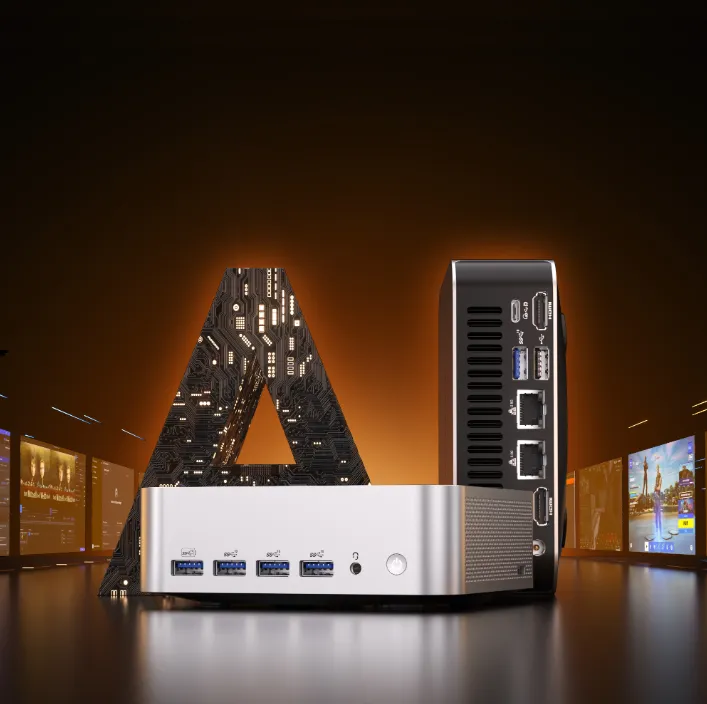
Radeon 680M: A Good Choice for a Low Budget. This RDNA 2 generation integrated GPU can run both e-sports games and other, simpler games just fine. It works great for work and videos. It is a great option for people on a budget who still want to play games. It is in models like the GEEKOM A6.
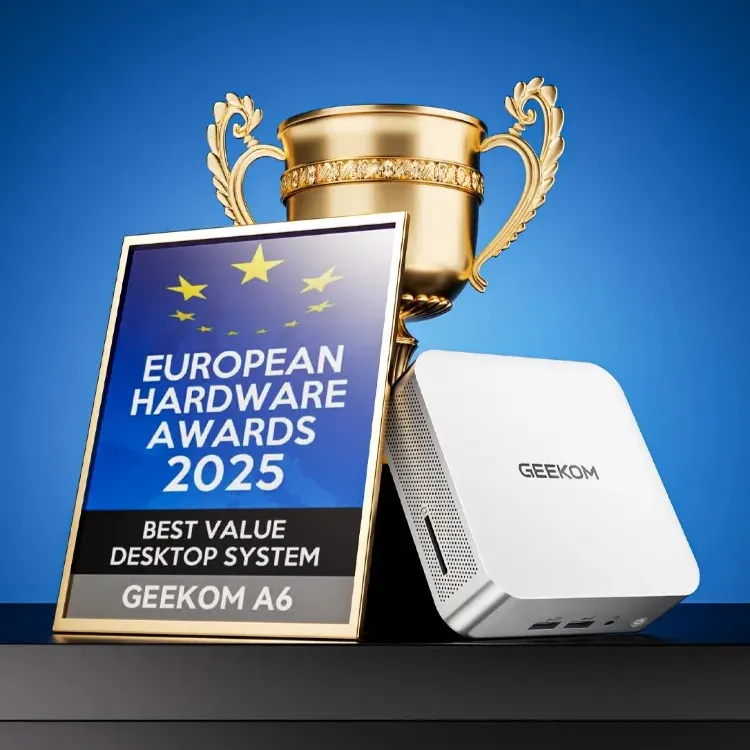
- The Best Mini PC under £600
- Best Value Desktop System – A6 Honoured with European Hardware Awards 2025
- Powered by the AMD Ryzen 7 6800 CPU and Radeon 680M GPU
- Efficient scalability – Equipped with DDR5 RAM and PCIe Gen 4 NVMe SSD, plus an M.2 2242 SATA SSD slot (Up to 1 TB)
- Rich interfaces – 6 USB ports, SD card reader and Kensington Lock, and supports 4 displays expansion via USB4 and 2 HDMI ports, support up to 8K
- Pre-installed with Windows 11 Pro and compatible with multiple operating systems
Conclusion
The Radeon of 2026 is an excellent GPU. There is not as much driver instability as there used to be, and it performs well for the price.
In fact, Radeon has been the standard in the market for integrated GPUs for many years. Radeon controls the Steam Deck, AYANEO, and a large part of the market for gaming laptops and built-in GPUs. People are told to “avoid Radeon” when buying separate graphics cards, which is funny since most people already use Radeon in their integrated GPU systems. Because of this, “Is Radeon reliable?” is not the important question. but rather “What are the pros and cons of Radeon?” In general, it is fine for gaming. Radeon is not the best choice if you want to get the most out of ray tracing or need the newest AI upscaling tech. Should you not be interested in those features, Radeon usually gives you more for your money.