


















Key Takeaways for AMD FSR:
- AMD’s FSR boosts FPS without significantly compromising visual quality
- FSR 3 introduces frame generation for smoother gameplay; FSR 4 promises greater stability
- Redstone simplifies FSR integration into game engines
- Particularly useful on mini PCs, modest GPUs, and in emerging markets
FSR enables smoother, more accessible gaming—even on modest hardware—whilst remaining compatible with most modern GPUs. In this article, we’ll explore how FSR works, its major evolutions (FSR 3 and FSR 4), the Redstone project, and its practical applications across various hardware types.
What Is FSR?
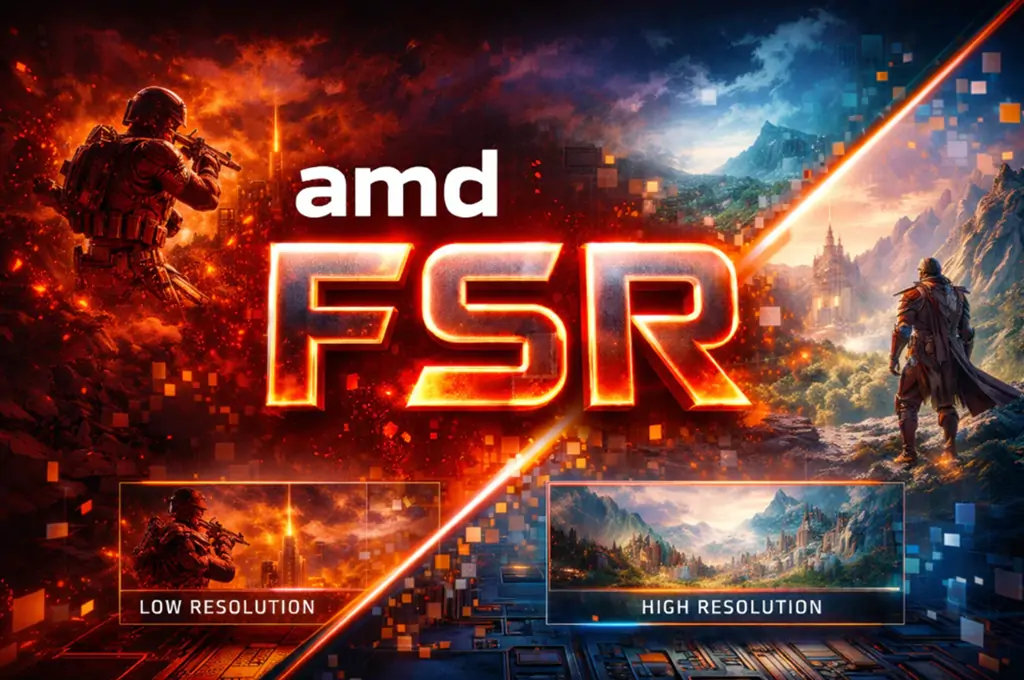
FSR (FidelityFX Super Resolution) is a visual upscaling technology developed by AMD. AMD FidelityFX Super Resolution is designed to boost video game performance without sacrificing visual quality. Rather than rendering each frame at native resolution—which places considerable demand on the GPU—FSR first renders the image at a lower resolution, then uses reconstruction algorithms to upscale it to the target resolution. This improves FPS whilst reducing GPU load.
FSR is hardware-independent and works across a variety of graphics cards. AMD FSR enablement is available on a wide range of GPUs, including those based on the AMD RDNA architecture, as well as GPUs from other manufacturers such as Nvidia and Intel.
AMD FSR is GPU-agnostic and does not require special training for individual games, making it easier for developers to incorporate.
Differences from Native Upscaling and DLSS
Native upscaling typically stretches a low-resolution image to a larger size, which can result in blur or visual artefacts. FSR, by contrast, applies more advanced passes (such as EASU and sharpening) that reconstruct details and enhance edges, producing a cleaner result than simple pixel upscaling.
Both FSR and DLSS are competing upscaling technologies, but they use different approaches. FSR uses spatial upscaling based only on the source image, while DLSS feeds a neural network with multiple inputs, including the source image, temporal feedback, and motion vectors, to enhance upscaling quality. DLSS typically offers better image quality than FSR, but FSR allows for greater framerate boosts because it is less computation-heavy. FSR doesn’t require any specialised hardware, making it compatible with a considerably wider range of GPUs.
Why Is FSR Hardware-Independent?
One of FSR’s strengths is its near-universal compatibility—it works on AMD, NVIDIA, and Intel GPUs without relying on dedicated hardware components. This hardware independence stems from its software-based design and integration via standard shaders rather than specialised processing. Moreover, AMD has made the code open-source, simplifying integration by developers into game engines such as Unreal Engine and Unity. FSR technologies can also be integrated into titles built with Unreal Engine using an FSR Upscaling UE plugin. Additionally, FSR does not require temporal data from previous frames to function effectively, which simplifies its integration for developers.
In short, FSR offers a universal and flexible approach to upscaling, delivering a solid compromise between visual quality and performance whilst remaining accessible to the widest possible range of hardware configurations.
How FSR Works in Practice
FSR (FidelityFX Super Resolution) is designed to improve game performance—particularly frames per second (FPS)—whilst limiting GPU load. It achieves this by modifying how the image is calculated and displayed, rather than rendering everything directly at high resolution. The upscaling process in AMD FSR uses spatial upscaling techniques, incorporating edge detection to identify and recreate sharp visual boundaries, and applies sharpening filters to enhance image quality across different performance modes.
Rendering at a Lower Resolution
The basic principle of FSR is straightforward: the game is first rendered at a resolution lower than what’s displayed on screen. This lower-resolution render is known as the source image, which serves as the input for the upscaling process. This requires fewer calculations from the GPU, reducing its workload. This approach is particularly valuable in demanding games or on modest configurations, where every performance gain counts.
Once this source image is generated, FSR enlarges it to match the final resolution whilst attempting to preserve acceptable visual quality. FSR Upscaling maintains the same quality modes from earlier FSR implementations, varying the amount of scaling applied to the source image.
Image Reconstruction via Spatial and Temporal Algorithms
FSR employs two primary methods:
- Spatial upscaling: The algorithm analyses the shapes and edges of the image to produce a sharper, enlarged version
- Temporal upscaling (FSR 2 onwards): This draws on previous frames and on-screen motion to reduce unwanted visual effects and improve image stability
The latest versions of FSR use an ML-accelerated algorithm to enhance visual effects and preserve particle system details during motion, improving visual fidelity without extra developer effort for masks. Additionally, AMD FSR Upscaling uses neural networks to reconstruct visuals from lower-resolution frames that match or exceed native rendering quality.
Thanks to these techniques, FSR delivers a sound balance between visual quality and performance, without requiring dedicated hardware in most cases.
Impact on Performance, Latency, and Power Consumption
FSR affects several elements:
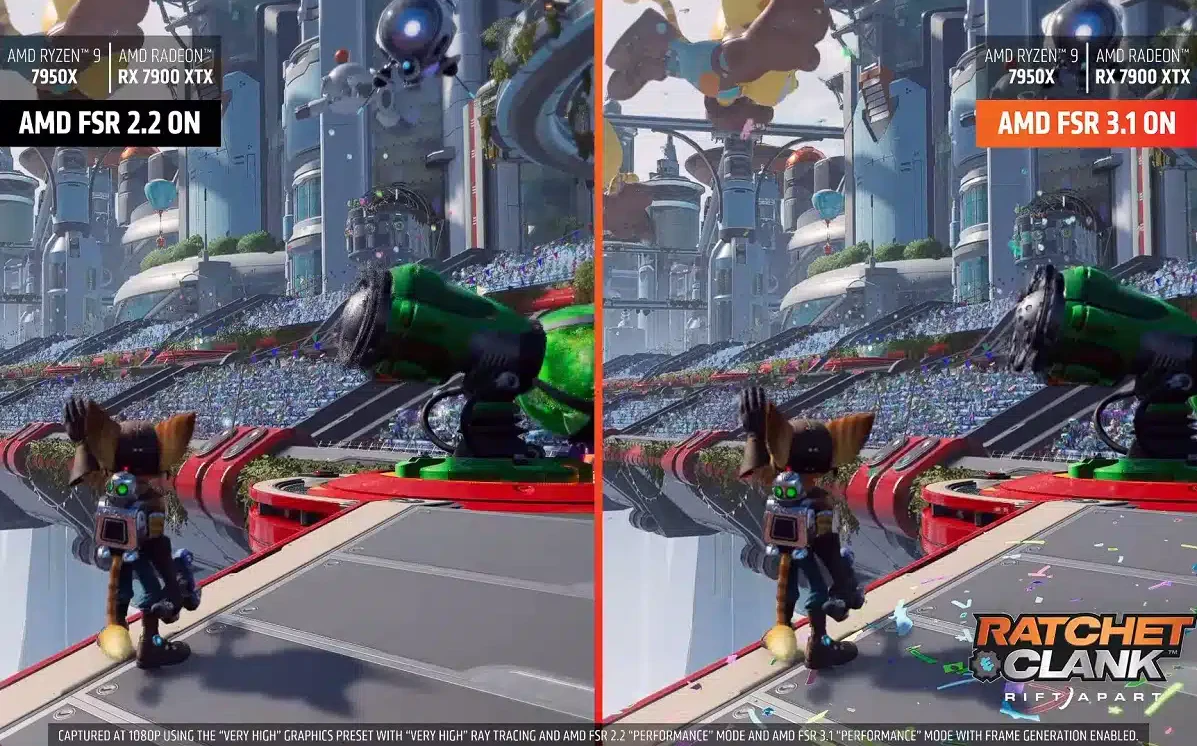
- Performance (FPS): By reducing GPU load, FSR often delivers a significant increase in frames per second—particularly at higher resolutions (1440p, 4K) where native rendering would be costly. These performance gains can be substantial; for example, FSR can deliver an average performance gain of 2.4x at 4K resolution in Performance mode, though this can result in noticeable artefacts.
- Latency: FSR doesn’t use external neural processing in its standard versions, so the impact on latency remains minimal, important for competitive gaming
- Power consumption: Reducing GPU load typically translates to lower energy consumption—beneficial for compact or portable systems
Overall, FSR is a practical solution for achieving great performance while balancing image quality, especially on a wide range of hardware.
Typical Use Cases
FSR proves particularly valuable in the following scenarios:
- Demanding AAA titles: Where every FPS matters for maintaining a smooth experience, FSR enables smoother and more responsive play, especially in fast-paced games where gameplay quality and fluidity are crucial.
- Compact gaming PCs and mini PCs: These often have limited GPUs and thermal headroom
- Modest configurations: It enables playable resolutions without needing to replace hardware
Additionally, AMD FSR is supported on a wide range of games across different platforms.
FSR 3: Frame Generation and Fluid Motion Frames
FSR 3 (FidelityFX Super Resolution 3) is the third generation of AMD’s upscaling technology. It introduces a major new feature: frame generation, designed to boost in-game performance beyond traditional upscaling. FSR Frame Generation and AMD FSR Frame Generation are technologies that enhance gaming performance by combining upscaling with anti-lag technologies, delivering smoother and more responsive gameplay, especially on AMD Radeon RX 9000 Series graphics cards. FSR Redstone features ML Frame Generation that enhances image quality and reduces ghosting compared to FSR 3.1. This represents the most significant evolution since FSR 2, aiming to bring the AMD experience closer to competing technologies such as NVIDIA’s DLSS 3.
Key Innovations in FSR 3 and Fluid Motion Frames
The headline feature of FSR 3 is frame generation via Fluid Motion Frames, which inserts additional frames between those rendered by the GPU. This significantly increases FPS in supported games. Unlike DLSS, this frame generation works without specialised AI hardware, relying instead on interpolation and motion algorithms. Frame pacing is a critical factor for smooth gameplay, as inconsistent frame delivery can lead to choppy visuals and input lag.
According to AMD, enabling frame generation in compatible games can nearly double the frame rate—though results vary depending on the title and profile used. FSR Redstone aims to improve frame pacing issues that were present in FSR 3.1, although some problems persist.
GPU Compatibility (AMD, NVIDIA, Intel)
FSR 3 offers broad hardware compatibility. Unlike solutions that depend on dedicated AI cores, FSR 3 runs on a wide variety of graphics cards. It’s officially supported on AMD Radeon RX 5000/6000/7000, GeForce RTX 20/30/40, and potentially Intel Arc GPUs—though optimal quality is generally expected on newer architectures. This means both ‘Team Red’ (AMD) and ‘Team Green’ (Nvidia) users can benefit from FSR, highlighting its cross-brand compatibility. In contrast, Nvidia DLSS only works with Nvidia GPUs, while AMD FSR can work on AMD, Nvidia, and Intel graphics cards.
Differences Between FSR 2 and FSR 3
FSR 2 vs FSR 3: Key Differences
Understanding what’s changed between generations
FSR 2
StandardLimited to traditional spatial and temporal upscaling—a solid foundation, but without the bells and whistles.
- Improves image quality through intelligent reconstruction
- Broad hardware compatibility across GPU vendors
- No frame generation — what you render is what you get
- Minimal latency impact — ideal for competitive gaming
FSR 3
AdvancedRetains all upscaling benefits whilst adding frame generation (Frame Gen) for noticeably smoother gameplay.
- Everything FSR 2 offers, plus frame generation
- Can nearly double your frame rate in supported titles
- Transforms visual fluidity — particularly at higher resolutions
- No dedicated AI hardware required (unlike DLSS 3)
The Bottom Line
FSR 3 brings AMD considerably closer to NVIDIA’s DLSS 3 in terms of raw performance gains. That said, each approach involves its own trade-offs between latency and image quality. For competitive gaming where every millisecond counts, FSR 2 remains a sound choice. For cinematic single-player experiences, FSR 3’s frame generation is rather impressive.
Games Compatible with FSR 3
At launch, Forspoken and Immortals of Aveum were among the first titles to integrate FSR 3. AMD has announced a growing list of games adopting the technology, including both upcoming and currently available AAA titles.
FSR 4: What to Expect
FSR 4 is the fourth generation of AMD’s FidelityFX Super Resolution technology. It arrived alongside the RDNA 4 architecture and Radeon RX 9000 graphics cards. This version marks a significant evolution, as it now employs artificial intelligence to enhance image quality and performance.
Unlike previous versions, FSR 4 relies on AI units integrated directly into RDNA 4 GPUs. This enables more precise and stable image reconstruction, with fewer detail losses and visual artefacts.
FSR 4 is currently being rolled out, with an increasing number of games supporting it—already over 85 compatible titles. Thanks to Radeon Software Adrenalin Edition 25.9.1 drivers, games supporting FSR 3.1 under DirectX 12 can automatically use FSR 4 without requiring developer-side modifications.
Expected improvements with FSR 4 include:
- Better image stability
- Reduced visible artefacts in complex scenes
- Detail reproduction closer to native rendering than FSR 3.1 alone—particularly thanks to AI
In future, AMD may extend support to older GPUs beyond RDNA 4, as suggested by an accidental source code publication—though this remains officially unconfirmed.
FSR 4 aims to close the gap with AI-based competing solutions, notably NVIDIA’s latest DLSS versions, especially in 4K and 8K scenarios where AI processing can markedly improve visual fidelity. Whilst FSR 4 still requires recent hardware for full support, its potential impact on high-resolution gaming is substantial—offering a balance between performance and image quality, particularly for modern titles.
FSR Redstone: What Is It Exactly?
FSR ‘Redstone’ represents a new stage in FSR’s evolution. It’s no longer merely an upscaling technology, but rather a suite of advanced features built on machine learning, developed by AMD to go beyond traditional upscaling and frame generation.
With Redstone, AMD seeks to unify its FSR strategy. The term FSR becomes an umbrella name, whilst Redstone encompasses the AI-based technologies. This approach enables capabilities beyond standard upscaling and simple frame generation.
Redstone encompasses several features:
- Next-generation upscaling
- More advanced frame generation
- Ray tracing-related tools, such as detail reconstruction and global illumination optimisation
These features are primarily intended for recent GPUs, notably the Radeon RX 9000 series (RDNA 4), but also integrate with modern game engines via the FidelityFX SDK and can be activated and managed at the AMD driver level.
Redstone is significant because it marks FSR’s transition from a point solution to a comprehensive graphics acceleration platform, better suited to modern games and AI-based pipelines.
FSR vs DLSS vs XeSS: A Clear Comparison
FSR (AMD), DLSS (NVIDIA), and XeSS (Intel) are three upscaling and frame generation technologies. Each solution has its strengths and limitations, depending on the GPU and game used.
| Technology | Image Quality | Hardware Compatibility | Performance / FPS |
| FSR 3 / 4 | Good (less precise than DLSS for fine details) | AMD, NVIDIA, Intel (open-source) | Very good; FPS boost on modest GPUs |
| DLSS 2 / 3 | Excellent (thanks to AI) | NVIDIA RTX (Tensor cores required) | Very good; Frame Gen for ultra-high FPS |
| XeSS | Good (sometimes close to DLSS depending on the game) | Intel Arc, NVIDIA & AMD GPUs via an open standard | Good; depends on GPU and title |
Key Points to Remember:
- FSR is ideal on older or modest GPUs, or when hardware compatibility is essential
- DLSS excels on NVIDIA RTX cards, especially with version 3.x, which generates additional frames to increase fluidity
- XeSS enables Intel Arc users to benefit from performant AI upscaling and is compatible with other GPUs, offering a flexible alternative to DLSS and FSR
FSR on Mini PCs and Compact Configurations
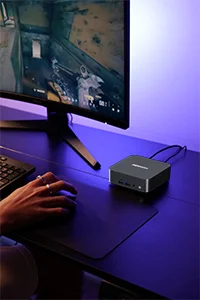
One of FSR’s advantages is that it meaningfully improves performance on compact or modest systems such as gaming mini PCs—devices where integrated GPUs don’t always have the grunt needed for smooth native rendering at 1080p or 1440p. By reducing the render resolution and then reconstructing it via upscaling algorithms, FSR enables higher FPS without overloading the hardware.
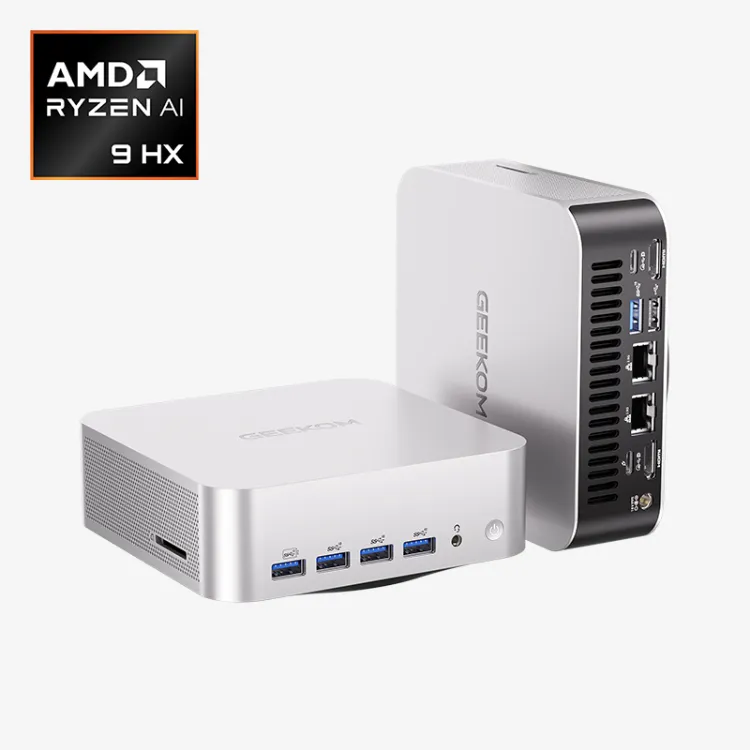
A representative example is the GEEKOM A9 Max mini PC, which uses the AMD Ryzen AI 9 HX 370 APU with integrated Radeon 890M graphics. This integrated GPU, based on RDNA 3.5, supports FSR and delivers impressive graphical performance for an iGPU within a mini PC chassis. The system can achieve approximately 110 FPS in Cyberpunk 2077 at 1080p and 150 FPS in Counter-Strike 2, with appropriate settings.
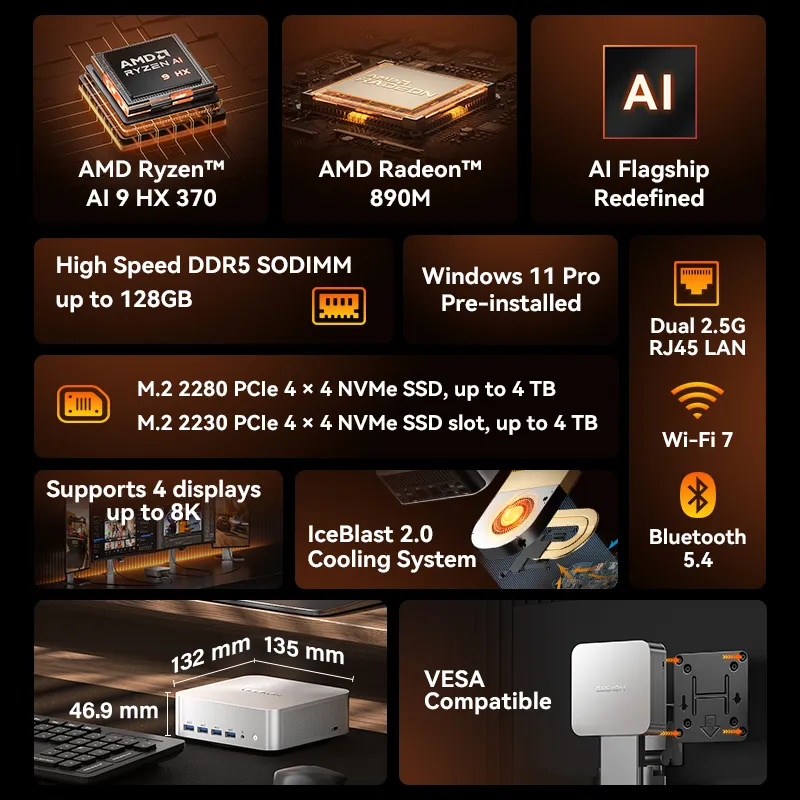
- AMD Ryzen AI 9 HX 370 with up to 80 TOPS AI performance
- Radeon 890M integrated graphics—powerful enough for editing and 1080p gaming
- DDR5 5600 MT/s up to 128 GB; PCIe 4.0 SSD up to 8 TB
- 4 displays up to 8K@120Hz via 2× HDMI 2.1 + 2× USB4
- Wi-Fi 7, Bluetooth 5.4, Dual 2.5Gb LAN
Third-party benchmarks also confirm that this type of configuration can deliver a smooth, playable gaming experience on demanding titles—particularly with FSR or similar upscaling modes enabled. Tests on mini PCs with Radeon 890M show averages of around 70 FPS on AAA titles such as Starfield and Horizon Forbidden West at 1080p with upscaling and frame generation active.
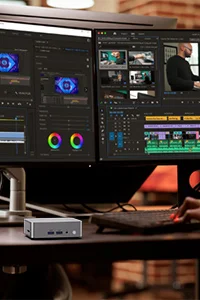
Using FSR on mini PCs also improves performance for multimedia and light 3D workloads, making these compact platforms more versatile for everyday use or light content creation.
Frequently Asked Questions About FSR
When using AMD FSR upscaling, most gamers enjoy smoother performance and better frame rates, but some may encounter issues that affect image quality or gameplay. Here’s how to identify and resolve the most common problems with FSR upscaling:
Does FSR work on all graphics cards?
FSR is compatible with a broad range of GPUs—AMD, NVIDIA, and Intel—including integrated and entry-level cards. It doesn’t require specialised hardware.
Is FSR free?
Yes, FSR is completely free and open-source, enabling developers to integrate it easily into their games.
Does FSR improve image quality or just performance?
FSR primarily improves performance by increasing FPS. However, it uses upscaling algorithms to preserve visual quality as much as possible.
Is FSR useful for competitive gaming?
Yes, especially on modest configurations. FSR increases frames per second without overly sacrificing clarity—crucial in esports and competitive titles.
Is FSR relevant for content creators?
Yes, FSR can help creators working on PCs with limited GPUs to speed up 3D rendering or previews.
Conclusion
FSR has established itself as a key technology in modern gaming, thanks to its ability to improve performance whilst maintaining high visual quality—regardless of the hardware used. Its broad compatibility with AMD, NVIDIA, and Intel makes it a universal and enduring solution, suited to high-end PCs, mini PCs, and modest configurations alike.
With the arrival of FSR 4 and Redstone, the technology should gain further in quality, stability, and AI integration. FSR is ideal for gamers seeking fluidity and compatibility, whilst content creators and demanding gamers can take advantage of its advanced features depending on their hardware.