Quick Answer: The honest answer: building your own PC can still save you money in some situations—but not always. A few years ago, DIY builds almost guaranteed lower costs. Today, the gap has narrowed considerably, and in some cases, prebuilt systems actually work out cheaper.
The right choice depends on several factors: your overall budget, current component prices (which fluctuate with market demand), whether you’re building a gaming rig or a machine for everyday work, and how much you value convenience, warranty coverage, and after-sales support. For many users, there’s also a third option worth considering—a compact Mini PC, which often delivers the performance you actually need at a fraction of the cost and desk space of a traditional tower.
In this guide, we’ll break down the real costs of building versus buying in 2026, so you can decide which route makes the most sense for your needs and your wallet.
Is It Actually Cheaper to Build a PC?
Sometimes—but the savings are smaller than most people expect.
The traditional argument for DIY still holds in principle. When you build your own PC, you’re not paying for labour or assembly fees; you skip the pre-installed software you’ll never use, and you avoid bundled accessories—keyboards, mice, and RGB extras—that inflate the price of many prebuilt systems. Every pound goes directly into the components you’ve chosen.
However, the maths has changed in recent years. GPU prices remain volatile, and individual buyers rarely get them at a good rate. RAM and SSD prices have also climbed sharply due to supply constraints. Meanwhile, system integrators buy components in bulk at wholesale prices, and major retailers run aggressive discounts on prebuilt machines—savings that individual builders simply can’t access when buying parts one by one.
The result? A prebuilt PC with the same specifications can sometimes match or even undercut the cost of a self-build, particularly at the entry and mid-range levels.
In the UK market, the price gap between DIY and prebuilt PCs is much smaller than it was a few years ago.
How Much Can You Save by Building Your Own PC?
As a rough guide, building your own PC typically saves between £100 and £250 compared with an equivalent prebuilt system—though the exact figure varies by budget tier.
| Budget | DIY Build | Prebuilt | Typical Saving |
|---|---|---|---|
| £500 | £500 | £600 | £100 |
| £1,000 | £1,000 | £1,200 | £200 |
| £1,500 | £1,500 | £1,750 | £250 |
| £2,000+ | Varies | Varies | Depends |
Bear in mind these figures are indicative rather than guaranteed. Your actual savings depend heavily on timing and market conditions. GPU prices are the single biggest variable—when graphics cards are in short supply, DIY savings can vanish entirely. Seasonal sales also play a major role: Black Friday, Amazon Prime Day and end-of-financial-year clearances often see prebuilt systems discounted by 15–20%, while retailer bundles (such as a free monitor or peripherals with a prebuilt PC) can further tip the balance.
In short: if you shop carefully and time your component purchases well, DIY still wins. If you buy during a major sale event, a prebuilt system may cost the same—or less.
Why Are Some Prebuilt PCs Actually Cheaper?
It comes down to buying power. System integrators purchase thousands of CPUs and GPUs at a time, securing wholesale prices no individual builder can match. They also receive OEM discounts on Windows licences, memory, SSDs and motherboards—components you’d pay full retail price for.
Add in clearance stock, where retailers offload complete systems at reduced prices to clear inventory, and the result is straightforward: sometimes a complete prebuilt PC genuinely costs less than buying every part individually.
The Hidden Costs of Building Your Own PC
The component list rarely tells the full story. When comparing prices, DIY builders often forget these extras:
Windows licence. A retail Windows 11 licence costs around £100–£120; prebuilt systems include it in the price.
Tools and consumables. A decent screwdriver set and thermal paste are small costs, but they add up if you’re starting from scratch.
Shipping. Buying components from multiple retailers means multiple delivery charges and potentially multiple return processes if something arrives faulty.
Time. Building the PC, installing Windows, updating the BIOS, installing drivers and troubleshooting any issues can easily take a full day—longer if something goes wrong. Your time has value too.
Warranty. With a self-build, each component carries its own individual warranty from a different manufacturer. If the system fails, you’ll need to diagnose which part is at fault before claiming. A prebuilt PC comes with one system-wide warranty and a single point of contact.
DIY vs Prebuilt PC: Pros and Cons
| DIY Build | Prebuilt PC | |
|---|---|---|
| Price | Usually cheaper if you shop carefully and time purchases well | Can match or beat DIY during sales and with bundle deals |
| Customisation | Full control over every component | Limited to manufacturer configurations |
| Time & effort | Research, assembly, OS installation and troubleshooting—often a full day | Ready to use out of the box |
| Warranty | Separate warranties per component; you diagnose faults yourself | One system-wide warranty with a single point of contact |
| Skill required | Basic technical knowledge needed; mistakes can be costly | None—suitable for complete beginners |
| Upgradability | Excellent—you know every part and chose them for compatibility | Varies; some use proprietary parts that limit upgrades |
| Software | Clean install; Windows licence purchased separately | Windows included, though sometimes with pre-installed bloatware |
Is Building a PC Worth It for Beginners?
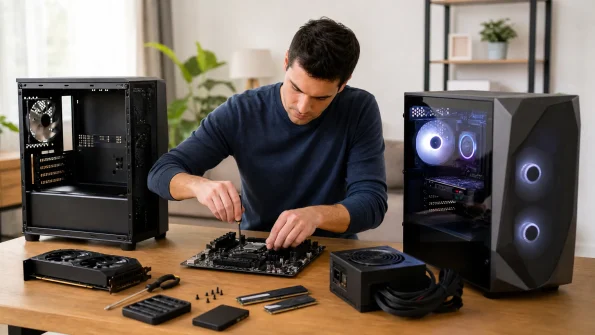
It depends on what you want from the experience. If you’re genuinely interested in learning how computers work, have the patience to research components and follow guides carefully, and enjoy the idea of upgrading your system over time, then building your first PC is a genuinely rewarding project—and a skill that pays off for years.
But be honest with yourself. If you need a working PC for tomorrow’s deadline, have no hands-on experience, or simply don’t want to spend an evening troubleshooting why the system won’t boot, a prebuilt PC is often the smarter option. There’s no shame in choosing convenience—most people do.
What Parts Cost the Most?
In a typical build, the GPU dominates the budget. Here’s a rough breakdown for a mid-range gaming PC:
- GPU – 30–40% of the total budget
- CPU – 15–20%
- Motherboard – 10–12%
- RAM – 8–10%
- SSD – 8–10%
- Power supply – 7–8%
- Case – 5–7%
- Cooling – 3–5%
Where can you save? The biggest opportunities lie in the motherboard, case and cooling—a mid-range board offers virtually the same everyday performance as a premium one, and a £50 case houses your components just as well as a £150 showpiece. RAM and SSDs also go on sale frequently, so timing helps.
Where shouldn’t you cut corners? The power supply. A cheap, unreliable PSU can damage every other component in the system. And if you’re gaming, the GPU is the one part worth stretching your budget for—it has the single biggest impact on performance.
Can a Mini PC Be a Cheaper Alternative?
Here’s a question worth asking before you compare DIY and prebuilt towers: do you actually need a full-size desktop at all?
Many buyers weighing up these options are really shopping for a machine to handle office work, home study, programming, media streaming, light gaming or photo editing. None of these tasks requires a large tower, a dedicated graphics card or a 750W power supply. For this kind of everyday computing, a full desktop is often paying for headroom you’ll never use.
If you don’t require a dedicated graphics card or extensive internal upgrades, a modern Mini PC can offer excellent value. Models from GEEKOM provide powerful Intel Core Ultra or AMD Ryzen processors, fast SSD storage and Windows pre-installed—without the complexity of building a PC yourself. They typically cost less than an equivalent tower, consume a fraction of the electricity, and fit neatly behind a monitor or on a bookshelf.
For a large share of home and office users, a Mini PC isn’t the compromise option—it’s simply the more sensible one.
DIY Desktop vs Mini PC vs Prebuilt Desktop
| Feature | DIY PC | Prebuilt Desktop | Mini PC |
| Price | ★★★★ | ★★★ | ★★★★★ |
| Setup | Difficult | Easy | Plug & Play |
| Upgradeability | Excellent | Good | Limited |
| Size | Large | Large | Tiny |
| Power Consumption | High | Medium | Low |
| Noise | Medium | Medium | Very Quiet |
| Office Use | Great | Great | Excellent |
| Gaming | Best | Best | Casual |
FAQs about Building a PC
How much money do you save by building a PC?
Typically between £100 and £250, depending on your budget tier and timing. On a £1,000 build, expect to save around £200 compared with an equivalent prebuilt system. However, the savings can shrink to nothing if you buy during major sale events like Black Friday, when prebuilt PCs are heavily discounted—or if GPU prices spike. Remember to factor in the cost of a Windows licence (£100–£120), which prebuilt systems include.
Is building a PC difficult for beginners?
Not as difficult as it looks, but it does demand patience. Modern components are designed to fit only one way, which prevents most serious mistakes, and there are excellent step-by-step video guides available. Expect the trickier moments to be cable management, applying thermal paste and BIOS configuration. If you can follow instructions carefully and stay calm when troubleshooting, a first build is entirely achievable—just don’t attempt it the night before you need a working PC.
Does building your own PC void the warranty?
No—building a PC doesn’t void anything, because each component carries its own individual manufacturer warranty, typically two to three years in the UK. The catch is practical rather than legal: if your system fails, you’ll need to diagnose which part is faulty yourself before making a claim, and deal with each manufacturer separately. This is where prebuilt PCs hold an advantage, offering a single system-wide warranty and one point of contact for any issue.
How long does it take to build a PC?
For a first-time builder, allow four to six hours for the physical assembly, plus another one to two hours to install Windows, update the BIOS, and install drivers. Experienced builders can complete the whole process in two to three hours. Add extra time if anything goes wrong—troubleshooting a PC that won’t boot is the stage that catches most beginners out. Realistically, set aside a full day for your first build.