Using a small form factor personal computer as a home server has been gaining popularity as the technologies behind these computers continue to develop. Whether you want a central place for archiving all your files, or a place for hosting your own website, a mini PC that runs stably, quietly, and consumes very little power could be the perfect answer.
Choosing the right PC is essential for storing your family’s shared data, hosting a high-tech smart home, and keeping videos of your friends and loved ones. A mini PC can be a fantastic option for home servers, due to its affordability, compact design, and efficient performance.
However, knowing which PC works best for you can be a challenge, what with the many impressive options currently available on the market.
In an effort to help, this guide goes over some of the best choices and why they’re worth considering.
The Uses of a Home Server
A small home server can be used for many different purposes, but the most common use cases are as follows:
– Central Storage for Shared Data
The problem in every household is that data is scattered over different computers and external storage. By keeping them in the home server, all family members can easily access the shared data, and the files will be better protected. But once you decide to store all your data in the drive of a personal home server, you need to have a solid backup plan. PCs with multiple drives generally work better than those with only one, as you can keep a copy of those important files in another drive in case the shared drive fails.
You can even turn your home file server into cloud storage, which allows you to access the data from anywhere in the world. A home cloud server offers many of the same features as open cloud solutions, such as Google Drive and OneDrive, but better privacy and security since it is based on your own storage.
– Home Media Server
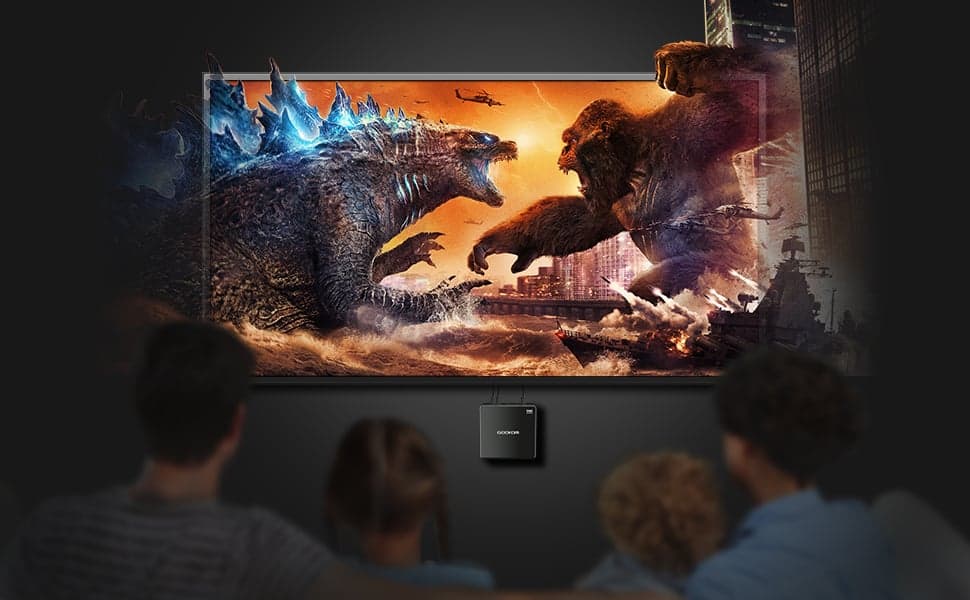
Not only is storing media files on a mini home server more convenient for the whole family, but it also takes the load off your main working PC. You can stream the TV shows and movies stored in the home media server from a mobile phone, tablet, smart TV, or computer, as long as they are on the same network. If there are kids in the house, parents can also use encryption to control which content they can access.
– Central Backup Solution
You need to make frequent backups of important data. Hard drives may break down, files can get accidentally deleted, and malware may encrypt our folders. These are common things that could happen to anyone. Software can be reinstalled, movies and shows can be re-downloaded, but family photos and videos can’t be retaken.
Making backups doesn’t have to be a manual task. If you have a private home server, then you can automate the backup of your files regularly, with the help of software such as “BackupPC” or “UrBackup”.
– Home Security System
A home server system can be used for hosting your home security system, as long as you have a few nice surveillance cameras installed. You can set up your security system with free software, and you may also choose to incorporate paid services from companies like Ubiquiti and Blue Iris into your home network.
– Hosting Your Website
You can also use a home server to host your blog or website. Hosting a small website from home can be relatively easy for people with enough IT skills, but for newcomers, we recommend that you read some tutorials. Also, please keep in mind that you need a decent internet connection to run a website. If your internet speed is slow, you may want to upgrade that first.
– Monitoring
A home server will also give you a perfect opportunity to monitor your network or smart home. There is a free version of the PRTG Network Monitor software to help you keep an eye on bandwidth usage, CPU/memory utilisation, free space, etc.
Besides the home network, you may also use the server to monitor your house or apartment. Some Smart Home sensors can monitor things like temperature, oxygen levels, humidity, and power consumption. You can even get a dashboard to show the data in real-time.
Turning a Mini PC Into a Home Server
Any PC can be turned into a home server, be it an old laptop or a new DIY desktop PC, but for something that’s about to be running 24/7, a mini PC may be an ideal solution. Before making your purchase, these are the things you need to consider to buy yourself the best home server mini PC:
– Performance
How much performance you will need for building your home server depends on what you want to do with it. If you want a home media server, a mini PC with an entry-level processor and a small amount of RAM will be enough. But if your purpose is to host your website from home, then you should probably consider a mini PC with higher configurations.
– Storage
Storage is essential in most use cases. We recommend that you get a mini PC with at least two drives to build your home server. If your chosen mini PC happens to only accept one internal drive, please make sure you get an external drive to back up all your important files.
– Connectivity
Since most applications of a home server are based on a network, the bandwidth of your household and the connectivity of the mini PC are both very important factors. For a home media server, you should consider a mini PC with at least one gigabit Ethernet jack or dual-band WiFi 5. For hosting a website, you may want to get a model with 2.5Gbps or 10-Gigabit Ethernet connectivity.
– Energy Efficiency
Mini PCs are generally more energy-efficient than full-size desktop PCs as they run on less power-hungry hardware. Some of the latest mini PCs consume less than 5W at idle, so keeping them running 24/7 won’t lead to a much higher electricity bill for your family.
– Noise
For a computer that’s about to be working all the time, you will want it to make as little noise as possible. Most mini PCs come with one or two small cooling fans, which won’t make a huge amount of noise even when rotating at full speed. There are also completely fanless mini PCs, perfect for those who only need basic home server functions such as central storage for shared files.
GEEKOM’s Top Computers for a Home Server
Best for Reliably and Quietly Running Your Server Over Time: GEEKOM Mini IT12
If you prioritise reliability, efficiency, and quiet operation, the GEEKOM IT12 is worth a look. The computer is well-built and crafted from premium materials, and is subjected to hundreds of rigorous durability and quality control tests. The outer shell, made of PC+ABS, is sturdy, and the computer features a metal middle frame.
It also comes with the IceBlast 2.0 cooling system, which features dual heatpipes, solid airflow, and is much more efficient than standard thermal systems. Not only does this system keep components cool and ensure consistent operation, but it also helps keep the computer relatively quiet.
The computer also has low base power consumption and runs efficiently during sustained workloads. Despite being efficient and reliable, the IT12 also offers solid performance, and with several CPU, GPU, and RAM options to choose from, there’s a suitable option for everyone.
Specifications
- Size: 117 × 112 × 49.2 mm
- CPU: 12th Gen Intel® Core™ i7-1280P or 12th Gen Intel® Core™ i5-12450H
- GPU: Intel® Iris® Xe Graphics i7
- Memory: DDR4 RAM, up to 64 GB
- Storage: M.2 2280 NVMe PCIe 4.0 ×4 SSD, up to 2TB, an M.2 2242 SATA SSD slot, up to 1TB, and a 2.5″ SATA HDD (7mm) slot, up to 2TB
Pros
- Great build quality and reliability
- IceBlast 2.0 cooling system to reduce overheating and noise
- Multiple CPU, RAM, and storage options
Cons
- Less graphical capabilities than some other options
Best for Storing Massive Amounts of Server Data: GEEKOM A5 Mini PC
If your primary goal is to store plenty of files or data on your home server, the GEEKOM A5 is a solid choice. It supports up to 4TB of storage (SSD and HDD), and, in addition to expandable storage, you can also upgrade the RAM to 64GB for smooth multitasking and rapid performance.
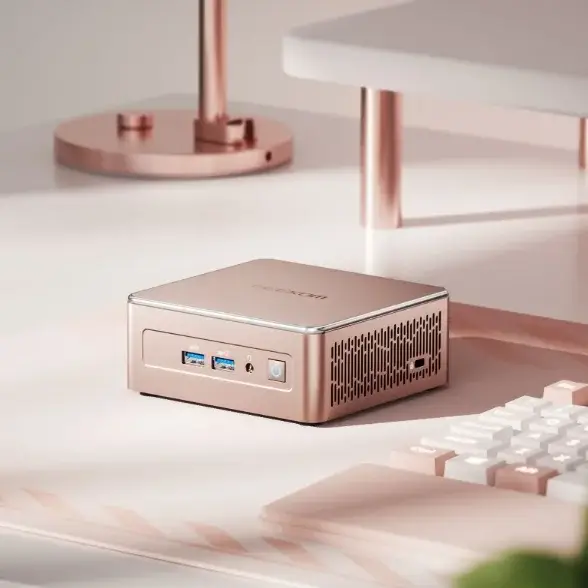
The GEEKOM A5 has a compact design that fits easily in almost any part of the home. It also boasts anti-slip feet to keep it fixed in place under desks or tables. There are CPU options available, and it remains budget-friendly despite its high storage capacity, upgradeability, and top-notch performance.
Specifications
- Size: 117 × 112 × 49.2 mm
- CPU: AMD Ryzen™ 7 5825U or AMD Ryzen™ 5 7430U
- GPU: AMD Radeon™ Graphics
- Memory: Dual-channel DDR4 SODIMM, up to 64 GB
- Storage: M.2 2280 PCIe 3.0 ×4 NVMe/SATA SSD, up to 4TB, and 2.5” 7mm SATA HDD, up to 2TB
Pros
- Affordable enough for nearly any budget
- Great expandability for evolving needs
- Incredible storage capacity
Cons
- No USB4 port
Best for Demanding Home Server Needs: GEEKOM A8 Max
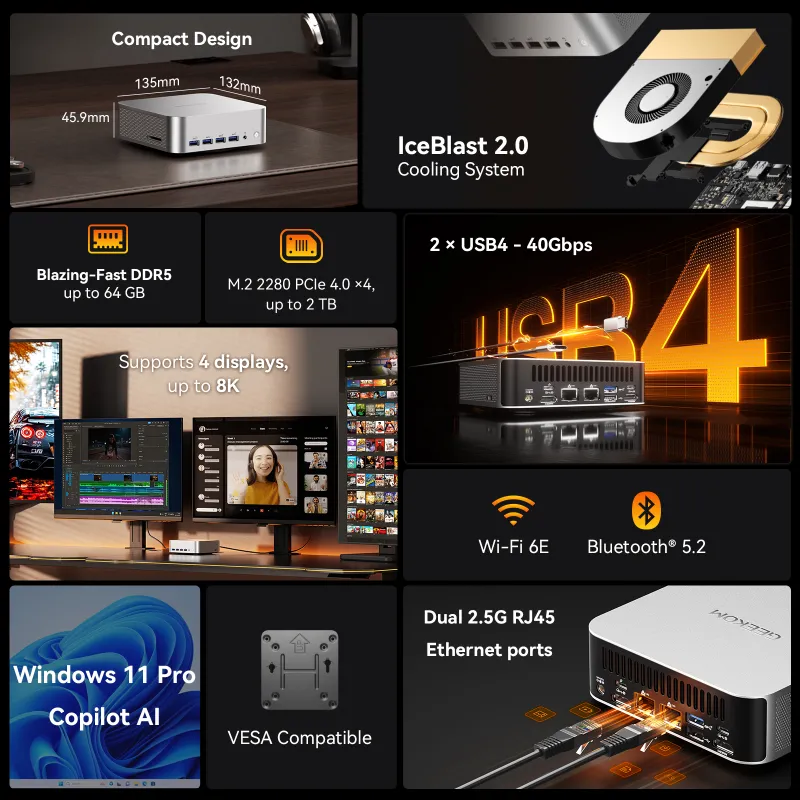
If you need the most power and performance possible, the GEEKOM A8 Max may be right for you. It has an advanced AMD Ryzen CPU that performs well, even on complex or intensive tasks. The A8 Max also supports up to four 4K displays, or a single 8K display.
The computer also offers strong graphical capabilities and high-speed RAM with not only high memory bandwidth but also rapid read and write speeds. The memory is also upgradable to 64GB, and the storage is expandable to 2TB.
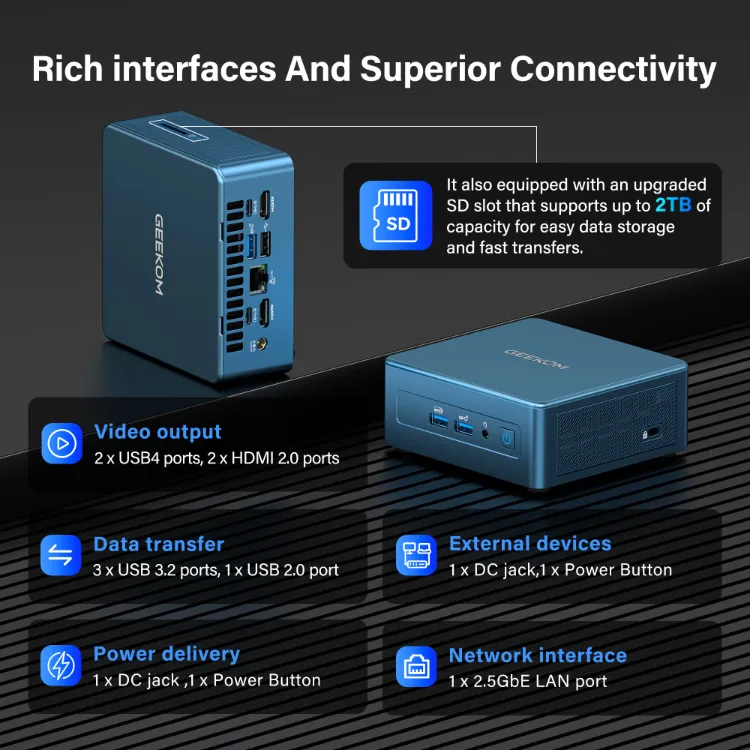
The A8 Max offers incredible connectivity with both Wi-Fi 6E and Bluetooth 5.2, and features a rich interface with useful ports. This includes multiple USB ports (including two USB4 ports), HDMI, a headphone jack, dual Ethernet ports, and others. It also has a cooling system to keep the PC cool, even during high-performance tasks.
Specifications
- Size: 135 × 132 × 46.9 mm
- CPU: AMD Ryzen™ 7 8745HS
- GPU: AMD Radeon™ 780M
- Memory: High Speed DDR5 SODIMM, up to 64GB
- Storage: M.2 2280 PCIe 4.0 × 4, up to 2TB
Pros
- Strong performance thanks to a high-quality CPU and GPU
- Comprehensive connectivity options and numerous ports
- DDR5 RAM for optimal memory bandwidth and reading/writing speeds
Cons
- Not quite as budget-friendly as the previous options
Frequently Asked Questions
What Is the Difference Between a Server PC and a Normal PC?
A normal PC is generally focused on single-user, personal tasks and is typically fast and easy to use. On the other hand, a server PC is often intended for managing multiple resources or applications for a group of users, and with servers running 24/7, they generally prioritise reliability, longevity, and scalability.
What Is the Best Computer To Use as a Home Server?
The best option for you and your family depends entirely on your specific needs, but a powerful mini PC is often well-suited for home server use. These PCs offer a terrific blend of performance and affordability, while taking up minimal storage space in the home. They’re energy efficient and operate at a lower noise level than their larger counterparts.
Mini PCs Provide Scalable and Energy-Efficient Home Servers
Creating an effective and balanced home server requires the correct hardware and capabilities from your Mini PC. But you should also consider factors like energy efficiency, noise levels, and performance reliability.
GEEKOM offers a number of compact and powerful mini PCs that are perfectly suited for your home server. The A5 is great for storing vast amounts of data safely. The IT12 is extremely durable and reliable, while the A8 Max is a perfect choice for high-performance needs and more demanding tastes. Explore the world of mini PCs today with GEEKOM.