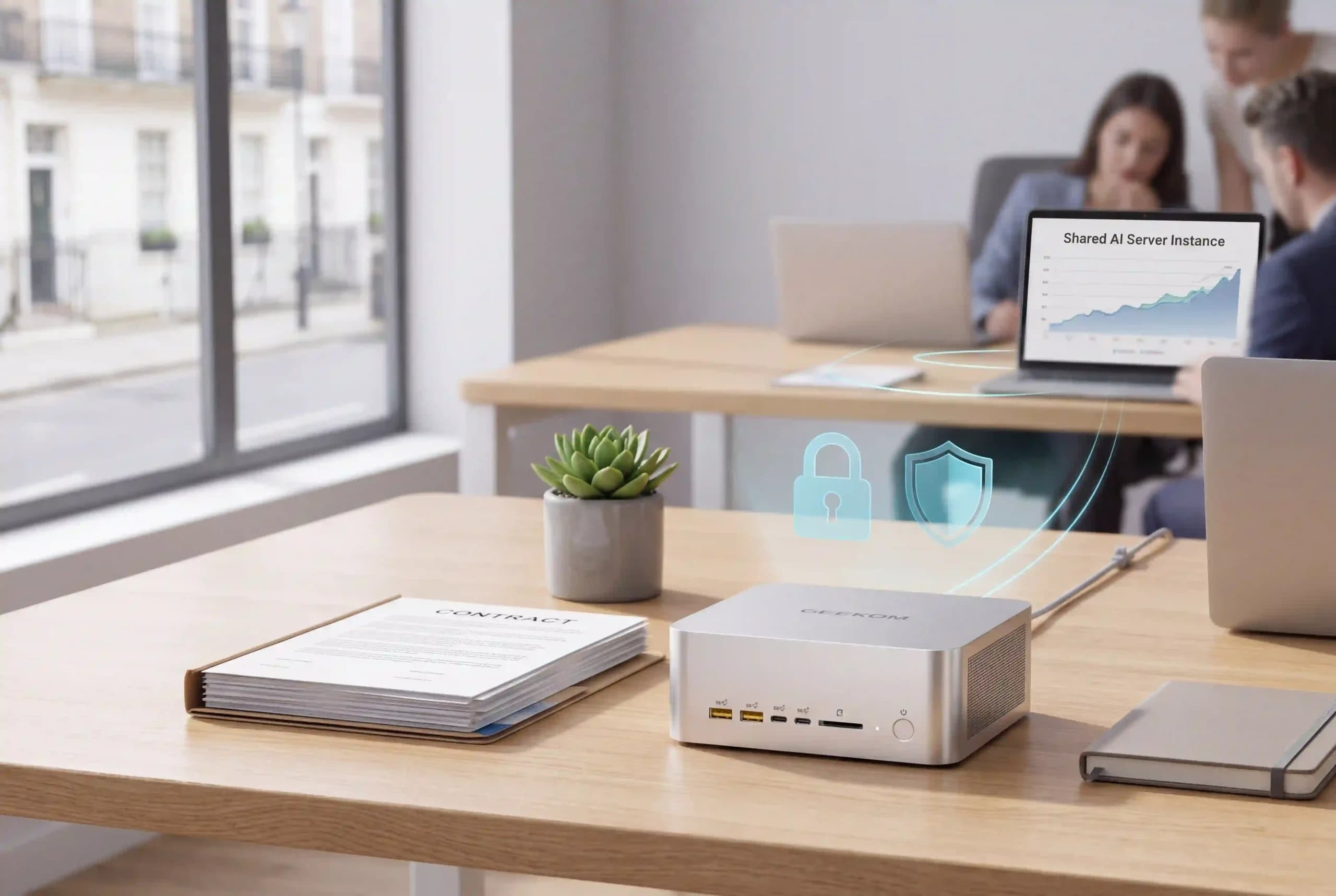
Someone pastes a client’s contract into a free chatbot to get a quick summary. The answer looks useful, but no one checks where the document went. Payroll files and confidential business plans can leave your company just as easily.
There is another way to use AI for small business work. Private AI runs on hardware you control, so sensitive files stay in-house. This guide explains what private AI for small business involves, the hardware and staff rules you need, and what it costs before you buy anything.
Start with one useful task and decide which information must stay within the business. Approved cloud tools can still handle plenty of everyday work.
What Is Private AI? Private LLMs Explained in Plain English
Private AI means running AI models on hardware your business controls, so prompts and files stay on your own network instead of a provider’s servers. The model is the program that reads your request and writes the answer. Private AI suits drafting, summarising and searching internal documents where client confidentiality matters.
An LLM (large language model) is a type of AI model that reads and writes text, so it can draft emails and summarise long documents. Self-hosted AI means you run the software yourself. On-premise AI goes a step further: the hardware sits in your own office. Self-hosting on a rented cloud server still means your data is stored off-site.
The Three Levels of AI Privacy
There are three broad ways to use AI at work. The main difference is where your data is processed.
| Free public AI tools | Business cloud AI plans | Private, self-hosted AI | |
|---|---|---|---|
| Where your data goes | Provider’s servers | Provider’s servers, under business terms | Stays on your own hardware |
| Used for training? | Possibly; check the settings and terms | Usually off by default; check the plan | No; files are processed locally |
| Cost model | Free tier with limits; paid upgrades | Monthly fee per user, plus possible extras | One-off hardware, plus power, maintenance and any paid software |
| Works offline? | No | No | Yes, once models are installed |
| Setup effort | Very low | Low; accounts and staff rules needed | Medium; someone must set it up and manage access |
| Best for | Approved, non-sensitive tasks | Team collaboration and integrations | Regular work with confidential documents |
ChatGPT Business and Enterprise do not use business data for model training by default, and Microsoft’s business Copilot security rules stop prompts and responses from being used to train its underlying models. Your data is still processed on the provider’s servers, though, so check whether their terms suit your business.
Why UK Small Businesses Are Turning to Private AI
The Shadow AI Problem
Shadow AI is when staff use AI tools their employer has not approved. In a Microsoft-commissioned survey of 2,003 UK employees, published in October 2025, 71% said they had used unapproved consumer AI tools at work. The figure covers any past use across businesses of all sizes, not daily use or small firms alone.
Give colleagues an approved option and a named person to ask about new tools. New hardware alone won’t stop shadow AI; clear rules will.
Client Confidentiality and AI Data Privacy
UK GDPR applies whenever your business handles personal data, including any data you put into AI tools. Your business stays responsible for that information. Contracts and commercial documents may also be confidential even when they contain no personal data.
Read the ICO’s AI advice before deciding what to process. Local processing does not make you compliant on its own. Please note that this article is general information, not legal advice.
Predictable Costs Instead of Per-Seat Subscriptions
Per-seat plans charge for every licensed user, so costs rise as your team grows. With a shared computer, you pay for the hardware up front, then for power and upkeep. It may cost less over time, but staff still need time to check and monitor the answers.
Offline AI That Keeps Working Without the Internet
Offline AI keeps working when the internet goes down, as long as staff can reach the computer over the office network. Cloud usage caps don’t apply to local processing, but hardware limits do: when several people use it at once, requests may queue.
Is Private AI Right for Your Business? A Quick Checklist
Answer these questions about your current work. If you answer yes to three or more, private AI is worth trialling. Use the checklist to plan, not as a buying decision.
- Do you handle sensitive client information?
- Do staff paste work files into AI tools?
- Are you bound by NDAs or professional confidentiality?
- Do three or more staff pay for AI subscriptions?
- Do you have repetitive, document-heavy tasks?
- Is your internet connection unreliable?
Local AI is often good at drafting, summarising and answering questions about your own files. Cloud tools may offer useful integrations or handle harder reasoning better. Many small businesses use both: private AI for confidential work and approved cloud tools for the rest.
Practical Ways Small Businesses Use Private AI
The table below suggests model sizes to test for each type of business. The B stands for billions of parameters: larger models need more memory but won’t always do your job better, so start small and step up only if the results fall short.
| Business | Useful tasks | Model for testing |
|---|---|---|
| Accountants and bookkeepers | Invoice summaries and draft client letters | Small 7 to 8B; medium 14 to 32B for more difficult text |
| Solicitors and consultants | Summaries of contracts and version comparisons | 14 to 32B; 70B+ only if testing proves necessary |
| Care providers and clinics | Letters, schedules and policy drafts for administration | Small 7 to 8B or medium 14B |
| E-commerce and retail | Draft responses and product descriptions | Small 7 to 8B |
| Creative studios | Copy drafts and images | Small 7 to 8B for text; separate software for images |
Check any figures against your accounting software and compare contract summaries with the originals. Clinics and care providers should use private AI for administration only, never for diagnosis or decisions about patient care. Image generation has its own hardware requirements, so check those separately; text model sizes don’t apply. A single GEEKOM A9 Mega with 128GB of unified memory can run every model size in this table.
Build a Private AI Chatbot for Staff Questions
An internal AI assistant can help staff find answers in HR policies, written procedures and up-to-date price lists. New starters get quick answers without interrupting colleagues. Ask it to cite the source document, keep the files up to date and double-check important answers. Running on a shared machine such as the GEEKOM A9 Mega, one assistant can serve the whole team over your office network.
What Hardware Do You Need to Run a Local LLM?
The Specs That Matter
RAM is the computer’s working memory, and it’s generally the first thing to run out. SSDs store your files. Ensure there is room for backups and updates, as well as models and documents.
The CPU is the main processor, and it can run smaller models on its own. A GPU (graphics processing unit) speeds things up. Dedicated graphics cards have their own memory, called video RAM or VRAM, while integrated graphics share the computer’s main RAM.
Unified memory means the main processor and graphics processor share one pool of memory. It is not extra space on top of RAM, but it lets the GPU use far more memory than most graphics cards have. On the GEEKOM A9 Mega with 128GB, up to 96GB can be assigned to graphics on Windows through AMD’s Variable Graphics Memory setting. An NPU handles AI tasks in programs that support it.
TOPS means trillions of operations per second. It doesn’t tell you whether your app uses the NPU or how fast a chatbot will respond. The GEEKOM A9 Mega, for example, quotes up to 126 platform TOPS, but for local LLMs its memory capacity and 256GB/s bandwidth matter more. Check software compatibility and memory first.
Matching Local AI Models to Memory
Quantised models use less memory, at some quality cost. Q4 is a common level. The llama.cpp guide lists Llama 3.1 Q4_K_M files of about 4.9GB for 8B and about 43.1GB for 70B. Models use more memory than their file size when running.
| Model size | Typical task | Approximate minimum RAM | Recommended RAM |
|---|---|---|---|
| 7 to 8B, Q4 | Short drafts and summaries | 16GB | 32GB |
| 14B, Q4 | More in-depth document questions | 24GB | 32GB |
| 32B, Q4 | More text-heavy tasks | 32GB | 64GB |
| 70B, Q4 | Some larger model tasks | 64GB, tight squeeze | 128GB |
These are planning estimates for one user at a time, not exact minimums or graphics memory requirements. Windows and other programs need memory too, and longer conversations need more. Test two or three requests at once before buying a shared system.
On the GEEKOM A9 Mega, the 128GB Ryzen AI Max+ 395 version covers every row in this table, including 70B models at 4-bit quantisation. The 64GB Ryzen AI Max+ 388 version suits models up to about 32B, or mixture-of-experts (MoE) models of around 35B.
Why an AI Mini PC Works Well for a Small Office
An AI mini PC is small enough to sit on a desk or shelf, typically draws less power than a full-size tower and runs quietly in an office. Connected to your local network, it can act as a shared AI server for the whole team. Secure it with logins and restrict who can access it.
For a shared office AI server, the GEEKOM A9 Mega is our recommended choice.
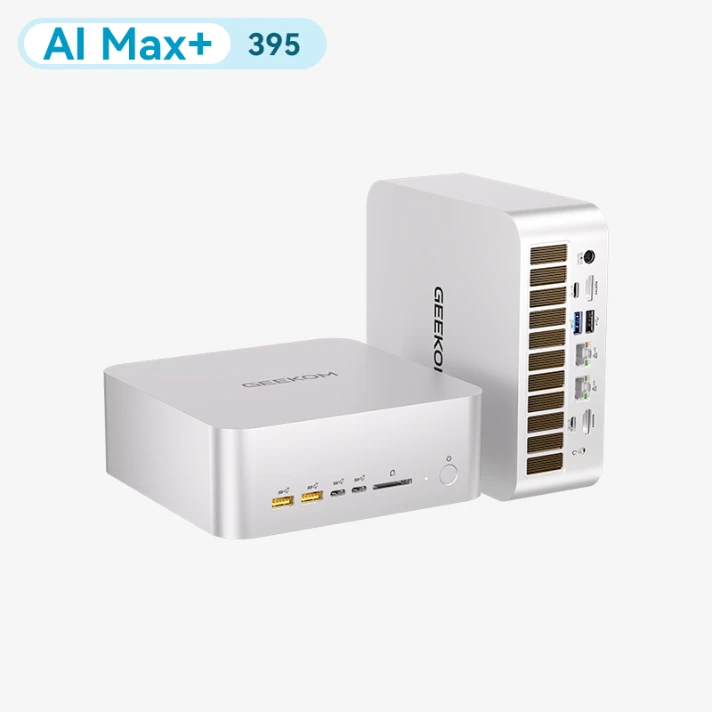
The Ryzen AI Max+ 395 version has 128GB of unified memory and a 2TB SSD, enough for 70B models at 4-bit quantisation. The Ryzen AI Max+ 388 version has 64GB, with a 1TB or 2TB SSD. With two 2.5GbE ports, it can serve models from LM Studio or Ollama to colleagues across the office network. Memory is soldered and cannot be upgraded later, so choose the capacity you need from the start.
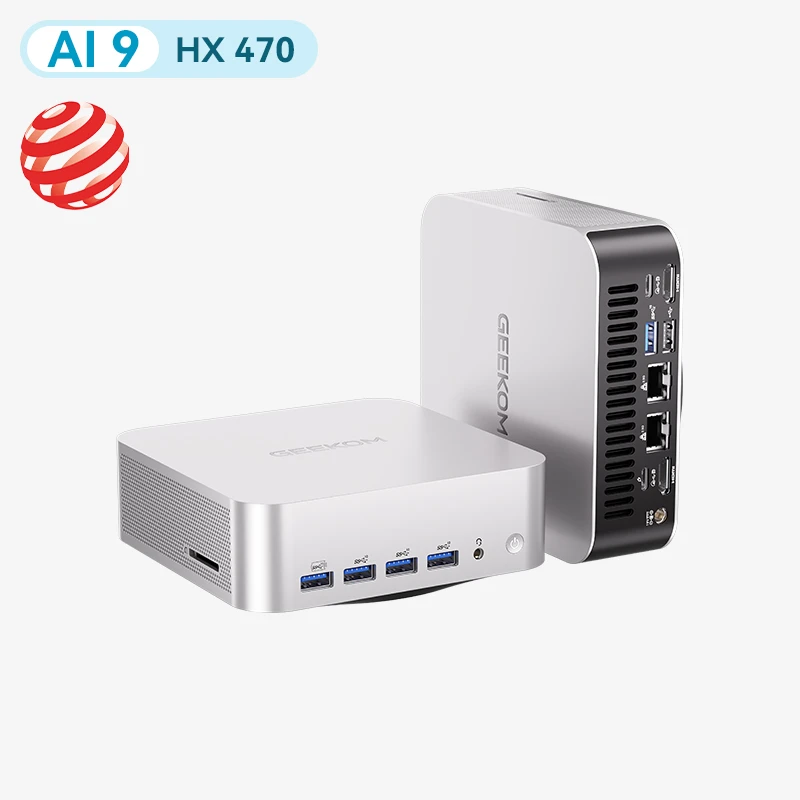
If your team only needs small and medium models, the GEEKOM A9 Max 2026 Edition is a more affordable starting point.
It comes with a Ryzen AI 9 HX 370 or HX 470 processor, 32GB of RAM and a 2TB SSD, and its DDR5 memory can be upgraded to 128GB later.
Real-World Results: Local LLMs on the GEEKOM A9 Mega
GEEKOM tested a range of open-source models on both versions of the A9 Mega using llama.cpp on Ubuntu. The full results are published in the GEEKOM A9 Mega local LLM benchmarks on GitHub.
| Model (quantisation) | A9 Mega version | File size | Generation speed | Time to first token |
|---|---|---|---|---|
| MiniCPM5-2B (Q4_K_M) | 388, 64GB | 1.56GB | 103.1 tokens/s | 0.10s |
| Qwen3.6-35B-A3B (Q4_K_M) | 388, 64GB | 22.7GB | 68.0 tokens/s | 0.16s |
| Qwen3.8-27B (FP4) | 395, 128GB | 14.6GB | 31.3 tokens/s | 0.40s |
| Qwen3.8-Flash-Next (Q4_K_XL) | 395, 128GB | 111.4GB | 32.4 tokens/s | 0.97s |
| DeepSeek-V4-Flash (Q2_K_XL) | 395, 128GB | 96.8GB | 14.7 tokens/s | 0.99s |
Single machine, 128-token prompt. Some runs use MTP speculative decoding. Source: GEEKOM A9 Mega local LLM benchmarks.
For most small businesses, the Qwen3.6-35B-A3B result is the most relevant: on the 64GB version, it writes at 68 tokens per second, far faster than anyone reads. Long documents take longer. With 32,000 tokens of context, roughly a 50-page contract, it still writes at 54 tokens per second, but the first response takes about 33 seconds. These results apply to the tested configurations and are not guaranteed for every setup.
For a step-by-step look at running models locally, see our guide to choosing a mini PC for local AI.
How to Set Up Private AI: A Step-by-Step Guide
Start with sample documents before you put in your own private information. For a more technical walkthrough, see how to set up a local AI workstation on a PC.
- Pick one time-consuming task.
You could pick a task that you do often, like going over documents from suppliers. Note how long it takes and what a good answer should include. - Appoint an AI champion.
Choose someone who will keep track of all the approved tools and staff questions. They do not need to know a lot about technology, but they should know how to ask for help. - Choose hardware for the trial.
Use the memory table above as a starting point, and leave room for other applications. If several staff will share the machine, make sure it can handle simultaneous requests; a 128GB A9 Mega leaves headroom for this. - Install a local AI application.
LM Studio gives you a chat window on your desktop, and Ollama can run models for other programs. On AMD machines such as the A9 Mega, both run through Vulkan or ROCm, but tools that only support NVIDIA’s CUDA will not work. Choose a local model and test it offline before you use private files. - Choose a model and check its licence.
Popular options include Gemma, Llama, Qwen and Mistral. Check the commercial-use licence for the exact version you download; being free to download does not mean it is free for every business use. - Connect documents safely.
Document search, or RAG, looks for passages that the model can use to answer. Make sure that only authorised individuals can access the relevant folders and documents in the app. Imported files may not keep the access rights they had in their original folders. - Test before rolling out.
Check answer quality and response times. Confirm that staff cannot reach files they are not meant to see. Add users gradually and test again after updates or permission changes.
Rules for Using AI Safely at Work
Write a Simple AI Acceptable Use Policy
List the approved tools and the tasks staff may use them for, and name one person to ask. Never put clients’ personal or financial information into public AI tools. The same applies to passwords, source code, health information and confidential contracts. The policy should also explain how to report an accidental upload and when to delete conversations.
Keep a Human in the Loop
AI can produce answers that look convincing but are wrong. This is known as a hallucination. A person should check every answer before it goes to a client or informs a decision, paying close attention to names and figures against the original documents.
Train Your Team in Short Sessions
Hold short weekly sessions of 15 to 30 minutes. Each time, show one common mistake and one useful task. Make sure everyone knows who to ask for help.
Write Better Prompts
A prompt is the instruction you give the AI. Good prompts cover four things:
- Goal: what you want done
- Context: who it is for and why
- Source: the documents it should use
- Format: length, tone and layout, plus what to do if facts are missing
For example:
Example prompt
Write a reply to a UK customer asking about a late delivery. Use only the attached delivery policy and order notes. Keep it polite and under 120 words. If the delivery date is missing, flag it instead of guessing.
Common Mistakes to Avoid
Too little memory. Allow extra memory for Windows and conversations beyond what the downloaded model needs. On machines with soldered memory, such as the A9 Mega, you cannot add more later, so buy for the largest model you expect to use.
Assuming local means compliant. Local processing reduces exposure to outside providers, but you still need good security, clear access rules and a lawful basis for handling personal data.
Too many tools. Before you add software, make sure that one workflow works well.
Expecting cloud-quality answers everywhere. Test a local model on your real work before you switch away from a cloud tool.
No usage policy. A private assistant cannot stop staff from using their own accounts.
Private AI vs Cloud AI: A Three-Year Cost Example
This table compares five cloud accounts with one shared GEEKOM A9 Mega, using prices checked on 10 November 2026. Amounts exclude VAT and may change.
For eligible existing Microsoft 365 business customers paying annually, the Microsoft UK Copilot Business add-on costs £13.80 per user per month for the first year. The example assumes £16.10 per user per month for years two and three, using the current standard rate.
| Cost over three years (ex VAT) | Five cloud accounts | One shared GEEKOM A9 Mega |
|---|---|---|
| Year one: 5 × £13.80 × 12 | £828.00 | – |
| Years two and three: 5 × £16.10 × 24 | £1,932.00 | – |
| A9 Mega, Ryzen AI Max+ 388, 64GB + 2TB (£2,399 inc. VAT) | – | £1,999.17 |
| Electricity (assumed 80W average) | – | £124.80 |
| Illustrative total | £2,760.00 | £2,123.97 |
The 128GB Ryzen AI Max+ 395 version, which can run 70B models, costs £3,399 (£2,832.50 ex VAT). On the same assumptions, it costs less than per-user cloud plans once six or more staff would otherwise need a licence.
Electricity assumes an average draw of 80W for eight hours a day, 260 days a year, at £0.25 per kWh, with the PC switched off outside working hours. The A9 Mega’s processor is rated at 45-120W, so heavy, sustained use will cost more. These are illustrative assumptions, not measured figures. The example excludes setup, support, backups, repairs and any paid software.
It also excludes extra cloud usage fees and the qualifying Microsoft 365 licences. The two options do not offer identical features or capacity, so any saving depends on how much you use them and whether the results meet your team’s needs.
Private AI for Small Businesses: FAQs
Is private AI UK GDPR compliant?
Not automatically. Keeping data on your own hardware reduces exposure to outside providers, but you still need a lawful basis for processing it and clear rules on who can see it. Decide what data you need and how long to keep it, read the latest ICO guidance, and take advice from a data protection specialist if you are unsure.
What is the difference between a private LLM and ChatGPT?
A private LLM runs on hardware you control. ChatGPT processes requests on OpenAI’s servers, whether you use a consumer or business plan, although business plans add stronger data protections. Compare who is responsible for securing and managing your data, then weigh up the features you need.
Can a mini PC really run a local LLM?
Yes, with enough memory and the right software. Most modern mini PCs can run small quantised models. Larger ones need much more memory: in GEEKOM’s tests, the A9 Mega with 128GB ran a 111GB model at about 32 tokens per second on a single machine. Before your team relies on it, test response speed and answer quality.
Do I need IT staff to set up self-hosted AI?
A desktop app makes it easy to try private AI yourself. In a shared setup, someone must manage accounts, document access, updates and backups. An outside IT provider may be enough. If you cannot check the access controls yourself, get help before staff start using it.
Does offline AI work without an internet connection?
Yes, as long as the model and app are installed locally. Staff can still reach an office AI server during an internet outage if the local network is up. Downloads and outside services still need a connection. Test the app offline first, since some installed apps quietly use cloud models.
How much does private AI cost a small business?
Trying a small model on a PC you already own may cost little beyond your time. A dedicated machine such as the GEEKOM A9 Mega adds hardware, electricity and maintenance, plus any paid software or outside support. Our three-year cost example above shows how the figures compare with per-user cloud plans.
Final Thoughts
Private AI for business works best when you start small: pick one useful task and set clear rules for handling confidential information. Keep trusted cloud tools where they add value. If you need a dedicated machine for the whole office, the GEEKOM A9 Mega gives you up to 128GB of unified memory for larger models. For other options, browse the GEEKOM UK AI mini PC range.