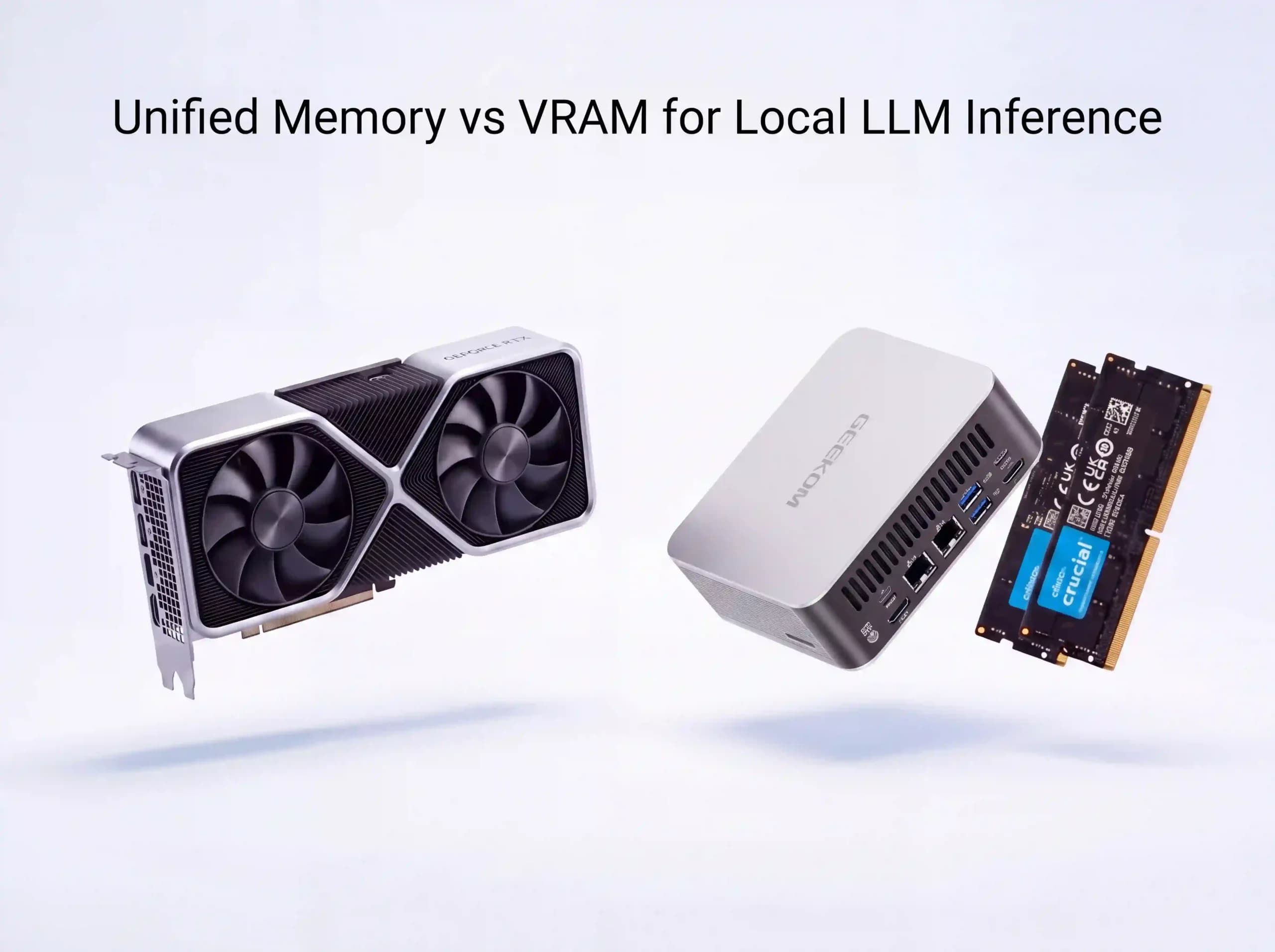
When your main goal is to fit a big model on a cheap computer, unified memory may be more important than dedicated VRAM. Dedicated VRAM is still better when you need quick responses, a lot of data, or more than one person to use the same model at the same time. If you want to make a good choice, do not ask which type of memory is better in general — the real question of unified memory vs VRAM for local LLMs is which one your workload actually needs. See if capacity or bandwidth is stopping you from doing the work you want to do first. This matters most if you are trying to run a local LLM on a small, affordable machine — a mini PC, a laptop, or a compact desktop — where you cannot simply drop in a bigger graphics card.
Dedicated VRAM and Unified Memory: Two Different Setups
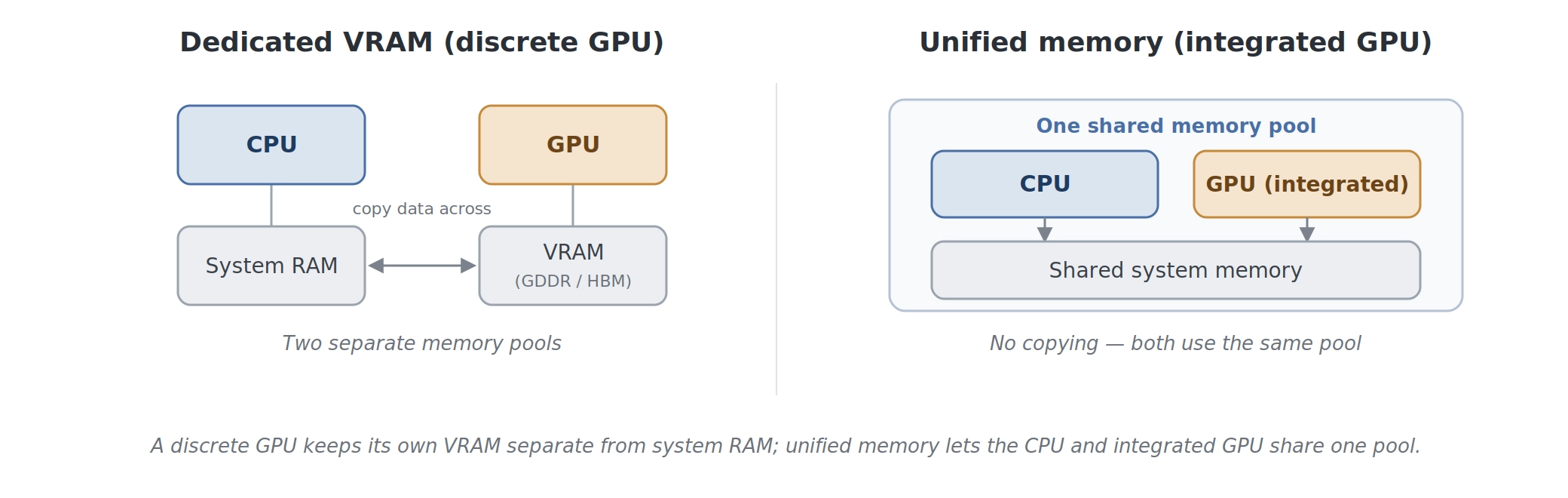
Physically attached to a separate graphics card, dedicated VRAM is memory. A desktop GPU only uses GDDR or HBM memory, which means it can move data very quickly without having to compete with Windows, browser tabs, or other normal programmes. That is why a discrete GPU that can do what it needs to do is still the best choice when response time is important.
The way unified memory works is different. An integrated graphics card and the CPU share a physical pool of system memory. The graphics card uses this pool. Intel integrated graphics, new AMD APUs and Ryzen AI processors, and Apple’s chips all use this design — though Apple’s is the high-bandwidth exception, closer to a graphics card than to the mainstream PC parts this article is about.
There is a real trade-off. Often, unified memory is LPDDR5X or DDR5-class memory, not GDDR or HBM. Even though the total capacity looks good, it has a lot less bandwidth than a dedicated graphics card. To put it simply, unified memory gives you more space, while dedicated VRAM feeds the GPU faster.
| Memory setup | Where it stays | The main benefit | The main drawback |
| Dedicated VRAM | Separate graphics card with VRAM just for the GPU | Lots of bandwidth and quick token creation | It costs a lot to have large capacities |
| Unified memory | One shared CPU and integrated GPU pool for all memory | More usable space in a small system | Not as much bandwidth and slower generation |
How Much Memory Does a Local Model Actually Use?
You have to plan for more than just the model weights. To run the model, your computer also needs space for the operating system, temporary working buffers, the KV cache, graphics allocation, and the software that runs the model. When you add the rest of the system to a model file, it often does not fit.
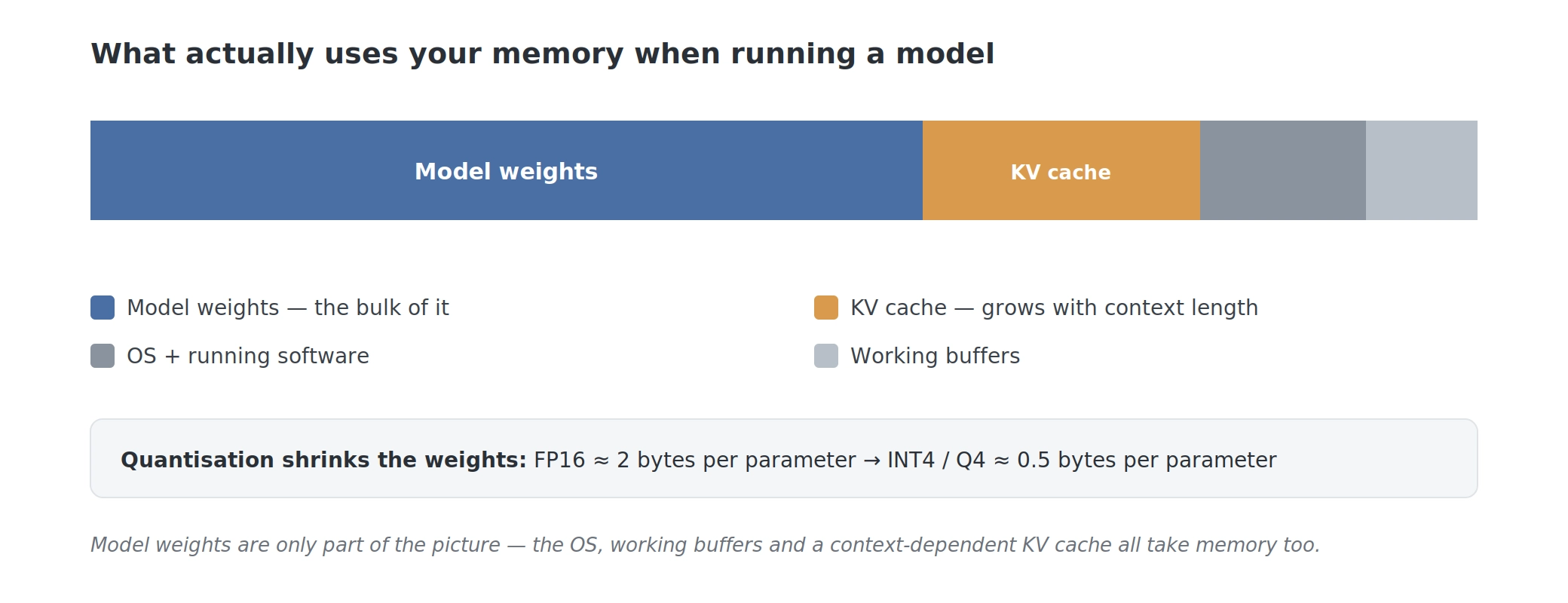
The number of parameters and the format used to store them affect the weights. Each parameter in FP16 takes up about two bytes, but each parameter in INT4 or Q4 takes up about half a byte before overhead. This is possible because quantisation lowers the weight file size enough to make a trade-off between quality, memory use, and speed that can work on home hardware.
The KV cache also needs your attention. The model can remember what happened before because it stores information from the conversation. Each new token generated and the length of the context make the cache bigger. A short prompt does not change the math much, but a long document, a long chat, or a retrieval workflow can use a lot more memory than you might think. That is why context length is almost as important as the model itself when it comes to how much memory you need.
Related reading: 16GB vs 32GB: How Much RAM Do You Really Need?
Why More Memory Can Matter More Than VRAM
Before a model’s speed is important, it has to fit. And if it does not fit in the memory that the graphics hardware can use, you either cannot run it or have to move work to slower storage and CPU paths. Neither result is good for everyday use.
Having unified memory can change what you can do here. Most discrete GPUs for consumers come with 8GB, 12GB, 16GB, or 24GB of VRAM. To get 64GB or 128GB of dedicated VRAM, you usually need hardware for a data centre, multiple GPUs, or a very expensive workstation. A unified-memory mini PC can offer far more shared capacity in a small, quiet package, but the part that is available to the built-in GPU might need to be set up in the firmware.
AMD’s own hands-on test shows what this makes possible. On a Ryzen AI Max+ 395 system — codenamed “Strix Halo” — with 128GB of unified memory, 64GB or more of that pool can be handed to the built-in GPU through the BIOS. That is enough to load a 122-billion-parameter model (a Mixture-of-Experts design) that no consumer graphics card can hold, by sharing one memory pool between the CPU and integrated GPU; when the model spills past the GPU slice, the work is split across CPU and GPU automatically. It runs slowly — around 8 to 9 tokens per second — but it runs at all, which a 24GB gaming GPU simply cannot do. One thing to be clear about: this is a special, higher-bandwidth design, with a 256-bit memory bus at roughly 215GB/s. A typical mini PC APU uses a narrower 128-bit bus at around 90GB/s, so it will not reach these speeds even with the same amount of RAM installed.
Capacity matters most when you want a private assistant that stays on your own network, a document-search setup with a long context, or room to try a larger model without buying a rack of graphics cards. If you are only doing one task by yourself, a slow speed might be fine, but the model would not fit on your current GPU at all.
Why Dedicated VRAM Still Feels Faster
Once the weights fit, bandwidth is the limit that matters the most. During generation, the computer reads model data from memory over and over again. Faster data movement means faster text delivery. As a rough rule, token speed is related to the available memory bandwidth divided by the size of the model data being read. However, the exact result depends on the runtime, context, processor, and GPU architecture.
It is possible for GDDR and HBM on a separate GPU to offer hundreds of gigabytes per second, or even much more on professional hardware. The bandwidth of unified memory is a lot less. The same model might load on both, but the computer with dedicated VRAM might feel much faster.
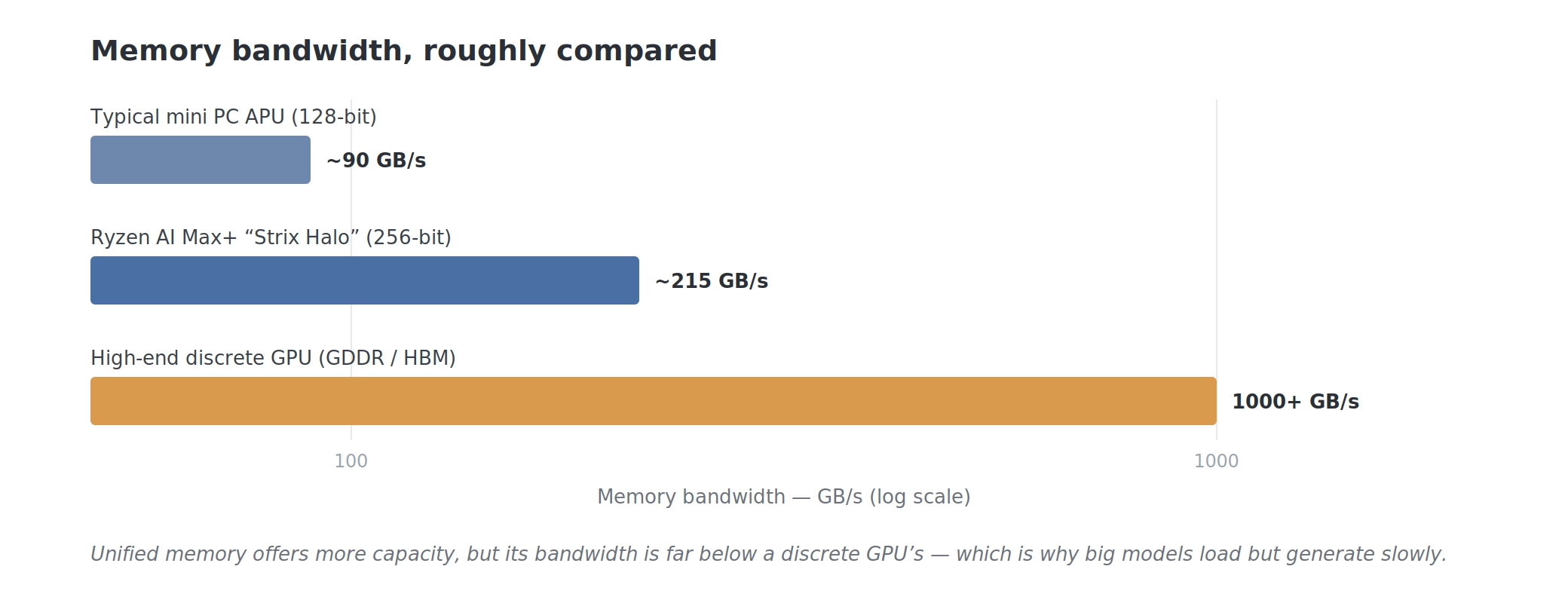
When you use it in real time, that difference is clear. For a long summary, a bunch of notes, or an offline document task, a big model that only makes a few tokens per second on shared memory might be enough. Back and forth gets old when you need an answer right away. Dedicated VRAM is still the best option for interactive work, multiple users at once, and long-term, high-volume text generation.
It is easy to see the trade-off: unified memory is about cost and capacity, while dedicated VRAM is about speed and bandwidth.
Which Limit (“Fits” or “Fast”) Is Standing in Your Way?
Your bottleneck should decide what to do. If the models you want do not fit, having more space is more valuable than having a faster GPU but not enough VRAM. If your models already fit but each response takes too long, you need more bandwidth instead.
When there is only one person working locally, privacy is important, money is tight, and you can live with moderate response times, unified memory is usually the best option. It also makes sense when you want a small system that will not make a lot of noise or use a lot of power, like when you want a system that can stay on all day.
For professional services, multiple users at the same time, long generations that happen often, or any workflow where waiting for each answer costs time, dedicated VRAM is the safer choice. Sometimes, a smaller model on a fast discrete GPU is better for interactive use than a much bigger model that barely fits in shared memory.
What This Means for Mini PCs
Small x86 PCs from today are a good compromise. A modern mini PC based on Ryzen uses shared system memory, runs standard Windows or Linux software, and does not need as much desk space or power as a workstation with a separate GPU. You lose some graphics bandwidth, but you might get more space to run a model that would not fit on a normal 8GB or 12GB gaming GPU.
A mini pc can be good for a personal home assistant, a small document search service, or an always-on box that does not need a monitor and a loud cooling system. It is not a replacement for a powerful server that can handle many requests at once. In this way, you can keep one useful model close by without having to send all of your commands to the cloud.
In the UK, the GEEKOM A9 Max mini PC is a good example of the everyday version of this idea. It is built on the Ryzen AI 9 HX 370 with a Radeon 890M integrated GPU, and can take up to 128GB of DDR5 in certain setups.
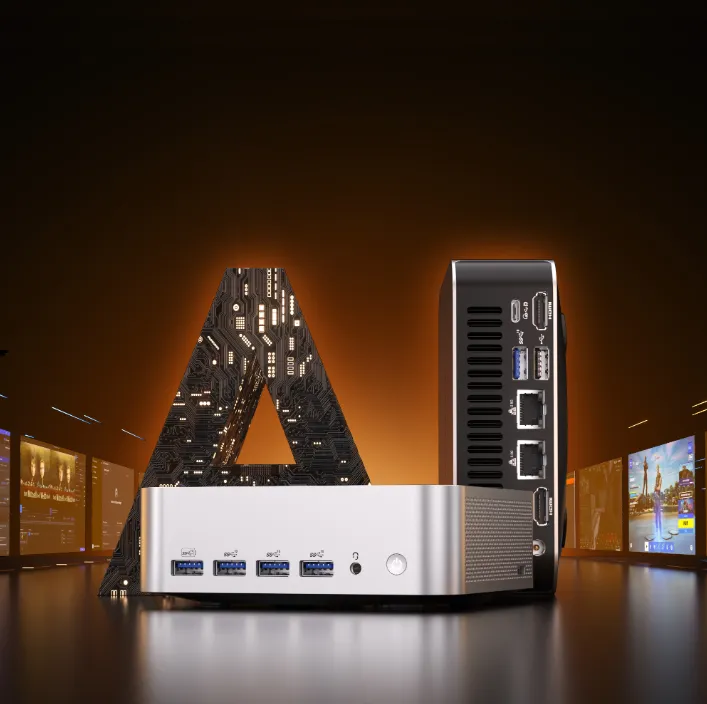
It is not one of the high-bandwidth machines described above, so it is happiest running small and mid-sized models — roughly 7 to 14 billion parameters — at usable speeds, as a quiet, low-power box you can leave on for a private assistant or a document-search tool. The large memory ceiling still helps: it leaves room to load a bigger model alongside your everyday apps, even if that bigger model runs slowly. Before you buy, check the exact UK configuration, as installed memory and availability can change.
FAQs
Can Unified Memory Take the Place of a Separate GPU?
You can use it instead of a dedicated GPU if fitting a model locally is more important than fitting the fastest option, and you do not mind the slower output. Because it does not have the same bandwidth as a discrete GPU, you should not expect the same speed for interactive work with the same model.
How Much Memory Does a 70B Model Need?
In a normal Ollama build, a Q4 70B file can be about 39GB, but the model file is not the only thing that needs to fit. According to Ollama’s published Stable Beluga guidance, the 70B variant needs at least 64GB of RAM. 128GB is better because it leaves more room for the operating system, context cache, and regular apps.
When It Comes to Memory, Does Context Length Use More Than Model Size?
It can be especially during long conversations or when you have a lot of documents to find. The model weights stay the same size, but the KV cache keeps getting bigger as the context and output grow. Plan for more than just the number of parameters shown on the model page. Think about the types of prompts you will actually use.
Is the Speed of Mini PCs Fast Enough for Home Use?
They are fast enough for many tasks that only one person needs to do, like summaries, light coding help, private chat, and document search. Large models that share memory will usually produce text more slowly than models that are the same size but use a high-bandwidth graphics card.
Can a PC Use Both Unified Memory and Dedicated VRAM at the Same Time?
Yes. There is system RAM for the CPU and dedicated VRAM for the GPU in a computer with a discrete GPU. Some systems also have integrated graphics. Because the software that runs the main model still needs to be able to access memory, having a lot of regular system RAM does not automatically make the VRAM of a separate graphics card bigger.
The Answer That Makes Sense Is to Start With Capacity When That Is the Limit
When space is the reason you cannot run the model you want, unified memory is more important. It gives you access to bigger private models, longer contexts, and small local services on a mini PC for a pretty low price. Dedicated VRAM is more important when the model fits and you need fast, stable output.
Most people who run models at home on a budget will find that unified memory is more useful, as long as they are okay with giving up some bandwidth. After picking out the model and size you need, make sure you have enough memory for the operating system and your everyday work. That way of thinking is better than thinking that either unified memory or VRAM is the best.