The GEEKOM IT13 Max puts Intel’s 16-core Core Ultra 9 185H, dual USB4, dual 2.5GbE and Wi-Fi 7 into a 0.9-litre chassis, priced from £749 in the UK. In this GEEKOM IT13 Max review, we look at how it performs, what its ports can do and which configuration suits your workload.
GEEKOM IT13 Max Review at a Glance
The IT13 Max is a capable all-rounder for multi-monitor office work, development, home-lab duties and light gaming. Its processor holds a steady 45W under sustained load without thermal throttling, and few mini PCs this size offer as many ports. The trade-offs are a fan you will hear under sustained load, 24GB of memory that is soldered to the board, and HDMI 2.0 outputs that stop at 4K 60Hz.
What we like
- 16 cores and 22 threads, with sustained performance that doesn’t throttle
- Dual USB4, dual 2.5GbE, six USB-A ports and an SD 4.0 card reader
- Up to four displays at once
- Wi-Fi 7 and Bluetooth 5.4
- Easy access to both M.2 storage slots
- Three-year warranty
What to consider
- The fan is clearly audible under sustained full load
- The 24GB memory can’t be upgraded
- HDMI 2.0 limits 4K output to 60Hz
- Integrated graphics suit esports and older titles rather than demanding new releases
| Component | Specification |
|---|---|
| Processor | Intel Core Ultra 9 185H, 16 cores / 22 threads, up to 5.1GHz |
| Processor power | 45W TDP, up to 55W |
| Graphics | Intel Arc graphics (8 Xe-cores) |
| AI | Intel AI Boost NPU; up to 35 TOPS combined across CPU, GPU and NPU |
| Memory | 24GB LPDDR5-6400, onboard (not upgradeable) |
| Storage | 512GB or 1TB PCIe Gen 4 NVMe SSD (M.2 2280, up to 4TB) plus 1 × M.2 2242 SATA slot (up to 2TB) |
| Front I/O | 4 × USB 3.2 Gen 2 Type-A (one always-on), 3.5mm headset jack |
| Side I/O | SD 4.0 card reader, Kensington lock slot |
| Rear I/O | 2 × USB4 Type-C (DisplayPort Alt Mode, one with power input), 2 × HDMI 2.0, 2 × 2.5GbE RJ45, 1 × USB 3.2 Gen 2 Type-A, 1 × USB 2.0 Type-A, DC-in |
| Displays | Up to four at once |
| Wireless | Intel Wi-Fi 7, Bluetooth 5.4 |
| Security | dTPM 2.0, Kensington lock |
| Power supply | 19V, 120W adapter |
| Size | Approx. 0.9 litres; VESA mount included |
| Operating system | Windows 11 Pro |
| Warranty | 3 years |
What’s New Compared with the IT13 (2025)
The Max name marks a platform change, not a minor spec bump. GEEKOM has replaced the 13th-generation Core platform with Intel’s Meteor Lake design. It has also added a dedicated NPU, moved from DDR4 to DDR5-class memory, and upgraded both the graphics and the networking.
The gains show up where multi-threading and graphics matter. Multi-core performance in Cinebench R23 rises by around 32%, while 3DMark Time Spy more than doubles (DROIX). Single-core performance is almost unchanged (1,733 vs 1,754 in Cinebench R23), so everyday snappiness feels similar. The difference is how much heavier work the new model can take on.
| IT13 Max | IT13 (2025) | |
|---|---|---|
| Processor | Core Ultra 9 185H | Core i9-13900H / i9-13900HK |
| Cores/threads | 16 / 22 | 14 / 20 |
| Graphics | Intel Arc, 8 Xe-cores | Intel Iris Xe, up to 96 EUs |
| NPU | Intel AI Boost | None |
| Memory | 24GB LPDDR5-6400 | Typically 32GB DDR4-3200 |
| Ethernet | 2 × 2.5GbE | 1 × 2.5GbE |
| Wireless | Wi-Fi 7, Bluetooth 5.4 | Wi-Fi 6E, Bluetooth 5.2/5.3 |
| USB Type-A ports | 6 | 4 |
| PCMark 10 | 7,018 | 5,492 |
| Cinebench R23 multi-core | 14,965 | 11,369 |
| 3DMark Time Spy | 3,961 | 1,861 |
One thing to bear in mind when comparing prices: the 2025 IT13 was often sold with 32GB of DDR4 and a 1TB or 2TB SSD. The IT13 Max prioritises a newer platform over larger standard capacities.
Design and Build Quality
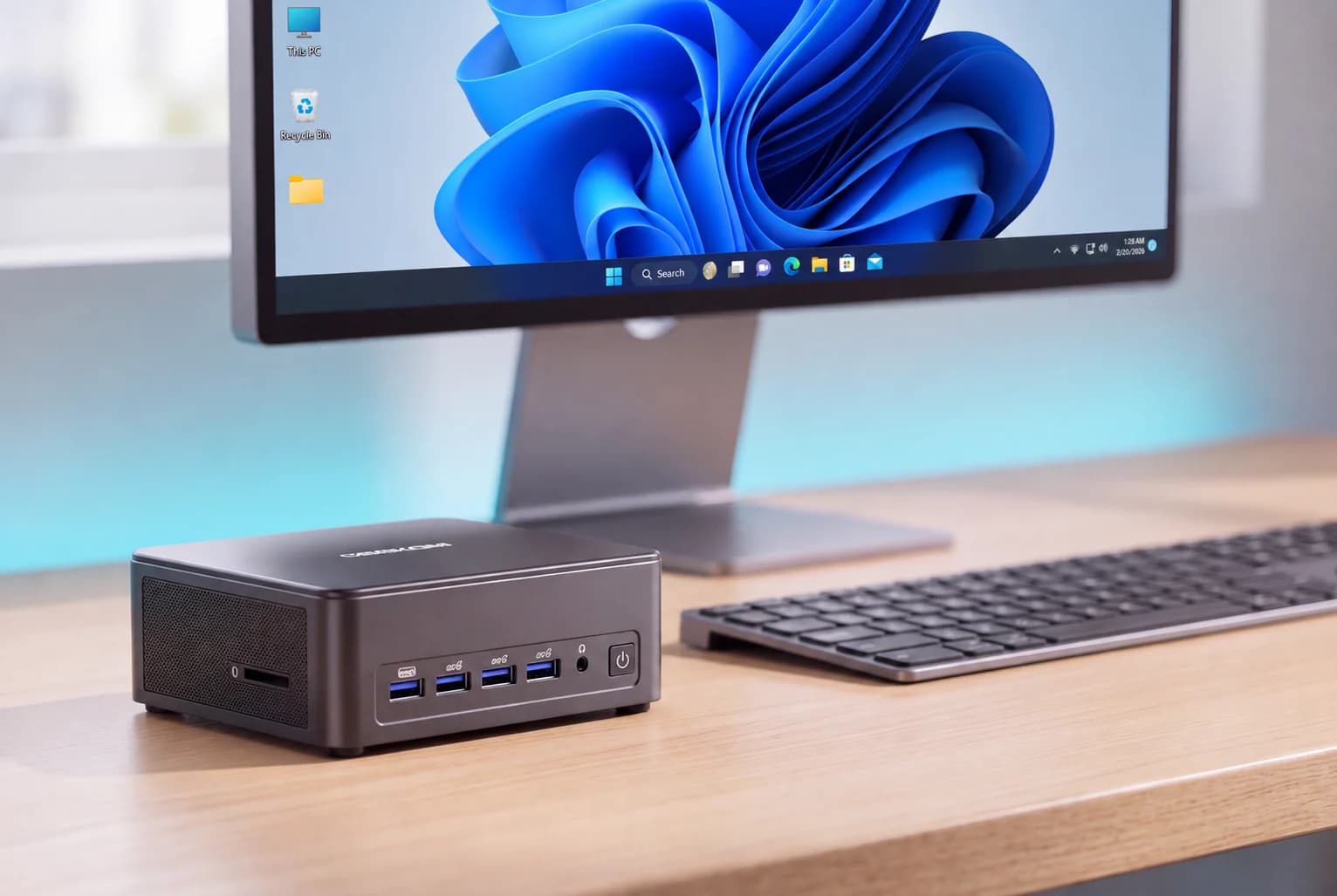
The IT13 Max is just over 13cm square and 5cm tall, in a dark grey finish with rounded edges. GEEKOM describes it as a reinforced full-metal chassis, rated to withstand 200kg of pressure.
In the box, you get an HDMI cable, a VESA mount with screws, the 120W power adapter and a user guide. You can mount it behind a monitor on day one.
Getting inside is simple. Remove the four Phillips screws under the rubber feet, then lift the base plate carefully so you don’t pull on the Wi-Fi antenna cable. That gives you access to both M.2 slots. On the 24GB models, the memory is soldered, so storage is the part you would upgrade.
Ports and Connectivity
Front and side
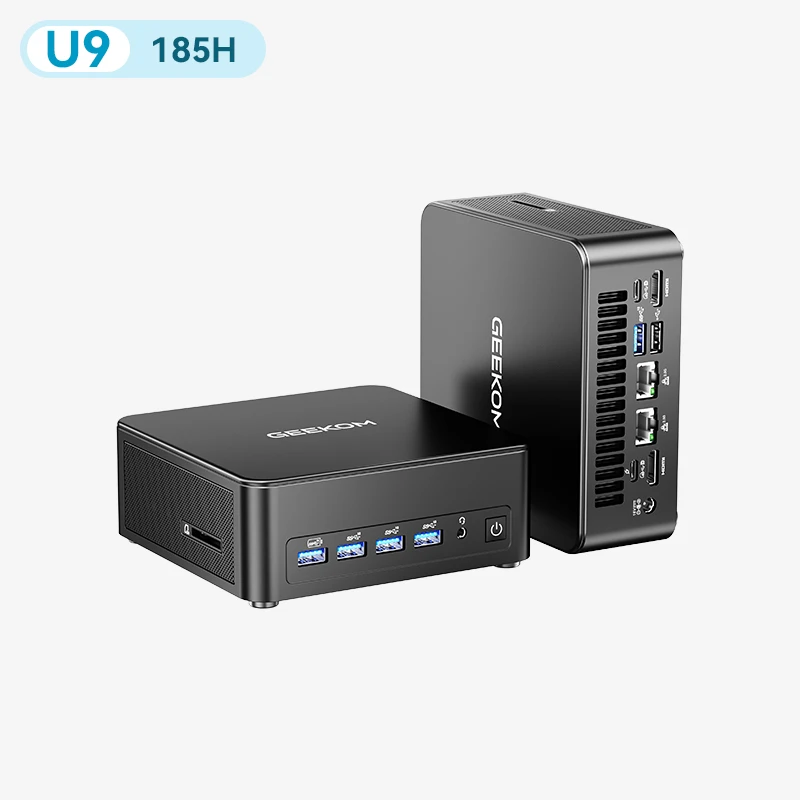
The front has four USB 3.2 Gen 2 Type-A ports (10Gbps), two more than many earlier IT-series models. The leftmost port stays powered when the PC is switched off, which is handy for charging a phone or a controller. A 3.5mm headset jack sits beside them. A full-size SD 4.0 card reader is on the left side, and a Kensington lock slot is on the right.
Rear
At the back are two USB4 ports (40Gbps), both with DisplayPort output, and one also accepts USB-C power input. Alongside them are two HDMI 2.0 outputs and two Intel 2.5GbE ports. A USB 3.2 Gen 2 Type-A port and a USB 2.0 Type-A port, useful for a keyboard or mouse receiver, complete the rear panel.
Multi-monitor support
The two HDMI ports and two USB4 ports can drive four displays at once, and a single 8K display at 60Hz is supported over USB4. Only one USB4 port supplies power to a portable monitor. HDMI 2.0 tops out at 4K 60Hz, so for a high-refresh 4K screen, use a USB4 port with DisplayPort instead.
Networking
Wireless uses Intel’s BE200 Wi-Fi 7 card. In an iperf3 test, it sent around 4,089 Mbit/s and received around 2,715 Mbit/s (Notebookcheck). On the wired side, dual 2.5GbE suits NAS access, routing experiments, small server duties, and setups that need separate local and external networks.
What’s missing
There’s no USB-C port on the front and no OCuLink port for an external graphics card. The second M.2 slot runs at SATA speeds, so keep your fastest drive in the main M.2 2280 slot.
IT13 Max Configurations Compared
Every IT13 Max uses the same Core Ultra 9 185H, Arc graphics, ports and IceBlast 3.0 cooling. The differences between configurations are the memory type, memory capacity, and SSD size. GEEKOM UK currently sells two 24GB versions. GEEKOM’s US store offers the 16 GB version, but it is not sold in the UK at the moment.
| 24GB + 512GB | 24GB + 1TB | 16GB + 1TB | |
|---|---|---|---|
| Processor | Core Ultra 9 185H | Core Ultra 9 185H | Core Ultra 9 185H |
| Memory | 24GB LPDDR5-6400, onboard | 24GB LPDDR5-6400, onboard | 16GB DDR5 SO-DIMM, two slots |
| Memory upgrade | No | No | Yes, up to 96GB |
| Main SSD | 512GB PCIe Gen 4 NVMe | 1TB PCIe Gen 4 NVMe | 1TB PCIe Gen 4 NVMe |
| Second M.2 slot | M.2 2242 SATA, up to 2TB | M.2 2242 SATA, up to 2TB | M.2 2242 SATA, up to 2TB |
| Price | £749 | £829 | $999 (GEEKOM US) |
| UK availability | Available | Available | Not currently sold in the UK |
Prices correct at the time of writing (November 2026). The 16GB model is listed on GEEKOM’s US store.
The £80 step from 512GB to 1TB is the easier choice to change later. Both 24GB models have a spare M.2 2242 slot, and the main M.2 2280 drive can be swapped for one up to 4TB. Still, think carefully before choosing 512GB. After Windows, recovery files, and your everyday apps, free space shrinks quickly, and a few large games, video projects or local AI models will fill the rest. If any of those are on your list, the 1TB model saves you an upgrade.
Memory is the decision you can’t undo on the 24GB models, which is why it gets its own section in this GEEKOM IT13 Max review.
24GB vs 16GB: Which Configuration Should You Choose?
Speed out of the box vs room to grow
The 24GB models use LPDDR5-6400 soldered to the motherboard. You get 50% more memory from day one at a higher rated speed. Because the Arc GPU shares system memory with the processor, a larger pool also leaves more headroom for graphics and heavy multitasking. The catch is simple: the 24GB you buy is the 24GB you keep.
The 16GB model uses standard DDR5 SO-DIMMs in two slots, upgradeable to 96GB. It starts smaller, but it can grow with your workload. In side-by-side testing, a 24GB IT13 Max edged ahead of a laptop with the same processor and 16GB of memory in most benchmarks, though most gaps were within the margin of error (Neowin).
Is 16GB enough?
For Windows 11, Office apps, browsing and streaming, yes. But code compilation, virtual machines, RAW photo editing and video production can use up 16GB surprisingly quickly. For demanding work, plan an upgrade to 32GB. Choose 64GB or more for several virtual machines, large development projects or heavy content production.
Choose the 24GB IT13 Max if you:
- Mainly work in office apps, browsers and video calls across several monitors
- Do light photo or video editing
- Play esports or older games on the Arc graphics
- Want one machine that does everything out of the box, with no upgrades to plan
- Are buying in the UK and want it delivered from GEEKOM UK
Choose the 16GB IT13 Max if you:
- Plan to run Proxmox, several virtual machines or large Docker stacks
- Want to run larger local AI models, which need more memory than 24GB allows
- Expect your memory needs to grow to 64GB or 96GB over the machine’s life
- Want 1TB of storage as standard and don’t mind fitting memory yourself
The 16GB model isn’t currently sold in the UK, so UK buyers who need upgradeable memory could also look at the GEEKOM A9 Max.
| Main use | Recommended configuration | Why |
|---|---|---|
| Office work, browsing, video calls | 24GB + 512GB | 24GB is plenty, and it’s the lowest price |
| Multi-monitor productivity and light creative work | 24GB + 1TB | More memory out of the box and room for project files |
| Esports and older games | 24GB + 1TB | Shared memory for the Arc GPU and space for game installs |
| Home Assistant plus a few containers | 24GB + 512GB | A Home Assistant VM needs around 4GB, which leaves plenty spare |
| Proxmox, multiple VMs, Docker stacks | 16GB + 1TB, upgraded | Memory can grow to 64–96GB as workloads grow |
| Larger local AI models | 16GB + 1TB, upgraded | Model size is limited by memory capacity |
Performance Benchmarks
The benchmark results in this GEEKOM IT13 Max review come from independent testing of 24GB units. Scores vary with settings, drivers and performance profiles, so where the same test was run more than once, we show the range.
CPU and productivity
| Benchmark | IT13 Max result | Source |
|---|---|---|
| Cinebench 2024 multi-core | 848–892 | Neowin, Notebookcheck, heise |
| Cinebench 2024 single-core | 106–108 | Neowin, Notebookcheck, heise |
| Cinebench 2026 multi-core | 3,603–3,667 | GBAtemp, Neowin |
| Cinebench 2026 single-core | 575–608 | GBAtemp, Neowin |
| Cinebench R23 multi-core / single-core | 16,775 / 1,857 | Notebookcheck |
| Geekbench 6 single-core | 2,430–2,497 | heise, Neowin |
| Geekbench 6 multi-core | 13,343–13,353 | heise, Neowin |
| PCMark 10 | 8,226–8,467 | GBAtemp, Neowin |
| 7-Zip | 98,585 | Neowin |
Results from independent testing of 24GB units. Ranges show the spread where the same test was run more than once. Full source links are listed at the end of this article.
The IT13 Max’s Cinebench 2024 multi-core score matches current eight-core rivals, and its 22 threads pay off in rendering and video editing (heise). Single-core results are average, reflecting the age of the Redwood Cove performance cores. In Geekbench 6, it sits level with AMD’s Ryzen 7 255H, with slightly stronger single-core scores. Newer Ryzen AI 9 HX 370 systems lead in most multi-core tests (Notebookcheck).
For everyday work, PCMark 10 results point to more than enough performance for office apps, browsing and video calls, even with several applications open at once.
Graphics and gaming
The IT13 Max scores 3,406–3,961 in 3DMark Time Spy, placing its Arc graphics between AMD’s Radeon 780M and Radeon 890M (heise). Its Geekbench 6 OpenCL compute score of around 39,000–39,700 is clearly ahead of Radeon 780M systems. It also scored 3,082 in Steel Nomad Light and passed the stress test at 98.5%, with consistent results across repeated runs (GBAtemp).
| Game | Resolution and settings | Average FPS | Source |
|---|---|---|---|
| Counter-Strike 2 | 1080p, medium, 2× MSAA | 83 | heise |
| Counter-Strike 2 | 1080p, high, 4× MSAA | 57 | heise |
| Forza Horizon 5 | 720p, Very Low | 92 | DROIX |
| Forza Horizon 5 | 1080p, Very Low | 68 | DROIX |
| Anno 1800 | 1080p, low, FSR 1.0 Performance | 59 | heise |
| Shadow of the Tomb Raider | 1080p, Lowest | 56 | DROIX |
| Cyberpunk 2077 | 720p, Low, no FSR | 44.86 | DROIX |
| Cyberpunk 2077 | 1080p, Low, no FSR | 29.94 | DROIX |
In the Final Fantasy XV benchmark at 720p, the Arc graphics delivered around 50fps, in the same range as the Radeon 780M and 680M. The gap widened in Arc’s favour at higher resolutions, and at 4K it slightly outpaced the Radeon 890M (Neowin). The weaker low-resolution results point to overhead in Intel’s DirectX 11 driver.
In practice, esports titles and older games run well at 1080p. Demanding new releases need low settings and upscaling, and the Arc graphics support Intel XeSS. Cities: Skylines II stays below 10fps, a reminder that integrated graphics have limits. For high-detail AAA gaming, you still need a dedicated graphics card.
Storage
In CrystalDiskMark, the 500GB Kingston NV3 fitted to test units reached 5,435–5,471 MB/s sequential read and 3,028–3,277 MB/s sequential write (heise, Neowin). That beats the drive’s official 5,000/3,000 MB/s rating, and performance stays stable under prolonged load. The exact drive in UK units may vary by batch.
AI and the NPU
The Core Ultra 9 185H includes an Intel AI Boost NPU rated at 11 TOPS, or up to 35 TOPS when the CPU, GPU and NPU work together. That is below the 40 TOPS Microsoft requires for Copilot+ PCs, so Copilot+ features aren’t available.
The NPU’s main benefit is efficiency rather than speed. It scored 358 in Procyon AI Computer Vision, almost level with the Arc GPU’s 351, while drawing less power (heise). For running large language models locally, the CPU, the Arc GPU and memory capacity matter more. The NPU is best suited to tasks such as background blur, audio clean-up and video-call effects, which it handles without keeping the CPU or GPU busy. GEEKOM also positions the IT13 Max for AI agent and developer tools such as Docker and Linux, and its 22 threads and Linux support suit that kind of work.
Thermals, Fan Noise and Power Consumption
One of the clearest findings of this GEEKOM IT13 Max review is that the machine holds its performance over long sessions, not just in short bursts. In a 32-minute stress test, the processor ran at 50–52W for about a minute, then settled at exactly 45W for the rest of the run (heise). Package temperature held at 73–75°C, peaking at 83°C during the initial boost, with no thermal throttling. The SSD peaked at 56°C.
The chassis stays cool to the touch, with the outer shell reaching no more than 27.3°C during a gaming benchmark (Neowin). Brief CPU core peaks of 102°C appeared in PCMark 10 Extended and Cinebench 2024, which is within the 110°C maximum operating temperature Intel specifies for this chip.
| Measurement | Result | Source |
|---|---|---|
| Sustained CPU power (stress test) | 45W, after about 1 minute at 50–52W | heise |
| CPU package temperature, 30-minute load | 73–75°C, no throttling | heise |
| Outer shell temperature, gaming | 27.3°C maximum | Neowin |
| Fan noise: idle/everyday/full load | 31 / 34 / 38 dB(A) | heise |
| Fan noise: idle / load | 25.3 / 53.3 dB(A) | Notebookcheck |
| Fan noise: full Cinebench load | 60dB | DROIX |
| Power draw at idle | 7.3–10.5W | DROIX, heise |
| Power draw while gaming | 55W | heise |
| Power draw at full load | 64.7–77W | DROIX (Cinebench), heise (AIDA64) |
Noise readings differ because measurements are taken at different distances and under different loads.
Noise readings vary because measurements are taken at different distances and under different loads, but the overall picture is consistent. The fan runs all the time, it is quiet at idle, and it is clearly audible under sustained full load. The noise stays even, without the irritating ramping up and down some mini PCs suffer from. There’s no manual fan curve, but the BIOS offers three fixed performance profiles, and a lower profile trades some performance for quieter running. Even at full load, the IT13 Max draws well under the 120W its adapter supplies.
Real-World Use Cases
Multi-monitor office and business work
The IT13 Max handles Windows across several monitors, office applications and 4K streaming with ease. Windows 11 Pro adds BitLocker, Remote Desktop hosting and Hyper-V, and no bloatware is pre-installed. One tip: Memory Integrity is switched off out of the box. Turn it on under Windows Security > Device security > Core isolation, then restart.
Content creation
The 22 threads pay off in rendering and exports, making the IT13 Max well suited to office and light creative work (TechRadar). For larger video projects, memory capacity becomes the limit before the processor does, so revisit the 24GB vs 16GB section before you buy.
Light gaming and living-room use
Counter-Strike 2 at 83fps and Forza Horizon 5 at 68fps in 1080p make the IT13 Max a sensible compact machine for esports, older titles and game streaming. With the VESA mount, it can sit out of sight behind a TV or monitor.
Home server and Home Assistant
Home Assistant OS runs comfortably in a VirtualBox virtual machine on Windows 11 with 4GB of RAM and four virtual CPUs, leaving plenty of room for other services (Giardiniblog). Use a bridged wired Ethernet connection rather than Wi-Fi for the VM. Dual 2.5GbE ports and an idle draw of 7.3–10.5W suit 24/7 running. For heavier Proxmox clusters, see our homelab guide.
Linux and development
Linux runs without extra setup. On Fedora’s KDE edition, Bluetooth, Wi-Fi and the correct screen resolution are detected straight away, the machine wakes from standby without problems, and Secure Boot is disabled out of the box (heise). Ubuntu 26.04 also detects the processor, Arc graphics and both Intel I226-V Ethernet controllers properly (CNX Software). That makes the IT13 Max a practical box for compiling code, running containers and testing services.
Final Verdict: Who Should Buy the IT13 Max?
The verdict of this GEEKOM IT13 Max review is simple: it offers 22-thread performance that holds up under sustained load, along with more ports than most mini PCs of its size.
That combination makes it a strong choice for multi-monitor office setups, developers, home-lab users and anyone who wants a capable, compact machine for light gaming.
Its weak points are clear too: a fan you’ll hear under heavy load, memory that’s fixed at 24GB, and HDMI 2.0 outputs.
For most UK buyers, the 24GB + 1TB model at £829 is the sweet spot. It has enough memory for demanding multitasking and enough storage that you won’t need to upgrade straight away. Choose the 24GB + 512GB model at £749 if your work lives mainly in the cloud.
If you need more multi-core and NPU headroom, look at the GEEKOM A9 Max. In side-by-side testing, the A9 Max 2026 Edition scored 4,472 in Cinebench 2026 multi-core against the IT13 Max’s 3,667, and it led clearly in NPU tests (Neowin). The A9 Max is also the better fit if you need memory you can upgrade.
GEEKOM IT13 Max Review: Frequently Asked Questions
Can I upgrade the RAM on the GEEKOM IT13 Max?
Not on the 24GB models, because the LPDDR5-6400 memory is soldered to the motherboard. The 16GB model uses two DDR5 SO-DIMM slots and supports up to 96GB, but it isn’t currently sold in the UK. Storage can be upgraded on every model: the main M.2 2280 slot takes drives of up to 4TB, and a second M.2 2242 SATA slot adds up to 2TB.
Is the 16GB IT13 Max available in the UK?
Not at the moment. GEEKOM UK sells the 24GB + 512GB model for £749 and the 24GB + 1TB model for £829 (prices at the time of writing). The 16GB + 1TB model is listed on GEEKOM’s US store.
How many monitors can the IT13 Max run?
Up to four at once, using the two HDMI 2.0 ports and the two USB4 ports. A single 8K display at 60Hz is supported over USB4. HDMI 2.0 is limited to 4K at 60Hz.
Can the IT13 Max play games?
Yes, at sensible settings. Counter-Strike 2 runs at 83fps (1080p, medium) and Forza Horizon 5 at 68fps (1080p, Very Low). Demanding new releases need low settings and upscaling.
Is the IT13 Max a good home server?
Yes. It draws 7.3–10.5W at idle, has two 2.5GbE ports, runs Linux without extra setup and keeps its performance under sustained load. For running many virtual machines, the upgradeable-memory 16GB model or the A9 Max gives you more room to grow.
Is the IT13 Max a Copilot+ PC?
No. Its NPU is rated at 11 TOPS, below Microsoft’s 40 TOPS requirement. It reaches up to 35 TOPS when the CPU, GPU and NPU are combined.
Is the IT13 Max noisy?
It’s quiet at idle and during everyday work. Under sustained full load, the fan is clearly audible, although the noise stays steady rather than pulsing. Choosing a lower performance profile in the BIOS reduces noise.
Sources
- heise – Geekom IT13 Max im Test
- Notebookcheck – Geekom IT13 Max mini PC review
- Neowin – GEEKOM IT13 Max mini PC review
- Guru3D – Geekom IT13 MAX mini PC review
- GBAtemp – GEEKOM IT13 Max review
- DROIX – GEEKOM IT13 Max review
- CNX Software – GEEKOM IT13 Max review, part 1
- TechRadar – Geekom IT13 Max review
- Giardiniblog – Installing Home Assistant on a mini PC (Italian)