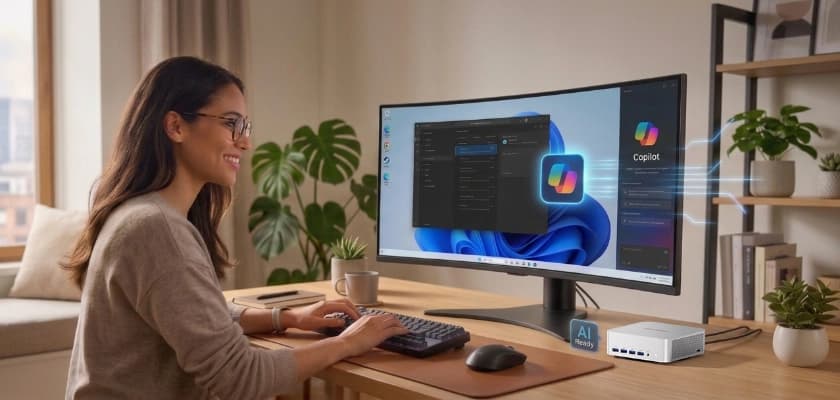
When Microsoft unveiled the Copilot+ PC program in 2024, the spotlight fell squarely on laptops. The Surface Laptop, the ASUS Vivobook S 15, and the Lenovo Yoga Slim 7x—every launch device was a clamshell. Two years on, the category has matured, the chip ecosystem has expanded, and there’s now a quietly compelling option that most buyers overlook: the Copilot+ mini PC.
If you work at a desk—whether that’s a home office, a studio, a dev bench, or a row of kiosk endpoints—a mini PC can deliver every Copilot+ feature with better specs, easier upgrades, and a lower price than an equivalent laptop. This guide explains what Copilot+ actually means for desktop users, why the mini PC form factor is a natural fit, and what to look for before you buy.
What Is a Copilot+ PC (And Why Most of Them Are Laptops)?
A Copilot+ PC isn’t a software update you can install on any Windows machine. It’s a hardware certification defined by Microsoft, and a device must meet every requirement to unlock the full suite of on-device AI features.
The core specifications are
- A Neural Processing Unit (NPU) capable of at least 40 TOPS (trillion operations per second)
- 16 GB of RAM (DDR5 or LPDDR5)
- A 256 GB SSD or larger
- Windows 11 version 24H2 or newer
As of 2026, three processor families qualify: Qualcomm’s Snapdragon X and X2 series (ARM architecture), Intel’s Core Ultra 200V (Lunar Lake) and newer Panther Lake chips, and AMD’s Ryzen AI 300 and 400 series. Each integrates an NPU directly into the SoC, alongside the CPU and integrated GPU.
Because those chips were originally designed for thin-and-light laptops—where low power draw and heat output are critical—the first wave of Copilot+ devices was entirely portable. Desktop models only began shipping in late 2025, led by mini PCs and a handful of small-form-factor business machines like the ASUS ExpertCenter P700. The result is a market gap: buying guides are still dominated by laptops, and desktop users who want on-device AI are often left piecing the picture together on their own.
That gap is exactly where mini PCs step in.
Copilot+ Features That Actually Matter on a Desktop
Before making the case for the form factor, it’s worth understanding what Copilot+ certification unlocks—and why several of those features are arguably more useful at a desk than on the go.
Recall
Recall takes periodic snapshots of everything on your screen and builds a searchable visual timeline. You can type a description of something you saw days or weeks ago—a chart in a spreadsheet, a paragraph in a PDF, a message in a chat window—and Recall surfaces the exact moment.
On a desktop with a large monitor (or multiple monitors), each snapshot captures more content. An always-on mini PC builds a deeper timeline than a laptop that sleeps in a bag half the day. And because Recall stores everything locally inside a VBS enclave protected by TPM-bound keys, the privacy model is the same regardless of form factor: opt-in, Windows Hello-gated, with DRM and private browsing excluded automatically.
For anyone who juggles dozens of browser tabs, documents, and communication tools across a working day, Recall on a desktop is where the feature starts to feel genuinely indispensable.
Click to Do
Click to Do adds context-aware AI actions to any on-screen element. Right-click an image, and the system offers to remove the background, blur a face, or search for similar images. Highlight a block of text, and it can summarise, rewrite, or translate on the spot.
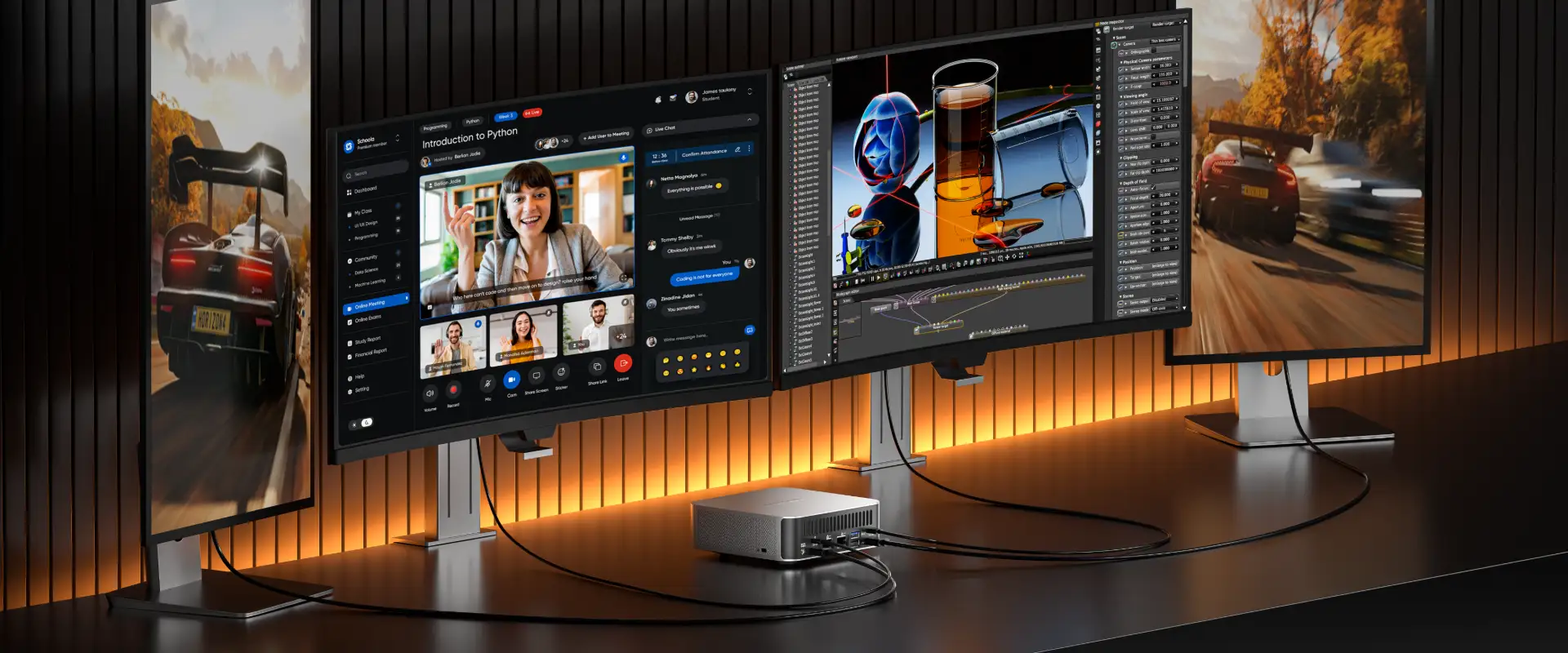
Desktop users tend to work with a mouse and a large canvas—exactly the conditions where a point-and-click AI layer is most natural. Pair it with a multi-monitor setup, and you have quick-action AI across every window without switching apps.
Live Captions and Translation
Live Captions transcribes any audio playing on the device in real time, entirely on-device. It supports translation from over forty languages into English (with more language pairs rolling out through 2026), meaning you can watch a foreign-language webinar, join an international call, or review a video file and read along in your own language—no cloud round-trip, no subscription.
At a desk with a quality microphone and speakers (or a headset), the transcription accuracy is noticeably better than on a laptop’s built-in array. That makes the feature particularly useful for meeting-heavy professionals and multilingual teams.
Windows Studio Effects
Studio Effects applies camera and audio enhancements—background blur, eye-contact correction, automatic framing, and voice clarity—all processed on the NPU. That means the CPU and GPU stay free for screen-sharing, presentations, and whatever else you’re running during the call.
With an external webcam and a proper desk mic, the input quality is already higher than a laptop’s built-in hardware. Offloading enhancement to a dedicated NPU means you get professional-grade video-call quality without buying a separate AI-powered camera.
Improved Local Search
Windows Search on a Copilot+ PC uses on-device AI to understand intent, not just filenames. Search for “the proposal I edited last Thursday” or “screenshots with charts,” and the system returns semantically relevant results from local storage.
Desktop users with terabytes of files across multiple drives benefit more from intelligent local search than someone with a 512 GB laptop SSD. The larger the index, the more time an AI-powered search saves.
Why a Mini PC Is the Smartest Copilot+ Desktop
Copilot+ certification doesn’t care about the size of the chassis. It cares about the silicon inside it. And here’s the key insight: mini PCs use the very same mobile-class processors that power Copilot+ laptops, housed in a compact enclosure that trades portability for better thermal headroom, more ports, and user-upgradeable internals.
Same Chips, Smaller Footprint
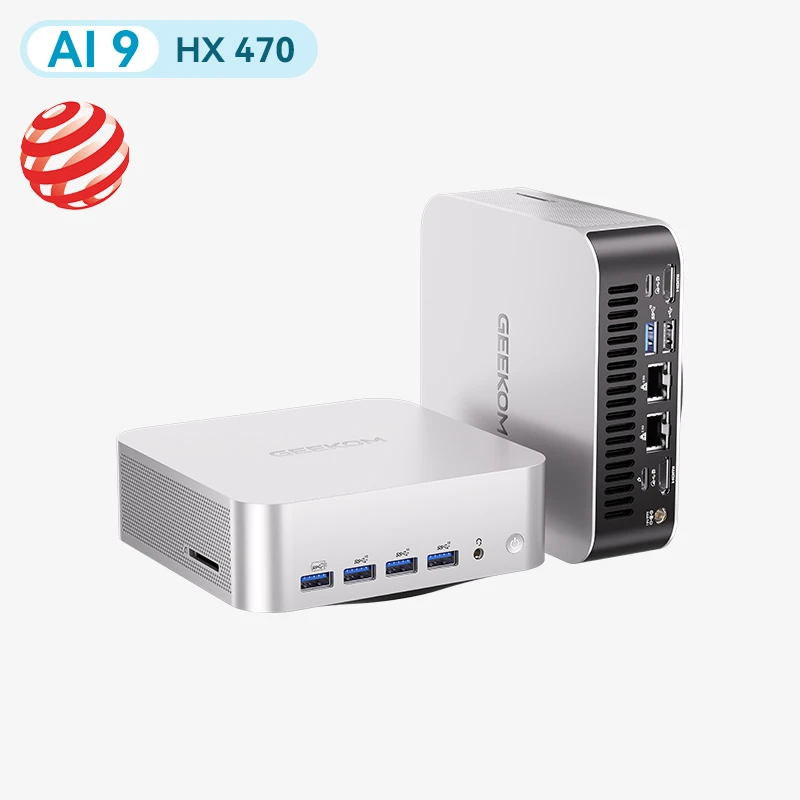
A Copilot+ mini PC like the GEEKOM A9 Max runs the AMD Ryzen AI 9 HX 370—the same Zen 5-based APU found in premium Copilot+ laptops such as the Lenovo Yoga Slim 7x and ASUS Vivobook S 15. It delivers 80 TOPS of combined AI performance, including a dedicated XDNA 2 NPU rated at 50 TOPS, alongside a Radeon 890M integrated GPU built on RDNA 3.5.
The 2026 Edition steps up to the Ryzen AI 9 HX 470, pushing total AI throughput to 86 TOPS with a 55 TOPS NPU.
All of this fits inside a sub-one-litre metal chassis that can sit on a desk, tuck behind a monitor on a VESA mount, or slide into a rack shelf. There is no performance sacrifice—the silicon is identical.
More RAM, More Storage, Lower Price
Here’s where the desktop form factor pulls ahead on value. A Copilot+ laptop with 32GB of RAM and a 1TB SSD usually sits at the premium end of the market, because you are also paying for the screen, battery and keyboard. A Copilot+ mini PC with the same chip, 32GB of DDR5 and a 1TB NVMe SSD typically costs noticeably less, as you are not paying for a display or battery you will not use at a desk.
The reason is straightforward: a mini PC doesn’t need to include a display panel, a keyboard, a trackpad, a battery, or a hinge mechanism. Those components account for a significant share of a laptop’s bill of materials. Removing them means the savings either go straight to the buyer or get reinvested into better internals.
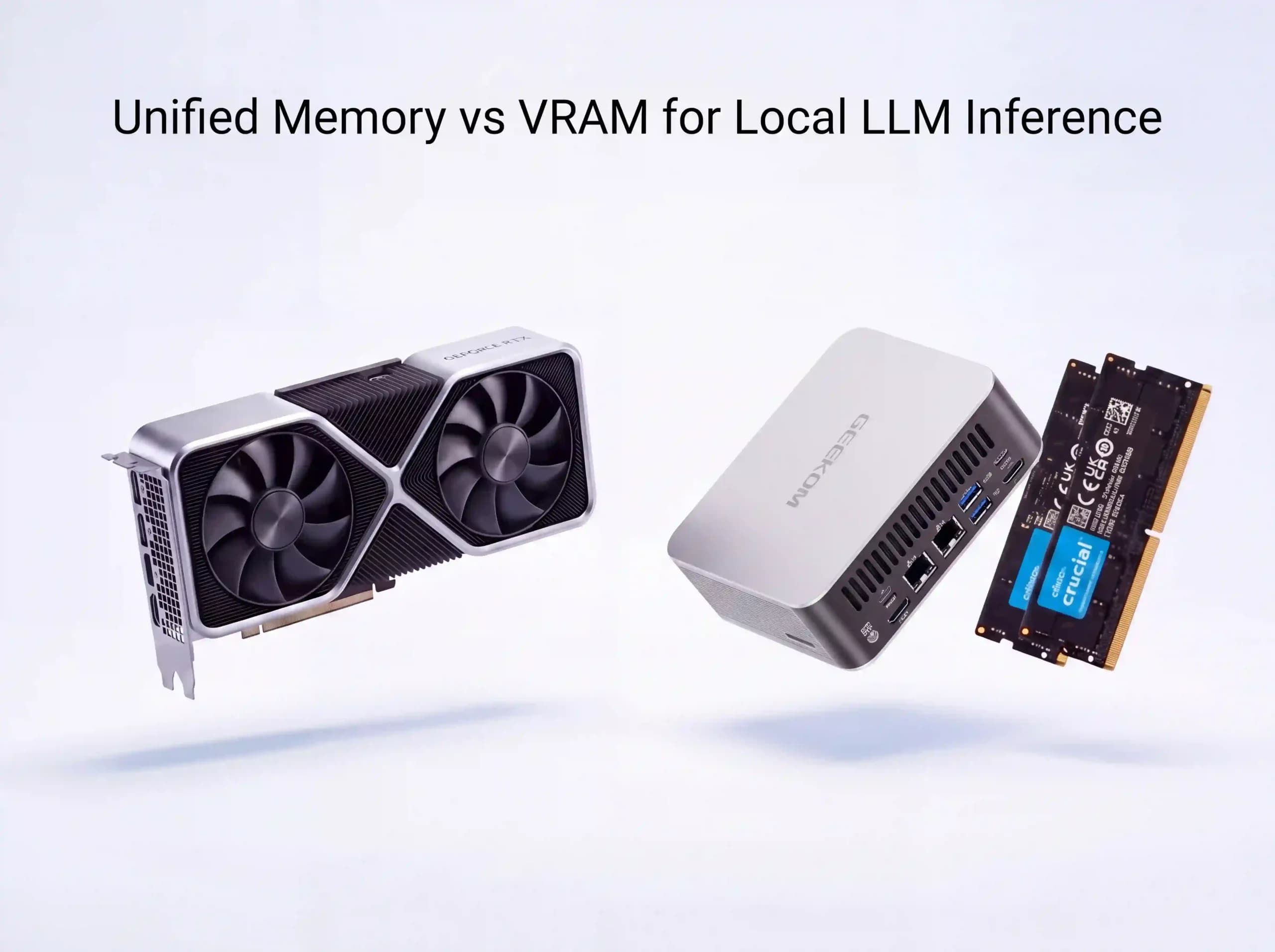
More importantly, mini PCs are typically user-upgradeable. Dual SO-DIMM slots let you expand RAM to 64 GB or even 128 GB. Dual PCIe NVMe slots let you add a second drive without replacing the first. Try doing that on a modern ultrabook with soldered memory and a single storage slot.
This matters for Copilot+ in particular. Recall needs at least 50 GB of free space to store snapshots effectively, and local LLM inference scales directly with available memory. A 16 GB laptop running Recall alongside a quantised 7B model will feel the squeeze. A 64 GB mini PC won’t.
Better Sustained Performance
Laptops are engineered to be thin. That constraint limits heatsink size, fan diameter, and airflow—which in turn limits how long a processor can sustain its boost clocks under heavy load. When the chip throttles, AI inference slows down, video exports stall, and background tasks queue up.
Mini PCs, even compact ones, have more thermal headroom. Larger copper heatsinks, wider fan blades, and ventilation channels that don’t have to route around a battery or a display hinge all contribute to better sustained performance under prolonged AI workloads. Independent reviews of the GEEKOM A9 Max consistently note that it holds boost clocks longer and runs quieter under load than laptops using the same Ryzen AI 9 chip.
For desktop users who run long creative renders, batch image generation, or all-day video calls with Studio Effects, that sustained headroom isn’t a luxury—it’s the difference between a smooth experience and a frustrating one.
Desktop-Grade Connectivity
Copilot+ ultrabooks sacrifice ports for thinness. A typical layout includes two USB-C connectors and a headphone jack. A Copilot+ mini PC can afford to be generous.
A well-equipped model offers dual USB4 (40 Gbps), multiple USB-A ports, HDMI 2.1, dual 2.5-gigabit Ethernet, Wi-Fi 7, and Bluetooth 5.4. That means native support for triple or quad 4K displays, direct NAS connections for large media libraries, wired networking for latency-sensitive AI workflows, and enough USB bandwidth for external storage, capture cards, or an eGPU enclosure.
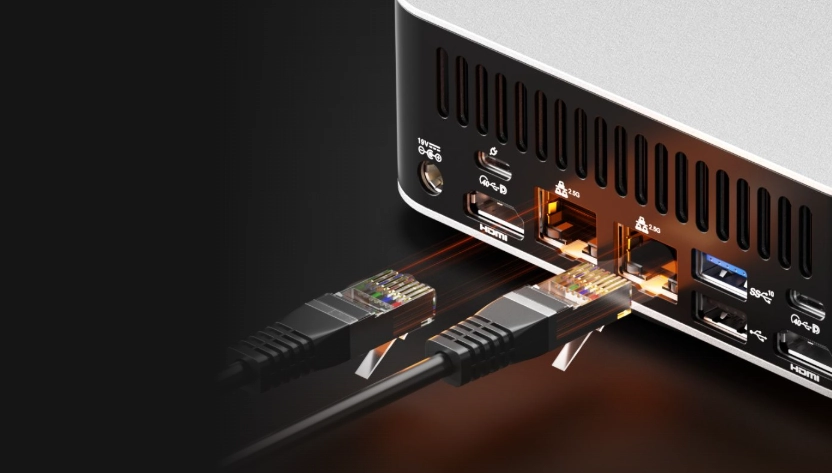
For Recall and Click to Do, more screen real estate means richer snapshots and a larger interactive canvas. For Studio Effects, a wired Ethernet connection ensures your video call isn’t competing with file syncs on Wi-Fi. The connectivity advantage isn’t flashy, but it removes friction across every Copilot+ feature.
Lower Cost of Ownership
A laptop battery degrades with every charge cycle. A laptop hinge wears with every open and close. A laptop keyboard can fail from a single spill. None of those failure points exists in a mini PC.
Power consumption is also dramatically lower than a traditional desktop tower. A Copilot+ mini PC draws between 15 and 65 watts depending on load—compared to 150 to 300 watts for a mid-tower with a discrete GPU. Over a year of daily use, the electricity savings add up. Over a three-to-five-year lifecycle, they become significant.
And because the RAM and storage aren’t soldered, you can upgrade the machine mid-life instead of replacing it. Adding more RAM a few years down the line costs a fraction of replacing a laptop outright on models with SO-DIMM slots, such as the GEEKOM A9 Max.
Who Should Choose a Copilot+ Mini PC
Home Office and Remote Workers
If your day revolves around video calls, document editing, and juggling communication tools, a Copilot+ mini PC is the most efficient way to get Studio Effects, Recall, and AI-powered search on your desk. It’s quiet, compact, and powerful enough to handle everything without fan noise breaking your concentration.
Creators and Content Professionals
The Radeon 890M integrated GPU on Ryzen AI 9 handles 4K and 8K video editing in DaVinci Resolve, runs Stable Diffusion on the iGPU via DirectML, and supports AI-assisted retouching in Photoshop and Lightroom. Combine that with up to 128 GB of RAM, and you have a genuinely capable creative workstation in a chassis smaller than a hardcover book.
Developers and AI Enthusiasts
Run quantised 7B or 13B models locally through Ollama or llama.cpp. Test ONNX inference on the NPU via DirectML or AMD’s XDNA runtime. Build and test Copilot+ extensions using Microsoft Foundry on Windows. The mini PC form factor gives you the memory headroom and sustained thermals that local AI development demands, without the noise and bulk of a tower.
Small-Business and IT Fleet Managers
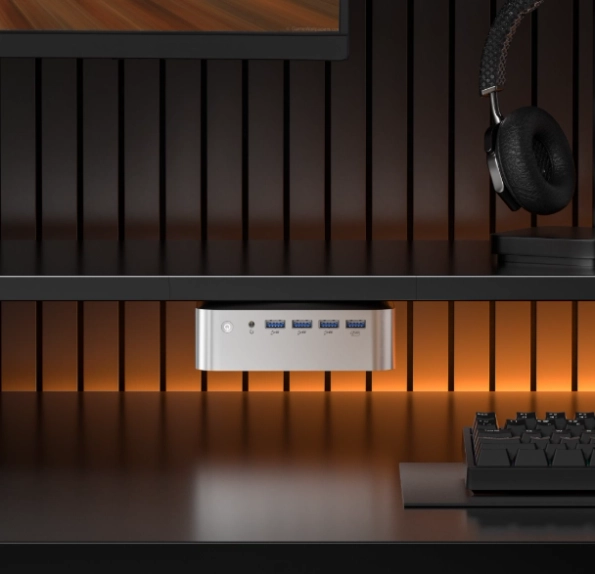
VESA-mountable Copilot+ mini PCs make clean, space-efficient endpoints for offices, classrooms, retail counters, and reception desks. They’re manageable through the same MDM and Intune policies as any Windows 11 Pro device, and their low power draw reduces both electricity costs and cooling requirements across a fleet.
What to Look for When Buying a Copilot+ Mini PC
Not every mini PC marketed as an “AI PC” meets the Copilot+ bar. Here’s a practical checklist:
NPU performance. The absolute minimum for Copilot+ certification is 40 TOPS. For a comfortable experience with Recall, Studio Effects, and future feature updates, aim for 50 TOPS or higher.
Processor family. The AMD Ryzen AI 300 and 400 series offer the strongest combination of NPU, integrated GPU (RDNA 3.5), and multi-core CPU performance in the mini PC space today. Intel Core Ultra 200V (Lunar Lake) is the safest pick if x86 legacy application compatibility is non-negotiable. Snapdragon X delivers outstanding efficiency but is available in far fewer desktop and mini PC models.
RAM: 32 GB DDR5 should be the starting point, not the ceiling. Confirm that the machine uses socketed SO-DIMMs (not soldered memory) so you can upgrade to 64 or 128 GB later. Recall, local LLMs, and heavy multitasking all benefit directly from more memory.
Storage. 512 GB is the practical minimum—Recall alone needs at least 50 GB of free space to function properly. Dual PCIe NVMe slots are strongly preferred so you can add capacity without swapping your boot drive.
Ports. Prioritise USB4 or Thunderbolt 4 (for eGPU expansion and high-speed peripherals), HDMI 2.1 (for 4K and 8K display output), and dual Gigabit Ethernet (for wired NAS and network isolation).
Cooling and noise. Read independent reviews that test sustained performance under load. A mini PC that throttles its NPU after five minutes of inference isn’t delivering the Copilot+ experience you’re paying for.
Operating system. Windows 11 Pro is recommended over Home for business users—it adds BitLocker encryption, Remote Desktop, Group Policy, and Intune management, all of which complement the Copilot+ feature set in a professional environment.
Copilot+ Mini PC vs. Other Desktop Options
How does a Copilot+ mini PC stack up against the alternatives?
Copilot+ mini PC vs. Copilot+ laptop. The mini PC wins on price-to-performance, sustained thermals, port selection, and upgradability. The laptop wins on portability—and only on portability. If you don’t need to carry your Copilot+ device, the mini PC is the better investment.
Copilot+ mini PC vs. Copilot+ tower or SFF desktop. Towers like the ASUS ExpertCenter P700 offer discrete GPU support and higher maximum performance, but they cost more, consume more power, and take up significantly more desk space. For the vast majority of Copilot+ workloads—which run on the NPU and integrated GPU, not a discrete card—a mini PC is all you need.
Copilot+ mini PC vs. Mac Mini with Apple Intelligence. Apple’s Mac Mini with the M4 Pro chip is a formidable compact desktop, but it operates in an entirely separate ecosystem. Copilot+ is a Windows 11 standard—macOS devices don’t qualify, and Apple Intelligence features aren’t interchangeable. If your workflow is built around Windows, Microsoft 365, and Copilot integration, the comparison is straightforward: the Copilot+ mini PC is exactly what you need.
Getting Started with Copilot+ on Your Mini PC
Once you have a qualifying device, activating the full Copilot+ experience takes just a few minutes:
Confirm your NPU is recognised. Open Settings, go to System, then About. Your processor listing should include a reference to the Neural Processing Unit. You can also open Task Manager and check the dedicated NPU tab under Performance.
Run Windows Update. Copilot+ features are delivered through cumulative updates tied to Windows 11 24H2 and later. Make sure your system is fully up to date—some features are still rolling out through 2026, depending on region and hardware.
Enable Recall. Go to Settings, then Privacy & Security, then Recall. The setup wizard will ask you to authenticate with Windows Hello (fingerprint, facial recognition, or PIN). Recall is entirely opt-in and can be paused or cleared at any time.
Test Studio Effects. Open a video call in Microsoft Teams (or any app that supports Windows Studio Effects) and toggle background blur, eye-contact correction, and voice clarity. You should see an NPU usage spike in Task Manager while CPU usage stays low—that’s the NPU doing its job.
Try Click to Do. Right-click any image or text block on the screen. If Click to Do is active, you’ll see AI-powered options such as “Summarise,” “Remove background,” or “Search for similar.”
Explore local AI tools (optional). Install Ollama and pull a quantised 7B model to test local LLM inference. Or set up Stable Diffusion with a DirectML backend to generate images on your integrated GPU. These aren’t Copilot+ features per se, but they benefit from the same NPU-class hardware and generous memory.
The Desktop AI Revolution Is Compact
The Copilot+ programme was built for the silicon inside the machine, not the shape of the chassis. Every on-device Copilot+ feature available on a premium ultrabook is also available on a Copilot+ mini PC sitting quietly behind your monitor – often for considerably less, with more RAM, better cooling for long sessions and, on many models, room to upgrade.
For desktop users who want the full Windows AI experience without paying a portability premium they’ll never use, a Copilot+ mini PC isn’t a compromise. It’s the smarter choice.
Recommended products
-
A9 Max 2026 Edition
AMD Ryzen AI 9 HX 470 | HX 370Price range: £1,199.00 through £1,399.00