
If you’re looking for a new PC but don’t have much space in your setup, you may want to consider a small form factor PC. Also called mini PCs, these small-form-factor computers take up little space, are affordable, and often come with great specs, so you don’t need to sacrifice performance to save desk real estate.
This guide takes a closer look at some of the best small form factor PCs on the market and helps you determine which is the right choice for you.
GEEKOM’s Top Small Form Factor PCs
Best for Power Users: IT13
Best for Affordable Performance: A5
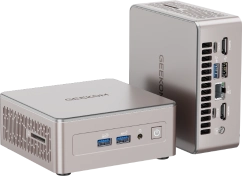
Best for Stable, All-Day Use: A5 Pro
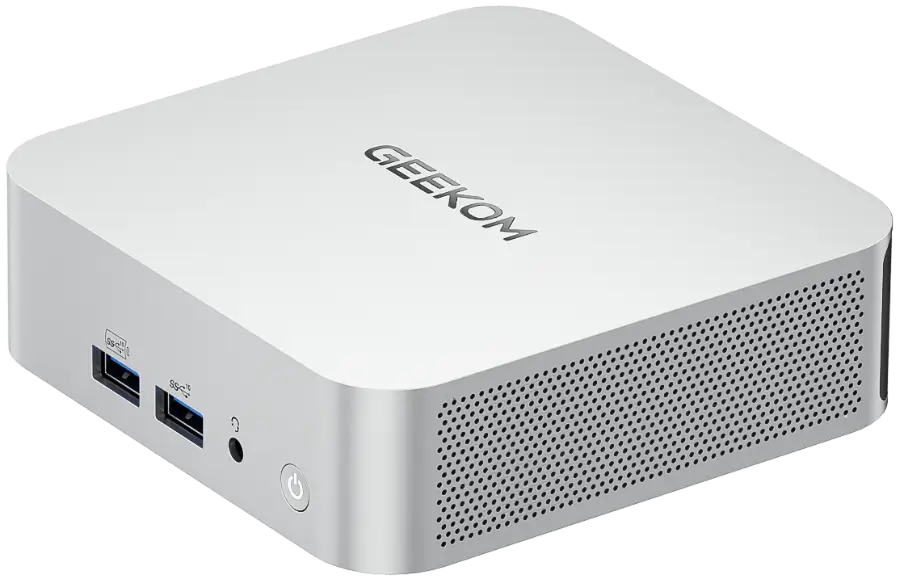
Best for Power Users: GEEKOM IT13
The GEEKOM IT13 is a small form factor PC that offers optimal performance for those who need it. It offers two powerful CPU options to choose from, a solid integrated GPU, ample memory, and expandable storage that allows for up to 5TB of space.
The strong specs across the board make the GEEKOM IT13 a fantastic mini PC for creators, as well as for gamers, professionals, editors, and other types of users. It’s excellent at multitasking, fits in nearly any setup, and looks impressive on your desk thanks to a sleek and high-end design.
While it’s preinstalled with Windows 11 Pro, it also supports multiple operating systems, including Linux and Ubuntu, giving you full control over your computer experience. This mini PC is also durable, offers plenty of connectivity and port options, and supports up to four monitors at a time.
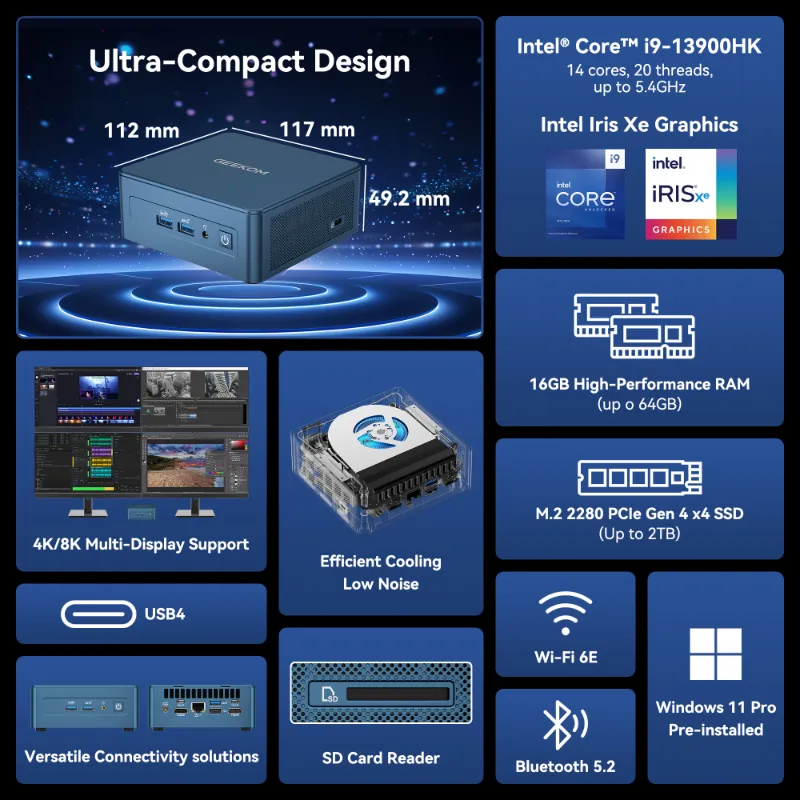
Specifications
- Size: 117 × 112 × 49.2mm
- CPU: 13th Gen Intel® Core™ i9-13900HK or 13th Gen Intel® Core™ i9-13900H
- GPU: Intel® Iris® Xe Graphics
- Memory: Dual-channel DDR4-3200 SODIMM, up to 64GB
- Storage: 1 × M.2 2280 PCIe Gen 4 ×4 SSD, up to 2TB; 1 × M.2 2242 SATA SSD slot, up to 1TB; and 1 × 2.5″ SATA HDD (7mm) slot, up to 2TB
Pros
- Ample (and upgradable!) storage space
- Plenty of RAM for smooth multitasking
- CPU and integrated GPU offer plenty of computing power
Cons
- More expensive than some other small form factor computers
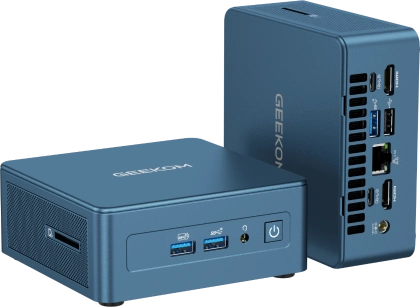
Best for Affordable Performance: GEEKOM A5
If you’re looking for a small form factor PC that’s friendly for just about any budget, the GEEKOM A5 might be perfect. It costs significantly less than other computers (mini or traditional) and is ideal as an entry-level option or a computer for basic tasks.
Despite an affordable price, the computer still offers solid performance and is capable of handling various tasks without an issue. It also offers both expandable memory and storage, allowing you to upgrade the specs at some point.
In addition to a solid price point, the A5 also features a robust cooling system. The system features dual copper tubes to enhance heat dissipation, a full-copper heatsink, and a cooling fan, all of which work together to prevent overheating.
Similarly, it also boasts a durable design, especially for the price. The computer has a full-metal frame and base cover and has undergone environmental, mechanical, lifespan, and surface durability testing. It also has a UV-cured transparent resin coating to ensure the outer case is scratch-resistant and has an aesthetic high-gloss finish.
Specifications
- Size: 117 × 112 × 49.2mm
- CPU: AMD Ryzen™ 7 5825U or AMD Ryzen™ 5 7430U
- GPU: AMD Radeon™ Graphics
- Memory: Dual-channel DDR4 SODIMM, up to 64GB
- Storage: 1 x M.2 2280 PCIe 3.0 ×4 NVMe/SATA SSD, up to 4TB, and 1 × 2.5” 7mm SATA HDD, up to 2TB
Pros
- Affordable for nearly any budget
- Quiet and efficient cooling system
- Quite durable for the price
Cons
- Weaker processor than the other options
Best for Stable, All-Day Use: GEEKOM A5 Pro 2026 Edition
While small form factor PCs are often tiny, that doesn’t always mean they’re more fragile than larger options. If you’re looking for a mini PC that’s especially durable and could last you years, consider the GEEKOM A5 Pro 2026 Edition.
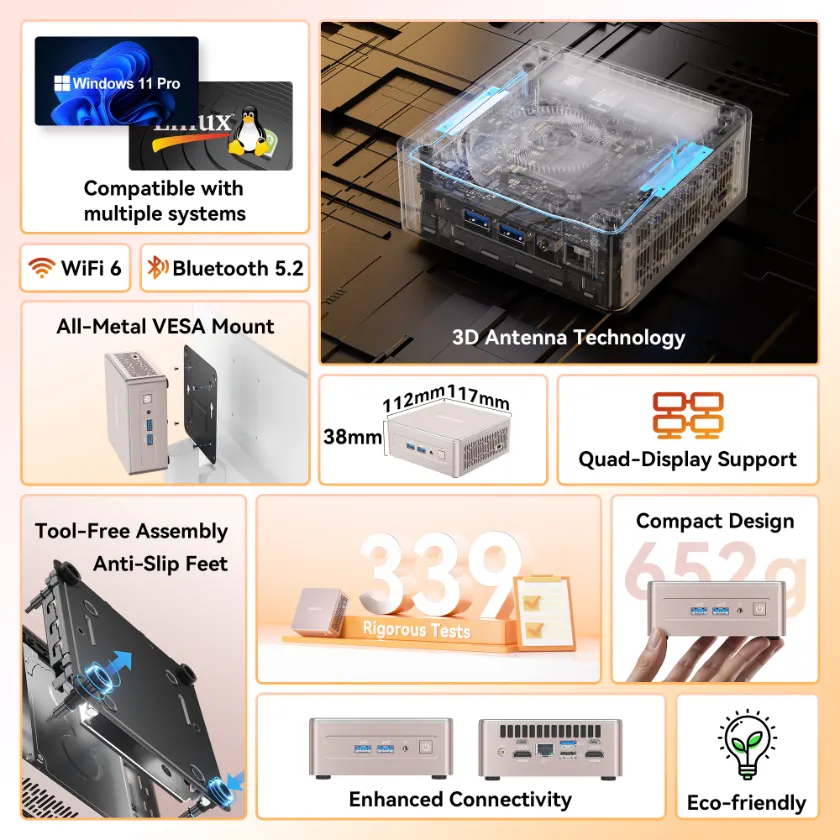
It features an all-metal middle frame and a bottom cover that can withstand up to 200kg (440lbs) of pressure, along with an outer frame and top cover made from PC and ABS. The computer undergoes 339 rigorous tests across three development phases to ensure it offers unmatched reliability.
However, this mini PC has several other advantages beyond its build quality. It has multiple strong CPU options, solid graphics and is easily upgradable in terms of both storage and memory. The computer also features several ports and connection options, making it versatile enough for use in gaming, editing, stock trading, or a home office.
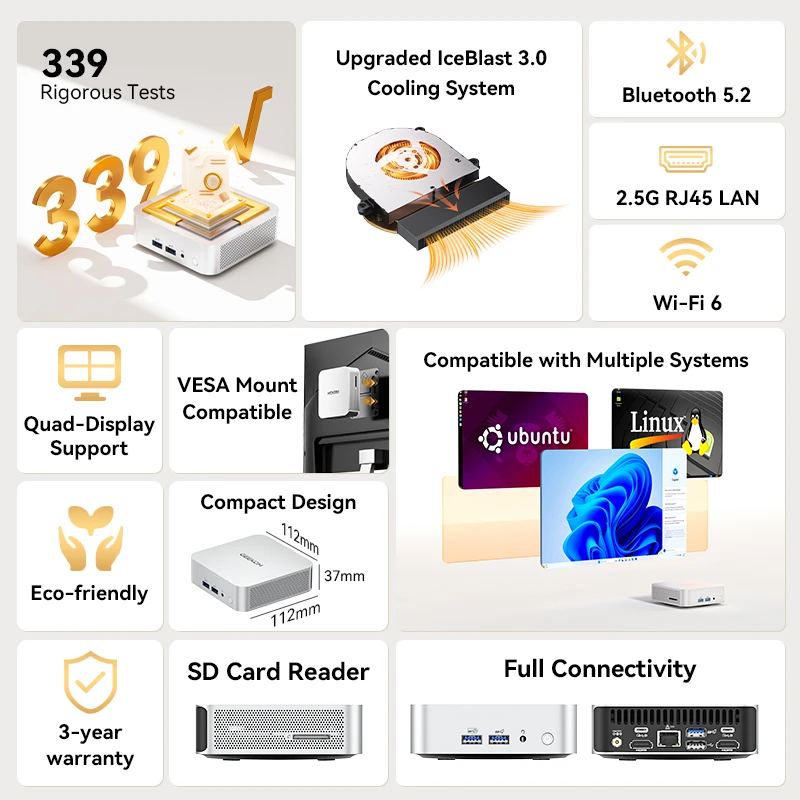
Specifications
- AMD Ryzen™ 5 7530U – Agile and efficient performance for office tasks, browsing, video calls, and professional use with low power consumption
- 16 GB + 1 TB – The Sweet Spot for Performance and Value. Supports two SSDs (M.2 2280 and 2242) for speed, capacity, and responsiveness in demanding environments, expandable up to 64 GB RAM and 3 TB SSDs.
- 8K Immersive Visual – Dual HDMI 2.0 & dual USB 3.2 Gen 2 Type-C ports enable stunning quad-screen multi-display — supporting up to breathtaking 8K output. Built-in SD card reader for seamless file transfers, ideal for creators, analysts & remote workers (Win11 Pro).
Pros
- Great build quality and resilience
- Multiple CPU options to choose from
- Easily upgradable, both in terms of storage and memory
Cons
- No USB4 ports
What to Consider When Choosing a Small Form Factor PC
Here are a few important things to keep in mind when choosing a small form factor PC:
Your Space and Setup
Of course, the amount of space you’ve got plays a big part in the exact small form factor PC you choose. While most are tiny and can fit into almost any setup, some may be slightly larger than others. Similarly, the layout of your setup may be a consideration. For example, you might need a mini PC shaped in a particular way to fit exactly where you want it to go.
As a result, it’s crucial to measure the available space you have and choose a mini PC that fits well into it. Even being a few millimetres off could be the difference between a computer fitting perfectly and being too large.
Size is also important if you want to take the mini PC with you while you travel. The smaller and lighter a computer is, the more portable it’ll be, and the easier it is to safely and securely put it in a bag.
Your Performance Needs
While the size of the small form factor PC is a key consideration, don’t forget specs and performance. A mini PC is suitable for a variety of tasks, including browsing the Internet, working, watching movies, and gaming. However, you need to ensure that your chosen PC can handle whatever you plan to throw at it.
The exact specs you need depend on how you plan to use the PC. For example, someone trying to use the computer for gaming or other intensive tasks may require a more powerful machine with a better CPU and GPU. On the other hand, someone using it primarily for watching videos, browsing the Internet, or taking notes can save money on a lower-spec PC.
Your Budget
While many small form factor PCs are more affordable than larger computers, some may still be quite expensive. As a result, you need to consider your budget and find a mini PC that’s within your price range.
However, don’t simply opt for the cheapest option without considering other factors. If you do, you may end up with a subpar PC that has lacklustre specs. While it may be inexpensive, it may not be able to handle the tasks you need it to without performing poorly or loading slowly.
The goal is to find a balance of price and specs, and choose a small form factor PC that offers the appropriate performance for your needs and preferences. Don’t hesitate to compare various options (both in terms of price and specs) to find the perfect choice.
Frequently Asked Questions
What Is a Small Form Factor PC?
A small form factor PC is a compact computer designed to save space and be more portable than traditional desktop computers. Despite its smaller size, it should still offer solid performance for gaming, working, or a variety of other tasks.
Are There Any Good Small Form Factor PCs?
Yes, there are plenty of good small form factor PCs, such as the GEEKOM IT13, GEEKOM A5, and GEEKOM A5 Pro. These are not only compact and easy to transport, but also offer solid specs and great performance.
What Is the Downside of a Small Form Factor PC?
Some potential downsides of a small form factor PC include component restrictions due to its compact size, overheating, and the fact that it may not be able to offer top-tier performance. These possible downsides are why it’s important to choose a high-quality small form factor PC.
Do Small Form Factor PCs Need Special Monitors?
u003cstrongu003eNou003c/strongu003e, small form factor computers can use the same monitors as traditional computers, as they often have the same universal ports, such as HDMI and USB.
GEEKOM Mini PCs Offer Reliable Performance in Compact Builds
Small form factor PCs are excellent options for individuals with limited space, those seeking a portable computer, or budget-conscious users who don’t want to compromise on performance, features, or durability.
Don’t hesitate to browse GEEKOM’s powerful small form factor PCs, from the IT13 to the A5 Pro, to snap up a device that’s perfect for your needs.