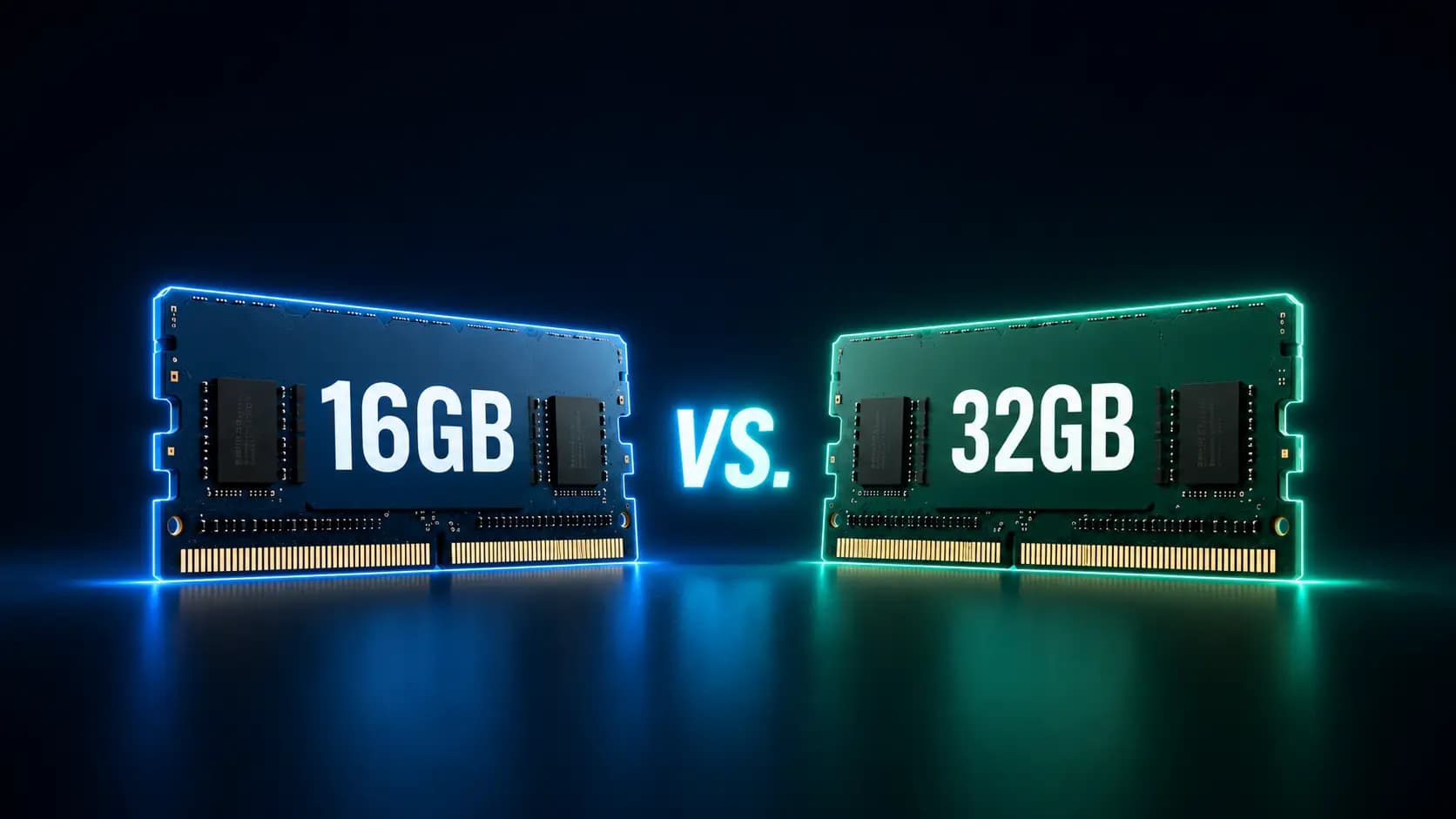
When you’re buying a PC, few numbers matter as much as the amount of RAM. Most buyers agree that 8GB is a bit on the low side these days, but what about 16GB vs 32GB RAM? How much memory do you actually need?
This guide covers everything you need to know about RAM, along with some practical tips for landing on the right amount for your next PC.
What Does More RAM Actually Do?
RAM stands for Random Access Memory. It’s the temporary storage your PC uses to hold the programs and data you’re actively working with.
What RAM Is Responsible For
To understand how RAM works, it helps to separate it from the processor (CPU) and your storage (SSD). The CPU does the actual number-crunching, and the SSD provides permanent storage for your programs and files.
RAM isn’t responsible for either processing power or long-term file storage. It’s temporary storage that keeps running programs and their data close at hand, so the processor can get to them quickly.
What Happens When RAM Runs Low
When there’s enough RAM for everything you’ve got running, it makes the processor’s job easier — the CPU can pull data straight from memory and finish its calculations faster.
When there isn’t enough RAM, it can’t hold all the data that’s needed. Whatever doesn’t fit spills over onto the SSD, and once the CPU has to reach for that, you get longer response times and sluggish multitasking.
16GB of RAM: Who Is It Enough For?
A PC with 16GB of RAM has you well covered for most everyday tasks. Here’s what that looks like in practice.
Typical Uses for 16GB
In the 16GB vs 32GB RAM debate, 16GB is perfectly adequate for all of the following:
- Everyday use at the office, working from home and study (office apps and the like)
- Heavy browsing with lots of tabs open
- Live streaming and video calls
- Basic photo editing (simple touch-ups)
- Most current games
The Limits of 16GB
For certain tasks, though, 16GB reaches its limits fairly quickly:
- Running two or more of the tasks above at the same time
- Heavy photo editing (e.g. Photoshop with large files)
- Professional video editing
- Using CAD programs
- Running AI models locally
32GB of RAM: When Is the Upgrade Worth It?
When comparing 16GB vs 32GB RAM, if any of those limits sound like your kind of workload, a PC with 32GB is the way to go.
Typical Uses for 32GB
Go straight for 32GB if you’re doing any of the following:
- Professional photo and video editing, and software development
- CAD work and 3D rendering
- Running AI models locally
- Serious gaming, including live streaming
- Working with large databases
When 32GB Is Overkill
Buying 32GB just to “be on the safe side” isn’t necessary unless at least one of those workloads applies to you.
If you’re after a PC for school, study or the office, 16GB has you sorted. Browsing, streaming, gaming and hobby-level photo and video editing simply won’t use up 32GB.
Related reading: Is 32GB RAM Overkill? The Ultimate Guide to RAM for Your PC
16GB vs 32GB RAM: A Direct Comparison
So far so good: 16GB suits everyday use, while 32GB is really for professional workloads. Now let’s look a little closer at how the two stack up.
Gaming
When comparing 16GB vs 32GB RAM for gaming, 16GB is plenty in most cases. Casual gamers in particular don’t need to give their RAM much thought.
It’s worth a closer look, especially with current AAA titles like Hogwarts Legacy or when you’re running mods — these can push past 16GB. It’s also worth considering an upgrade if you run Discord alongside your game or stream.
Related reading: Is 16GB RAM Good for Gaming? The Ultimate 2026 Guide
Office and Multitasking
When comparing 16GB vs 32GB RAM for office work, you don’t need to worry about RAM if you’re using typical applications like an office suite. 16GB handles everyday multitasking without breaking a sweat.
You’d only think about 32GB in the office if you’re running especially demanding applications — constant photo and video editing, 3D rendering or running local AI models all call for 32GB.
Content Creation and Professional Work
Content creation is where it gets more nuanced. As a rule, 32GB gives you shorter loading times and smoother work, especially with several programs open at once.
You may well be fine with 16GB for lighter photo and video editing. Just bear in mind that professional applications tend to get more memory-hungry over time.
Here’s our take at a glance, by use case:
| Use case | 16GB RAM | 32GB RAM |
| Gaming | Fine for casual gaming | Needed for AAA titles and streaming |
| Office | Perfect for day-to-day office work | Only needed for select professional apps |
| Content creation | Fine for basic photo and video editing | Needed for professional photo and video editing |
16GB vs 32GB RAM in Laptops and Mini PCs
With compact devices, it’s worth thinking twice about whether 16GB is enough, because on compact machines, upgrading later often isn’t an option. Here’s why the RAM choice matters even more in laptops and mini PCs.
RAM in Compact Devices
In compact devices like laptops and mini PCs, manufacturers face three challenges: limited room for hardware, tight power requirements and more heat to manage.
For RAM, that has a few consequences. There’s often only room for a single memory slot, and LPDDR RAM is favoured over SO-DIMM for its efficient power use and lower heat output.
Soldered or Upgradeable RAM?
LPDDR RAM is a special type of memory used mainly in laptops and mini PCs. It’s more power-efficient and runs cooler, which matters a lot in compact devices.
Here’s the catch, though: unlike traditional SO-DIMM, LPDDR RAM is almost always soldered to the board. That makes upgrading later far more involved and expensive — and there’s often no spare slot to add to, either.
Our Recommendation for Laptops and Mini PCs
If you’re weighing up a laptop or mini PC, match the RAM to what you actually need. The deciding factor is whether the memory is upgradeable: if it can’t be expanded later, plan in a bit of headroom for future needs. If an upgrade is possible at any time, you can start with 16GB and add more when you need it.
A quality 16GB mini PC like the GEEKOM A5 Pro currently starts from A$709.00, and it’s a good example of getting upgrade-friendly specs without paying laptop money.
What Else to Look For When It Comes to RAM
For serious gaming with streaming, or professional applications — think 4K video, CAD and 3D rendering, or local AI models — don’t just buy 32GB blindly. When you go for 32GB, keep an eye on these two things as well.
DDR4 vs DDR5
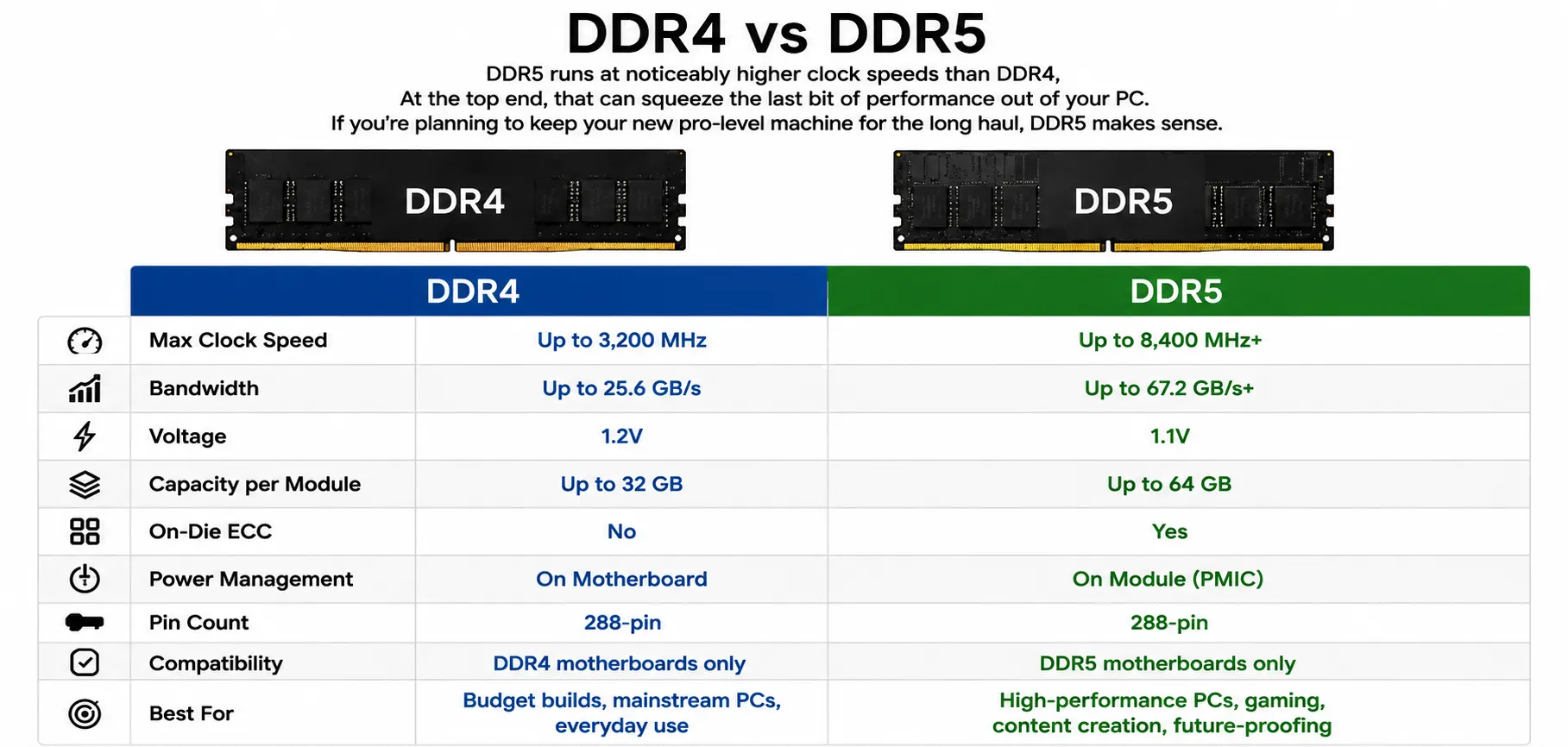
DDR5 runs at noticeably higher clock speeds than DDR4. At the top end, that can squeeze the last bit of performance out of your PC. If you’re planning to keep your new pro-level machine for the long haul, DDR5 makes sense.
Clock Speed and Dual Channel
Dual-channel mode lets your PC use two memory channels at once. Running two modules doesn’t raise the clock speed, but it does give you more memory bandwidth — which can also help performance at the top end.
16GB or 32GB: Our Recommendation
To wrap up this 16GB vs 32GB RAM comparison, for everyday use at school, study, working from home, and the office, 16GB has you well covered. For gaming, take a close look at which titles you plan to play. And for professional applications, go with 32GB — especially in laptops and mini PCs.
FAQs
How can I tell if I need more RAM?
Common signs are programs taking a while to respond, delays when switching between tabs, and stuttering during photo and video editing. You can check your RAM usage in Task Manager.
Is 16GB of RAM still enough in 2026?
Yes, 16GB is still fine in 2026. For personal use, hobbies, school, study and office work, 16GB is perfectly adequate.
Is 16GB of RAM enough for gaming?
Generally, yes. 16GB is enough for casual gaming. As a hobby gamer, you won’t run into problems with most games. It can get tight with especially demanding AAA titles.
When is 32GB of RAM worth it?
Go for 32GB if you’re getting a desktop for professional work, such as video editing. With laptops and mini PCs, it’s worth stepping up to 32GB sooner if you plan to keep the machine for a while.
Will I notice a difference day to day between 16GB and 32GB?
No, for everyday tasks like browsing, office apps and casual gaming, you won’t notice a difference between 16GB and 32GB.
Can I mix 16GB and 32GB RAM?
Technically, yes, combining a 16GB and a 32GB module gives you 48GB in total. You’ll need a second memory slot. That said, for the best dual-channel performance, two identical modules are the better choice.
Can I upgrade the RAM later?
Yes, as long as the memory isn’t soldered to the board. With laptops and mini PCs, that’s often the case, which would rule out a later upgrade.