UK Local Inventory
3-Year Warranty
30-Day Refund & Return
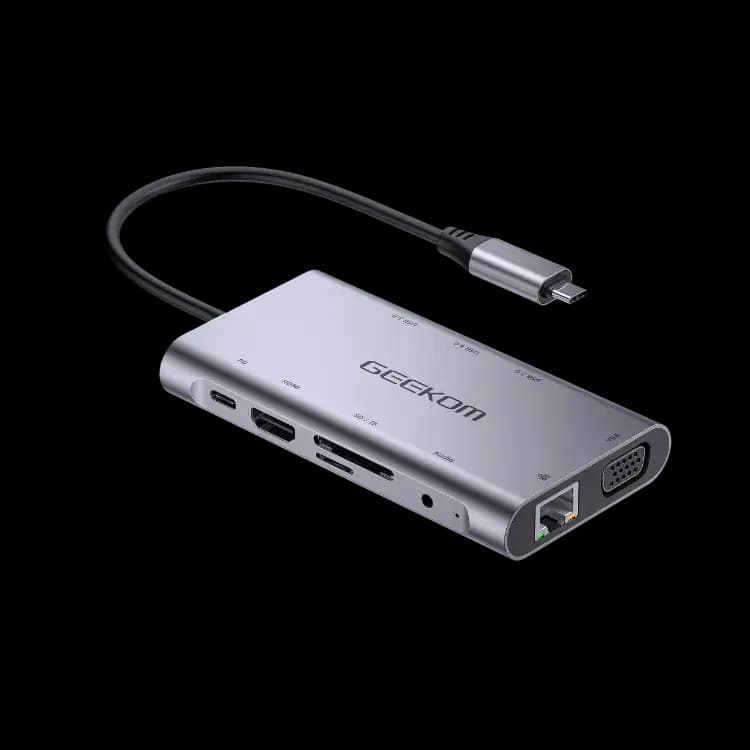
GEEKOM 10-in-1 USB C Hub

£45.99
- Support USB-C input, USB3.0 Output
- Support HDMI Female, VGA Female, USB-C Female, USB 3.0 Female, Gigabit Ethernet, Stereo, SD Card, Micro DS Card, USB-C interface
- Support HDMI resolution up to 3840X2160@30Hz
- Support VGA resolution up to 1920x1080P@60Hz
- Support VGA and HDMI simultaneously output
- Support 10/100/1000Mbps bandwidth
- Stereo port supports both microphone and headphone
- Support to access memory
- USB-C female charging port for Macbook or Google new Chromebook Pixel and other USB-C supported devices.
- Multiple USB-C interfaces support plug and play, hot swap
- Support Secure Digital v3.0 UHS-I (Reading speed max 70Mbps, Writing speed max 90Mbps)
- Support MultiMediaCard (MMC) specification
- Support Micro SD/SDHC/SDXC (up to 128 GB)USB-C female port supplies power up to 100W(20V5A)
Accessories: 10-in-1 USB C Hub
£45.99
🆓Free Shipping from UK warehouse.
🚚Ship in 2-5 business days.
✅30-Day Money-Back Guarantee & 3-Year Warranty.
275 people are viewing this right now
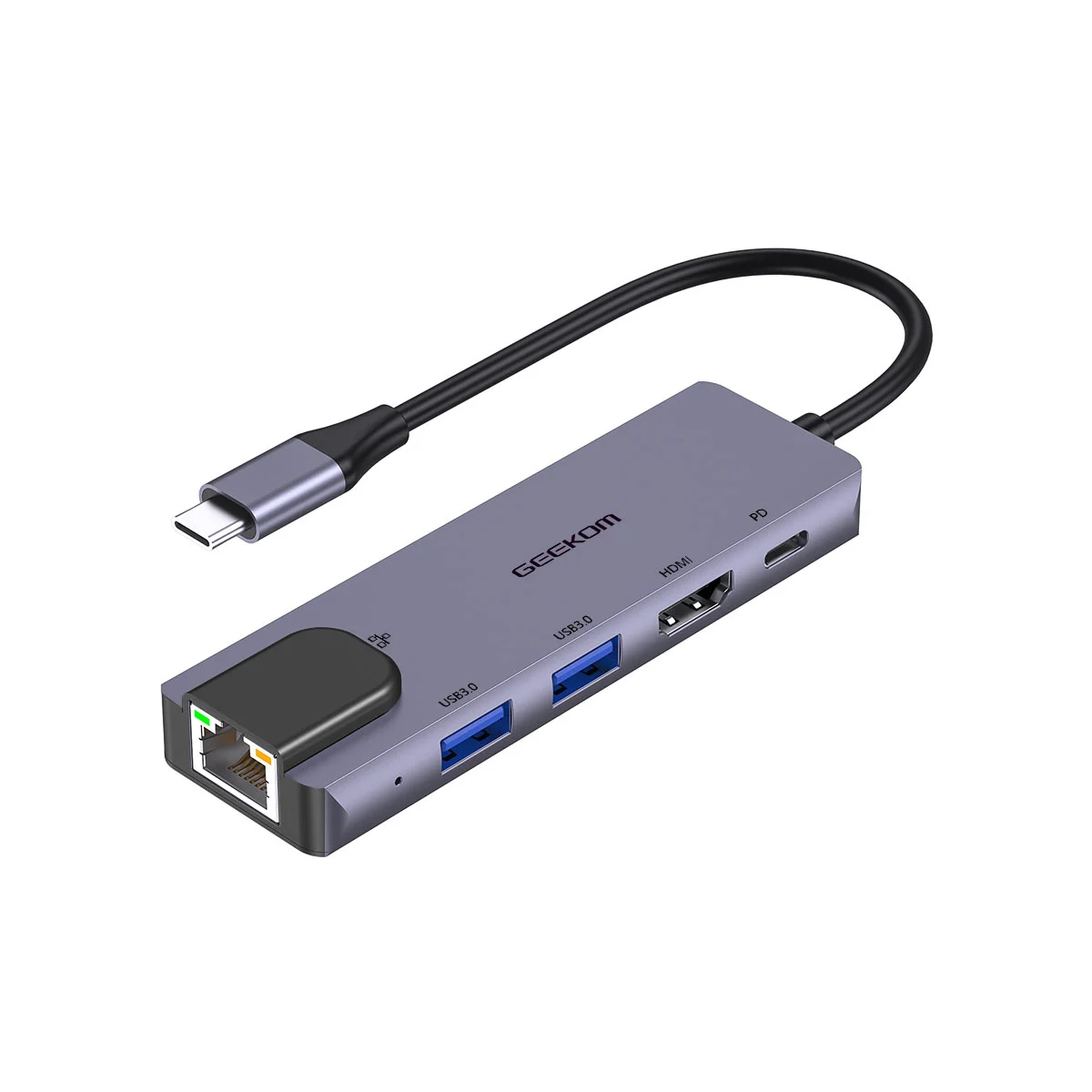
This USB-C docking station, with its multiple ports, allows you to connect a host PC to monitors or devices with HDMI, VGA and USB3.0 ports, and also allows your host PC to get access to fast network with its Gigabit Ethernet port. Besides, the SD/MMC and Micro SD card slot helps to access the external memory of the host PC and the USB-C female port can charge for the host computer.
1 Dimensions
Figure 1-1 Dimensions (Unit: mm [inch])
1.2 Port and Application scene Figure 1-2 Port and Application scene
Table 1-1 Description of port
| No. | Input/Output Connector | Name | Description |
| 1 | Input | USB-C Male x1 | The USB-C connected to laptops, tablets, mobile phones, game consoles and other devices |
| 2 | Output | HDMI Female x1 | The resolution is up to 3840X2160@30Hz |
| 3 | Output | VGA Female x1 | The resolution is up to 1920x1080P@60Hz |
| 4 | Output | USB 3.0 Female x3 | Total output power: 15W ([email protected]) Power output of up to 7.5W(5V1.5A for one port alone or 2 ports for PD adapter charging) |
| 5 | Output | RJ45 X1 | Support 10/100/1000Mbps bandwidth |
| 6 | Output | Audio x1 | The headphone jack supports both a microphone and headphones |
| 7 | Output | SD card slot x1 | The maximum read speed is 70Mbps and the maximum write speed is 90Mbps |
| 8 | Output | Micro SD card slot x1 | Micro SD / SDHC (up to 128 GB) |
| 9 | Output | USB-C Female x1 FOR CHARING | MAX 100W |
2 Packing List and Operation
2.1 Packing List
Before attempting to use this unit, please check the packaging and make sure the following items are contained in the shipping carton:
2.2 Operation
- Connect the USB-C male port of this product to Macbook
- Connect the three USB3.0 ports to three USB devices
- Connect the HDMI port to HD display with one HDMI Cable
- Connect the VGA port to HD display with one VGA Cable
- Connect Gigabit Ethernet port of this product to Ethernet Router with an Ethernet cable
- Connect the Stereo port to earphone
- Insert Micro SD and SD/MMC cards into the card reader ports
- Connect the Type C charging port, it can charge for the MacBook and support this adapter to work simultaneously
Note:
- When the USB-C header of the expansion dock is connected to the device, the mouse connected to the USB 3.0 port will not work immediately, and there will be a delay of several seconds, which is a normal phenomenon.
- When connecting this product to Chromebook, the VGA video signal may not appear on the screen of the VGA monitor under certain resolutions
- When plugging in and out the PD Adapter, the connected USB devices will get disconnected flashily and then reconnect in a few seconds, so to prevent possible data loss or corruption, avoid disconnecting the PD Adapter from AC power while transferring data
- When reading the large-capacity moving hard disk, please connect to the PD for charging.
- The working temperature is about 45 C, which is a normal fever condition.
Reviews
Loading product details...